
 数据结构
数据结构 网络
网络 RDBMS
RDBMS 操作系统
操作系统 Java
Java MS Excel
 iOS
iOS HTML
HTML CSS
CSS Android
 Python
 C 编程
C 编程 C++
C++ C#
C# MongoDB
 MySQL
MySQL Javascript
 PHP
PHP 物理学
物理学 化学
化学 生物学
生物学 数学
数学 英语
英语 经济学
经济学 心理学
心理学 社会学
社会学 时装研究
时装研究 法律研究
法律研究如何更新 Tkinter 中网格中的信息?
让我们假设一个 Tkinter 应用程序在窗口中放置了小部件,并使用 Grid 几何管理器。为了更改 Tkinter 小部件的属性,我们可以使用 **configure(**options)** 方法。在窗口中渲染小部件时,我们必须将构造函数分配给变量,通过这些变量可以全局更改小部件的属性。
示例
# Import the required libraries
from tkinter import *

# Create an instance of tkinter frame or window
win=Tk()

# Set the size of the window
win.geometry("700x350")

# Add a Label widget and assign it to a new variable
label=Label(win, text="This is Houstan Control. " "We've detected a new Mission", background="skyblue",font=('Aerial 11'))
label.grid(row=0, column=2)

win.mainloop()
输出
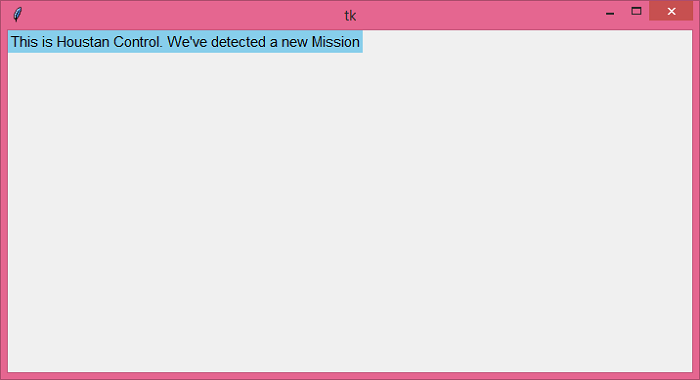
运行上面的代码将显示一个窗口,其中有一个标签小部件与窗口的最左边对齐。

更新于: 2021 年 6 月 18 日
548 次浏览

广告