
 数据结构
数据结构 网络
网络 RDBMS
RDBMS 操作系统
操作系统 Java
Java MS Excel
 iOS
iOS HTML
HTML CSS
CSS Android
 Python
 C 编程
C 编程 C++
C++ C#
C# MongoDB
 MySQL
MySQL Javascript
 PHP
PHP 物理学
物理学 化学
化学 生物学
生物学 数学
数学 英语
英语 经济学
经济学 心理学
心理学 社会学
社会学 时尚设计
时尚设计 法律研究
法律研究如何在 Tkinter 中将图片用作按钮?
在本例中,我们将在窗口中创建一个圆角按钮,该按钮可在创建表单、游戏、对话框等许多其他应用程序中使用。
在 Tkinter 中创建圆角按钮的最佳方法是,使用所需的按钮图像,并将其变成框架内的可点击按钮。通过使用PhotoImage() 函数可以轻松实现,该函数会获取所需的按钮图像。
因此,以下步骤可以使所需的图像成为一个按钮,
首先,我们将创建一个虚拟按钮,该按钮可用于使图像可点击。
使用PhotoImage(file) 函数从源图像中获取图像。
将图像文件作为 Button 函数中的值传入
删除borderwidth=0。
现在,就生成了一个圆角按钮。
对于本例,我们将使用此图像,并使其可点击。
#Import all the necessary libraries
from tkinter import *

#Define the tkinter instance
win= Toplevel()
win.title("Rounded Button")

#Define the size of the tkinter frame
win.geometry("700x300")

#Define the working of the button

def my_command():
   text.config(text= "You have clicked Me...")

#Import the image using PhotoImage function
click_btn= PhotoImage(file='clickme.png')

#Let us create a label for button event
img_label= Label(image=click_btn)

#Let us create a dummy button and pass the image
button= Button(win, image=click_btn,command= my_command,
borderwidth=0)
button.pack(pady=30)

text= Label(win, text= "")
text.pack(pady=30)

win.mainloop()
输出
运行上述代码将产生以下输出 −
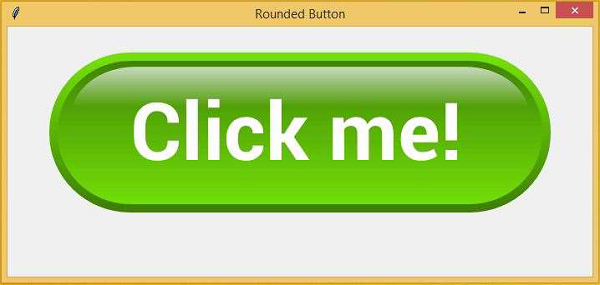

更新日期:15-Sep-2023
32K+ 浏览量

广告