
 数据结构
数据结构 网络
网络 RDBMS
RDBMS 操作系统
操作系统 Java
Java MS Excel
 iOS
iOS HTML
HTML CSS
CSS Android
 Python
 C程序设计
C程序设计 C++
C++ C#
C# MongoDB
 MySQL
MySQL Javascript
 PHP
PHP 物理学
物理学 化学
化学 生物学
生物学 数学
数学 英语
英语 经济学
经济学 心理学
心理学 社会研究
社会研究 时尚研究
时尚研究 法律研究
法律研究HTML 目标属性
<a> 元素的目标属性用于设置链接文档的打开位置。你可以将文档设为在新窗口、同一框架、父级框架中打开等。
以下是语法 −
<a target="_blank|_self|_parent|_top| frame">
这里,_blank 用于在新窗口或选项卡中打开链接文档,_self 用于在链接被点击的同一框架中打开链接文档,_parent 用于在父级框架中打开文档,_top 用于在整个窗口正文中打开链接文档,frame 用于在指定框架中打开链接文档。
下面我们看看一个在 <a> 元素中实现目标属性的例子 −
示例
<!DOCTYPE html>
<html>
<body>
<h2>Learning is Fun</h2>
   <p><strong>Note −</strong> The links will open in new window.</p>
   <p><a href="https −//tutorialspoint.com/tutorialslibrary.htm" target="_blank">Tutorials Library</a><br>
   <a href="https −//tutorialspoint.com/programming_examples/" target="_blank">Codes</a><br>
   <a href="https −//tutorialspoint.com/computer_glossary.htm" target="_blank">Computer Glossary</a>
<br>
</body>
</html>
这将产生如下输出。下面的链接将在新窗口中打开 −
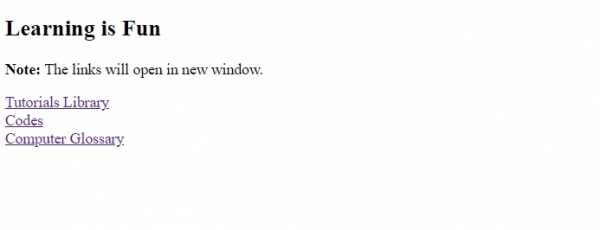
在上面的例子中,我们已经设置了 target 属性中的目标 −
<a href="https −//tutorialspoint.com/tutorialslibrary.htm" target="_blank"> Tutorials Library </a>
上面设置的属性值是 _blank,它在新窗口中打开 href 属性中的链接 −
target="_blank"

更新于: 30-07-2019
630 次浏览

广告