
 Data Structure
 Networking
 RDBMS
RDBMS Operating System
 Java
Java MS Excel
 iOS
iOS HTML
HTML CSS
CSS Android
 Python
 C Programming
 C++
C++ C#
C# MongoDB
 MySQL
MySQL Javascript
 PHP
PHP Physics
 Chemistry
 Biology
 Mathematics
 English
 Economics
 Psychology
 Social Studies
 Fashion Studies
 Legal Studies
HTML DOM Link type 属性
Link type 属性设置/返回链接文档的类型。
语法
语法如下 −
- 返回 type 属性的值
linkObject.type
- 将 type 设置为有效的值
linkObject.type = value
注意: 有效值包括 “text/javascript”、“text/css”、“image/gif” 等。
示例
我们来看一下 Link type 属性的一个示例 −
<!DOCTYPE html>
<html>
<head>
<title>Link type</title>
<link id="extStyle" rel="stylesheet" href="style.css" type="myStyle">
</head>
<body>
<form>
<fieldset>
<legend>Link-type</legend>
<input type="button" value="Correct Type" onclick="correctType()">
<div id="divDisplay"></div>
</fieldset>
</form>
<script>
   var divDisplay = document.getElementById("divDisplay");
   var extStyle = document.getElementById("extStyle");
   divDisplay.textContent = 'The linked document type: '+extStyle.type+' is not compatible';
   function correctType(){
      extStyle.type = 'text/css';
      divDisplay.textContent = 'Congrats! The linked document type: '+extStyle.type+' is compatible';
   }
</script>
</body>
</html>在上面的示例中,‘style.css’ 包含 −
form {
   width:70%;
   margin: 0 auto;
   text-align: center;
}
* {
   padding: 2px;
   margin:5px;
}
input[type="button"] {
   border-radius: 10px;
}
输出
将生成以下输出 −
在单击‘正确类型’按钮之前 −

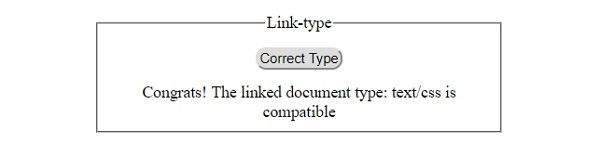
单击‘正确类型’按钮之后 −

更新于: 30-7-2019
97 次浏览

广告