
 数据结构
数据结构 网络
网络 RDBMS
RDBMS 操作系统
操作系统 Java
Java MS Excel
 iOS
iOS HTML
HTML CSS
CSS Android
 Python
 C 编程
C 编程 C++
C++ C#
C# MongoDB
 MySQL
MySQL Javascript
 PHP
PHP 物理学
物理学 化学
化学 生物学
生物学 数学
数学 英语
英语 经济学
经济学 心理学
心理学 社会学
社会学 时装研究
时装研究 法律研究
法律研究HTML DOM Option 的 label 属性
DOM option 的 label 属性可返回并更改 HTML 文档中 option 的 label 属性值。
语法
以下为语法 −
返回 label
object.label
2. 修改 label
object.label = “text”
范例
我们来看一个 option label 属性的范例 −
<!DOCTYPE html>
<html>
<head>
<style>
   html{
      height:100%;
   }
   body{
      text-align:center;
      color:#fff;
      background: linear-gradient(62deg, #FBAB7E 0%, #F7CE68 100%) center/cover no-repeat;
      height:100%;
   }
   p{
      font-weight:700;
      font-size:1.2rem;
   }
   .drop-down{
      width:35%;
      border:2px solid #fff;
      font-weight:bold;
      padding:8px;
   }
   .btn{
      background:#0197F6;
      border:none;
      height:2rem;
      border-radius:2px;
      width:35%;
      margin:2rem auto;
      display:block;
      color:#fff;
      outline:none;
      cursor:pointer;
   }
   .show{
      font-size:1.5rem;
      font-weight:bold;
   }
</style>
</head>
<body>
<h1>DOM Option label Demo</h1>
<p>Hi, Select your favourite subject:</p>
<select class='drop-down'>
<option label="Physics">Physics</option>
<option label="Maths">Maths</option>
<option label="Chemistry">Chemistry</option>
<option label="English">English</option>
</select>
<button onclick="showLabel()" class="btn">Show Label Value</button>
<div class="show"></div>
<script>
   function showLabel() {
      var dropDown = document.querySelector(".drop-down");
      var msg = document.querySelector(".show").innerHTML="Label = " +
         dropDown.options[dropDown.selectedIndex].label;
      console.log(dropDown.options[dropDown.selectedIndex].label);
   }
</script>
</body>
</html>
结果
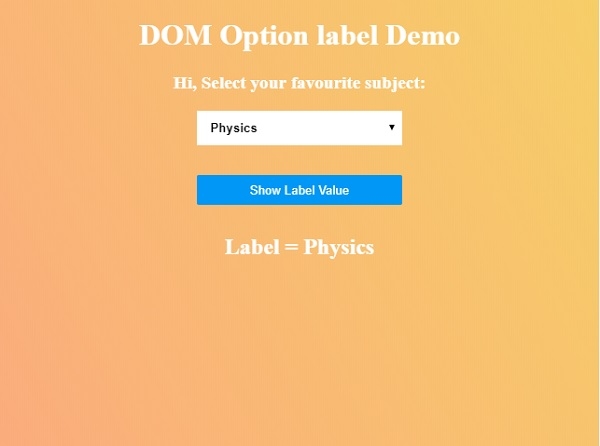
将生成以下结果 −
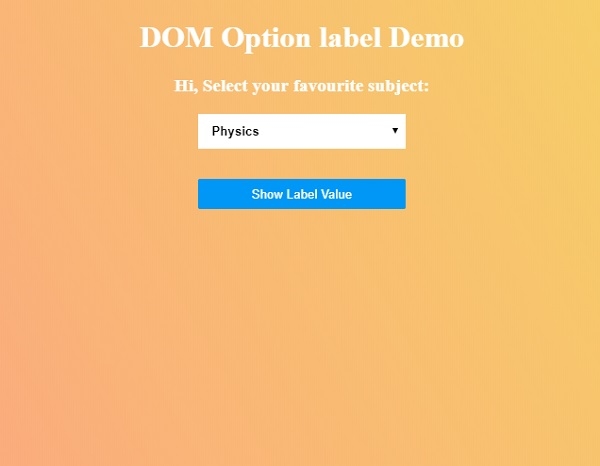
从下拉列表中选择你最喜欢的科目,然后点击“显示 Label 值”按钮,以显示该选项的 label 值。

更新日期:2020 年 7 月 1 日
94 次浏览

广告