
 数据结构
数据结构 网络技术
网络技术 关系型数据库管理系统
 操作系统
操作系统 Java
Java Microsoft Excel
 iOS
iOS 超文本标记语言
 层叠样式表
层叠样式表 安卓
安卓 Python
 C 语言
C 语言 C++
C++ C#
C# MongoDB
 MySQL
MySQL JavaScript
 PHP
PHP 物理
物理 化学
化学 生物
生物 数学
数学 英语
英语 经济学
经济学 心理学
心理学 社会学
社会学 时装设计
时装设计 法律
法律HTML DOM 选项文本属性
HTML DOM option text 属性返回并修改 HTML 文档中的选项文本。
语法
语法如下 −
1. 返回文本
object.text
2. 修改文本
object.text = “text”
例
让我们看看 HTML DOM option text 属性的一个示例 −
<!DOCTYPE html>
<html>
<head>
<style>
   html{
      height:100%;
   }
   body{
      text-align:center;
      color:#fff;
      background: radial-gradient( circle farthest-corner at 23.1% 64.6%, rgba(129,125,254,1) 0%, rgba(111,167,254,1) 90% ) no-repeat;
      height:100%;
   }
   p{
      font-weight:700;
      font-size:1.1rem;
   }
   .drop-down{
      display:block;
      width:35%;
      border:2px solid #fff;
      font-weight:bold;
      padding:2px;
      margin:1rem auto;
      outline:none;
   }
   .btn{
      background:orange;
      border:none;
      height:2rem;
      border-radius:2px;
      width:35%;
      margin:2rem auto;
      display:block;
      color:#fff;
      font-weight:bold;
      outline:none;
      cursor:pointer;
   }
   .show{
      font-size:1.5rem;
      font-weight:bold;
   }
</style>
</head>
<body>
<h1>DOM Option text Property Demo</h1>
<p>Hi, Select your favourite subject −</p>
<select class='drop-down'>
<option>Physics</option>
<option>Biology<option>
<option>Maths<option>
</select>
<button type="button" onclick="changePhysicsName()" class="btn">Change Physics
Subject Name</button>
<div class="show"></div>
<script>
   function changePhysicsName() {
      document.querySelector(".drop-down").options[0].text="Applied Physics";
      document.querySelector(".show").innerHTML="Now Physics become Applied Physics";
   }
</script>
</body>
</html>
输出
该例会生成以下输出 −
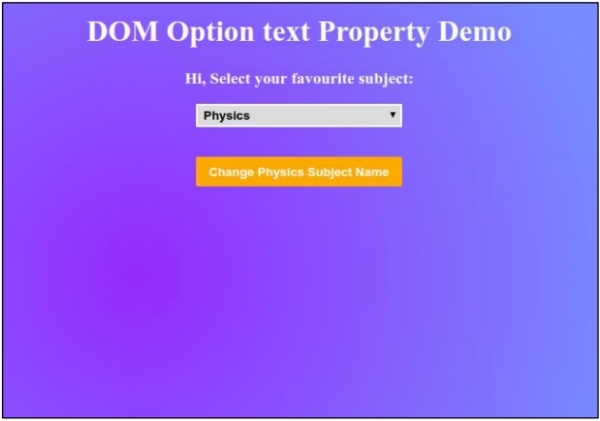
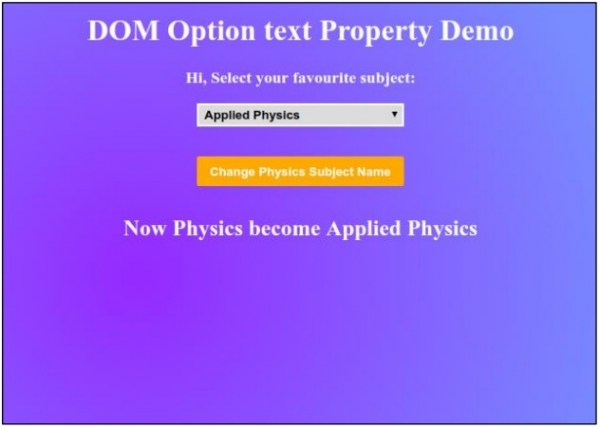
点击“更改物理学科名称”按钮以更改物理选项文本。

更新时间: 2019-07-30
111 次浏览

广告