
 数据结构
数据结构 网络
网络 RDBMS
RDBMS 操作系统
操作系统 Java
Java MS Excel
 iOS
iOS HTML
HTML CSS
CSS Android
 Python
 C 编程
C 编程 C++
C++ C#
C# MongoDB
 MySQL
MySQL Javascript
 PHP
PHP 物理
物理 化学
化学 生物学
生物学 数学
数学 英语
英语 经济学
经济学 心理学
心理学 社会学
社会学 时尚研究
时尚研究 法律研究
法律研究HTML DOM 视频时长属性
HTML DOM 视频时长属性返回一个数字,对应于视频的长度(以秒为单位)。
注意 − 对于直播来说,它返回 “Inf”,也就是无限大,因为直播没有预定义的持续时间。
语法
以下是语法 −
返回字符串值
mediaObject.duration
让我们看一个 HTML DOM 视频时长 属性的示例 −
示例
<!DOCTYPE html>
<html>
<head>
<title>HTML DOM Video duration</title>
<style>
   * {
      padding: 2px;
      margin:5px;
   }
   form {
      width:70%;
      margin: 0 auto;
      text-align: center;
   }
   input[type="button"] {
      border-radius: 10px;
   }
</style>
</head>
<body>
   <form>
      <fieldset>
         <legend>HTML-DOM-Video-duration</legend>
         <video id="demo" width="320" controls><source          src="https://tutorialspoint.com/html5/foo.mp4" type="video/mp4"></video><br>
         <input type="button" onclick="getTrackDetails()" value="How many seconds of content is this             video?">
         <div id="divDisplay"></div>
      </fieldset>
   </form>
<script>
   var divDisplay = document.getElementById("divDisplay");
   var demo = document.getElementById("demo");
   function getTrackDetails() {
      divDisplay.textContent = 'Duration: '+demo.duration+' seconds';
   }
</script>
</body>
</html>
输出
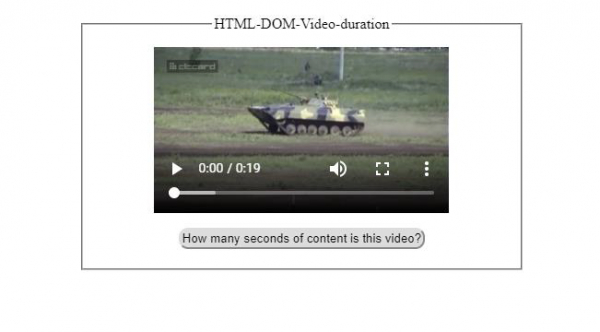
点击 “此视频有多少秒内容?” 按钮之前 −
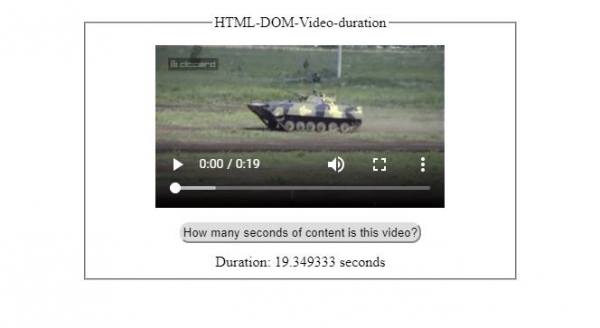
点击 “此视频有多少秒内容?” 按钮之后 −

更新于: 18-2-2021
144 次浏览

广告