
 数据结构
数据结构 网络
网络 关系数据库管理系统
 操作系统
操作系统 Java
Java MS Excel
 iOS
iOS HTML
HTML CSS
CSS Android
 Python
 C语言编程
C语言编程 C++
C++ C#
C# MongoDB
 MySQL
MySQL Javascript
 PHP
PHP 物理学
物理学 化学
化学 生物学
生物学 数学
数学 英语
英语 经济学
经济学 心理学
心理学 社会学
社会学 服装设计
服装设计 法律研究
法律研究Java程序从JTextPane获取文本并在控制台显示
在本文中,我们将学习如何从JTextPane中获取文本,并在Java中将其显示在控制台。我们将使用getText()方法检索文本并在控制台中显示它。此外,我们将使用SimpleAttributeSet应用简单的文本样式,例如斜体和颜色,以演示如何在GUI中管理带样式的文本。
从JTextPane获取文本的步骤
以下是使用Java从JTextPane获取文本并在控制台中显示的步骤:
- 首先,我们将创建一个JFrame作为GUI的主窗口。
- 我们将为框架设置默认的关闭操作,以确保在关闭窗口时应用程序关闭。
- 创建一个JTextPane组件,用于保存文本。
- 使用SimpleAttributeSet应用文本样式,例如斜体、蓝色和白色背景,使用StyleConstants。
- 使用setText()方法在JTextPane中设置文本,将文本“This is our demo text! We are displaying the text in the console.”插入文本窗格。
- 使用getText()方法从JTextPane获取文本,并将其打印到控制台。
- 添加滚动窗格并将JTextPane包装在JScrollPane中,以便在必要时允许滚动,并将其添加到框架中。
- 显示框架,我们将使用setSize(550, 300)设置框架的大小,并使用setVisible(true)使其可见以显示窗口。
Java程序从JTextPane获取文本
以下是获取JTextPane并在控制台中显示的示例:
package my;
import java.awt.BorderLayout;
import java.awt.Color;
import java.awt.Container;
import javax.swing.JFrame;
import javax.swing.JScrollPane;
import javax.swing.JTextPane;
import javax.swing.text.BadLocationException;
import javax.swing.text.SimpleAttributeSet;
import javax.swing.text.StyleConstants;
public class SwingDemo {
   public static void main(String args[]) throws BadLocationException {
      JFrame frame = new JFrame("Demo");
      frame.setDefaultCloseOperation(JFrame.EXIT_ON_CLOSE);
      Container container = frame.getContentPane();
      JTextPane textPane = new JTextPane();
      SimpleAttributeSet attributeSet = new SimpleAttributeSet();
      StyleConstants.setItalic(attributeSet, true);
      StyleConstants.setForeground(attributeSet, Color.blue);
      StyleConstants.setBackground(attributeSet, Color.white);
      textPane.setCharacterAttributes(attributeSet, true);
      textPane.setText("This is our demo text! We are displaying the text in the console.");
      System.out.println(textPane.getText());
      JScrollPane scrollPane = new JScrollPane(textPane);
      container.add(scrollPane, BorderLayout.CENTER);
      frame.setSize(550, 300);
      frame.setVisible(true);
   }
}
输出

文本将显示在控制台上:
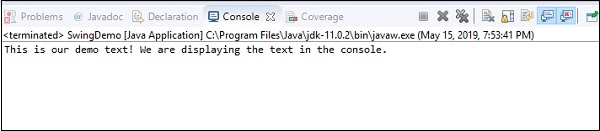
代码解释
在此程序中,创建了一个JTextPane来显示和设置文本样式。使用setText()方法将文本设置为“This is our demo text! We are displaying the text in the console.”。要检索并在控制台中显示此文本,我们使用getText()方法并打印结果。SimpleAttributeSet用于设置文本样式,包括蓝色、斜体和白色背景。然后将文本窗格包装在JScrollPane中,并添加到JFrame中,以便在窗口中显示。

更新于:2024年10月23日
652 次查看

广告