
- Sass 教程
- Sass - 主页
- Sass - 概览
- Sass - 安装
- Sass - 语法
- 使用 Sass
- Sass - CSS 扩展
- Sass - 注释
- Sass - 脚本
- Sass - @ 规则与指令
- 控制指令和表达式
- Sass - 混合指令
- Sass - 函数指令
- Sass - 输出样式
- 扩展 Sass
- Sass 使用教程
- Sass - 面试题
- Sass - 快速入门
- Sass - 使用教程
- Sass - 讨论
Sass - @if 指令
描述
@if 指令接受 SassScript 表达式,并且在表达式的结果除 false 或 null 以外时使用嵌套样式。
语法
@if expression { //CSS codes are written here }
示例
以下示例演示了在 SCSS 文件中使用 @if 指令:-
<html>
   <head>
      <title>Control Directives & Expressions</title>
      <link rel = "stylesheet" type = "text/css" href = "style.css"/>
   </head>

   <body>
      <div class = "container">
         <h2>Example for Control Directive & Expressions</h2>
         <p>SASS stands for Syntactically Awesome Stylesheet. </p>
      </div>
   </body>
</html>
接下来,创建文件 style.scss。
style.scss
p {
   @if 10 + 10 == 20   { border: 1px dotted;   }
   @if 7 < 2     { border: 2px solid;  }
   @if null    { border: 3px double; }
}
你可以让 SASS 监视文件并在 SASS 文件发生更改时更新 CSS,方法是使用以下命令:-
sass --watch C:\ruby\lib\sass\style.scss:style.css
接下来,执行上述命令;它将自动创建 style.css 文件,其中包含以下代码:-
style.css
p {
   border: 1px dotted;
}
输出
让我们执行以下步骤,了解上面给出的代码如何工作:-
在上给定的 html 代码保存在 @if_directive.html 文件中。
在浏览器中打开此 HTML 文件,将会显示如下输出
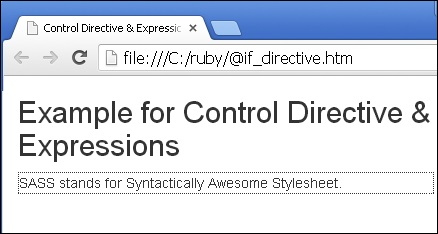
sass_control_directives_expressions.htm
广告