
 数据结构
数据结构 网络
网络 RDBMS
RDBMS 操作系统
操作系统 Java
Java MS Excel
 iOS
iOS HTML
HTML CSS
CSS Android
 Python
 C 编程
C 编程 C++
C++ C#
C# MongoDB
 MySQL
MySQL Javascript
 PHP
PHP 物理
物理 化学
化学 生物
生物 数学
数学 英语
英语 经济学
经济学 心理学
心理学 社会学
社会学 时尚研究
时尚研究 法律研究
法律研究使用 Java 实例解释 OpenCV 距离变换
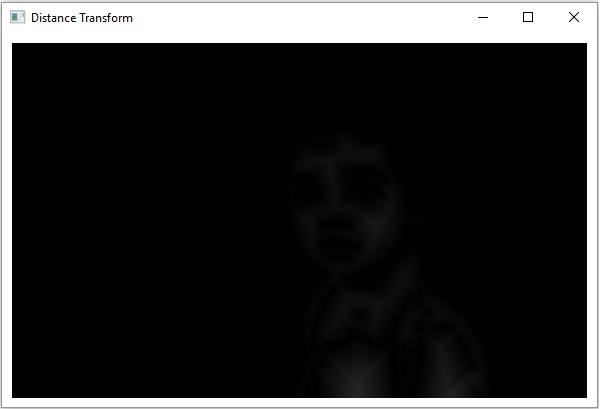
距离转换通常是数字图像的派生表示。在此操作中,前景区域中点的灰度强度会变为与最接近的 0 值(边界)的距离。
Imgproc 类的 distanceTransform() 方法对给定的图像应用距离转换,该方法接受 -
表示源图像和目标图像的两个 Mat 对象。
用于表示要应用的距离转换类型的整数变量。
用于表示要使用的掩模大小的整数值。
示例
import java.awt.Image;
import java.awt.image.BufferedImage;
import java.io.IOException;
import javafx.application.Application;
import javafx.embed.swing.SwingFXUtils;
import javafx.scene.Group;
import javafx.scene.Scene;
import javafx.scene.image.ImageView;
import javafx.scene.image.WritableImage;
import javafx.stage.Stage;
import org.opencv.core.Core;
import org.opencv.core.Mat;
import org.opencv.highgui.HighGui;
import org.opencv.imgcodecs.Imgcodecs;
import org.opencv.imgproc.Imgproc;
public class DistanceTransform extends Application {
   public void start(Stage stage) throws IOException {
      //Loading the OpenCV core library
      System.loadLibrary( Core.NATIVE_LIBRARY_NAME );
      //Reading the Image from the file and storing it in to a Matrix object
      String file ="D://images//boy.jpg";
      Mat src = Imgcodecs.imread(file, Imgcodecs.IMREAD_GRAYSCALE);
      //Creating an empty matrix to store the results
      Mat dst = new Mat();
      Mat binary = new Mat();
      //Converting the gray scale image to binary image
      Imgproc.threshold(src, binary, 100, 255, Imgproc.THRESH_BINARY);
      //Applying distance transform
      Imgproc.distanceTransform(binary, dst, Imgproc.DIST_C, 3);
      Core.convertScaleAbs( dst, dst );
      //Converting matrix to JavaFX writable image
      Image img = HighGui.toBufferedImage(dst);
      WritableImage writableImage= SwingFXUtils.toFXImage((BufferedImage) img, null);
      //Setting the image view
      ImageView imageView = new ImageView(writableImage);
      imageView.setX(10);
      imageView.setY(10);
      imageView.setFitWidth(575);
      imageView.setPreserveRatio(true);
      //Setting the Scene object
      Group root = new Group(imageView);
      Scene scene = new Scene(root, 595, 400);
      stage.setTitle("Distance Transform");
      stage.setScene(scene);
      stage.show();
   }
   public static void main(String args[]) {
      launch(args);
   }
}
输入图像

输出
在执行上述程序后,会生成以下窗口 -

更新于:13-04-2020
251 次浏览

广告