
 数据结构
数据结构 网络
网络 关系型数据库管理系统
 操作系统
操作系统 Java
Java MS Excel
 iOS
iOS HTML
HTML CSS
CSS Android
 Python
 C 编程
C 编程 C++
C++ C#
C# MongoDB
 MySQL
MySQL Javascript
 PHP
PHP 物理
物理 化学
化学 生物
生物 数学
数学 英语
英语 经济
经济 心理学
心理学 社会科学
社会科学 时尚研究
时尚研究 法律研究
法律研究如何在 HTML 表单中输入密码?
HTML 表单中通过为 type 属性分配 password 值来使用 <input> 标签获取密码输入。它在输入的密码字符后立即隐藏该字符。这也是单行文本输入。
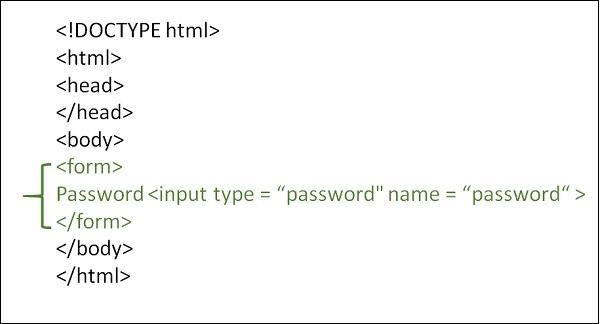
语法
<form>
   <input type="password" name="name… " value=" ">Male
</form>
示例 1
实现如何在 HTML 中获取密码输入的一个示例如下:
<!DOCTYPE html>
<html>
<body>
<head>
   <meta charset="UTF-8">
   <meta name="description" content="meta tag in the web document">
   <meta name="keywords" content="HTML,CSS">
   <meta name="author" content="lokesh">
   <meta name="viewport" content="width=device-width, initial-scale=1.0">
</head>
<p>Branch</p>
<form>
   <input type="password" id="CSE" name="Branch" value="CSE" >
   <label for="CSE">Enter password</label> <br>
   <input type="password" name="Branch" value="IT" >
   <label for="CSE">Re-enter password</label>
</form>
</body>
</html>
示例 2
以下为获取密码输入的另一个示例。你可以尝试运行以下代码 -
<!DOCTYPE html>
<html>
<body>
<head>
   <title>HTML Forms</title>
</head>
<p>Add your details:</p>
<form>
   Student Username:<br> <input type="text" name="name">
   <br>
   Password:<br> <input type="password" name="password">
   <br>
</form>
</body>
</html>

更新于: 2022 年 10 月 19 日
7K+ 浏览量

广告