
 数据结构
数据结构 网络
网络 RDBMS
RDBMS 操作系统
操作系统 Java
Java MS Excel
 iOS
iOS HTML
HTML CSS
CSS Android
 Python
 C 语言
C 语言 C++
C++ C#
C# MongoDB
 MySQL
MySQL Javascript
 PHP
PHP 物理学
物理学 化学
化学 生物
生物 数学
数学 英语
英语 经济学
经济学 心理学
心理学 社会科学
社会科学 时尚
时尚 法律
法律如何在 JavaFX 中对文字添加多种效果组合?
可以使用setEffect()方法将某个效果添加到 JavaFX 中的任意节点对象。此方法接受Effect类的对象,并将其添加到当前节点。
混合效果是将两个输入混合在一起的。**javafx.scene.effect.Blend**类表示混合效果。若要将混合效果添加到文本节点 -
通过将 x、y 坐标(位置)和文本字符串作为参数传递给构造函数,实例化 Text 类。
设置字体、笔触等所需属性。
实例化 Blend 类。
使用 setMode() 方法设置混合模式。
通过应用效果或者改变颜色创建两个不同的输入。
使用 setBottomInput() 和 setTopInput() 方法将输入设置为 blend。
使用 setEffect() 方法将已创建的效果设置为文本节点。
最后,将已创建的文本节点添加到组对象。
实例
import java.io.FileNotFoundException;
import javafx.application.Application;
import javafx.scene.Group;
import javafx.scene.Scene;
import javafx.scene.effect.Blend;
import javafx.scene.effect.BlendMode;
import javafx.scene.effect.DropShadow;
import javafx.scene.effect.InnerShadow;
import javafx.scene.paint.Color;
import javafx.stage.Stage;
import javafx.scene.text.Font;
import javafx.scene.text.FontWeight;
import javafx.scene.text.Text;
public class CombiningEffects extends Application {
   public void start(Stage stage) throws FileNotFoundException {
      //Creating a text object
      String str = "Tutorialspoint";
      Text text = new Text(30.0, 100.0, str);
      //Setting the font
      Font font = Font.font("Brush Script MT", FontWeight.BOLD, 110);
      text.setFont(font);
      //Setting color of the text
      text.setFill(Color.BLUEVIOLET);
      //Creating the drop shadow effect
      DropShadow dropShadow = new DropShadow();
      dropShadow.setOffsetY(10);
      text.setEffect(dropShadow);
      //Creating the inner shadow effect
      InnerShadow innerShadow = new InnerShadow();
      innerShadow.setOffsetX(8.0);
      innerShadow.setOffsetY(8.0);
      //Creating the blend
      Blend blend = new Blend();
      blend.setMode(BlendMode.ADD);
      //Setting both the shadow effects to the blend
      blend.setBottomInput(dropShadow);
      blend.setBottomInput(innerShadow);
      //Setting the effect to the text
      text.setEffect(blend);
      //Setting the stage
      Group root = new Group(text);
      Scene scene = new Scene(root, 595, 150, Color.BEIGE);
      stage.setTitle("Blending Effects");
      stage.setScene(scene);
      stage.show();
   }
   public static void main(String args[]){
      launch(args);
   }
}
输出
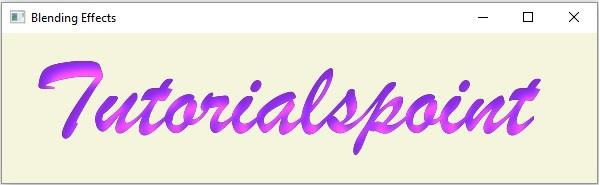

更新于: 16-May-2020
489 次浏览

广告