
 数据结构
数据结构 网络
网络 关系数据库管理系统
 操作系统
操作系统 Java
Java MS Excel
 iOS
iOS HTML
HTML CSS
CSS Android
 Python
 C 语言编程
 C++
C++ C#
C# MongoDB
 MySQL
MySQL Javascript
 PHP
PHP 物理学
物理学 化学
化学 生物学
生物学 数学
数学 英语
英语 经济学
经济学 心理学
心理学 社会学
社会学 服装设计
服装设计 法律学
法律学如何使用 OpenCV Python 对图像应用自定义滤波器(二维卷积)?
在本教程中,我们将了解如何应用两种不同的低通滤波器来平滑(去除图像噪声)。这两种滤波器是filter2D和boxFilter。这些滤波器是空间中的二维滤波器。
对图像应用二维滤波器也称为“二维卷积运算”。这些滤波器通常被称为平均滤波器。
这些滤波器的主要缺点是它们还会平滑图像中的边缘。如果您不想平滑边缘,则可以应用“双边滤波器”。双边滤波器操作可以保留边缘。
语法
以下是 Filter2D 和 BoxFilter 的语法
cv2.filter2D(img, ddepth, kernel)
cv2.boxFilter(img, ddepth, ksize)
参数
img - 应用滤波器操作的输入图像。
ddepth - 输出图像所需的深度。如果“depth = -1”,则返回与输入图像具有相同深度的输出图像。
kernel - 卷积核。在 filter2D 中,我们将核作为 NumPy 数组传递。
ksize - 核大小。在 boxFilter 中,我们仅将核大小作为元组传递。
步骤
要执行双边滤波器操作,您可以按照以下步骤操作:
导入所需的库。在以下所有 Python 示例中,所需的 Python 库是OpenCV。确保您已安装它。
import cv2
读取输入图像并将其转换为灰度图像
img = cv2.imread('vehicle.jpg')
img = cv2.cvtColor(img, cv2.COLOR_BGR2GRAY)
定义核以应用 filter2D。
Define kernel in case to apply filter2D.
kernel = np.ones((5,5),np.float32)/25
对输入图像应用filter2D或boxFilter滤波。我们将 ddepth、kernel 或 ksize 作为参数传递给滤波器函数。
result = cv2.filter2D(img,-1,kernel)
result = cv2.boxFilter(img,-1,(5,5))
显示滤波后的图像。
cv2.imshow('Filter 2D Image', result)
cv2.waitKey(0)
cv2.destroyAllWindows())
让我们看看对输入图像执行filter2D和boxFilter操作的示例。
在以下所有示例中,我们将使用以下图像作为输入文件。
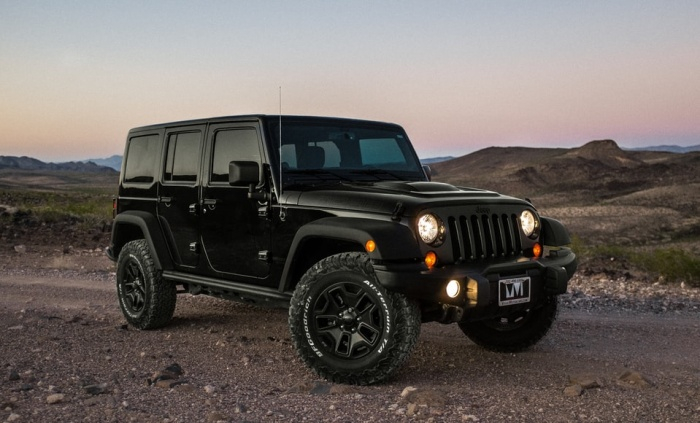
示例 1
在此 Python 程序中,我们使用 5×5 核对输入图像应用filter2D。
# import required libraries
import cv2
import numpy as np

# read the input image
img = cv2.imread('vehicle.jpg')

# convert the image to grayscale
img = cv2.cvtColor(img, cv2.COLOR_BGR2GRAY)

# define a 5x5 kernel
kernel = np.ones((5,5),np.float32)/25

# Apply the averaging filter
result = cv2.filter2D(img,-1,kernel)

# Display the output image
cv2.imshow("Filter 2D Image ", result)
cv2.waitKey(0)
cv2.destroyAllWindows()
输出
执行上述代码时,将生成以下输出窗口:
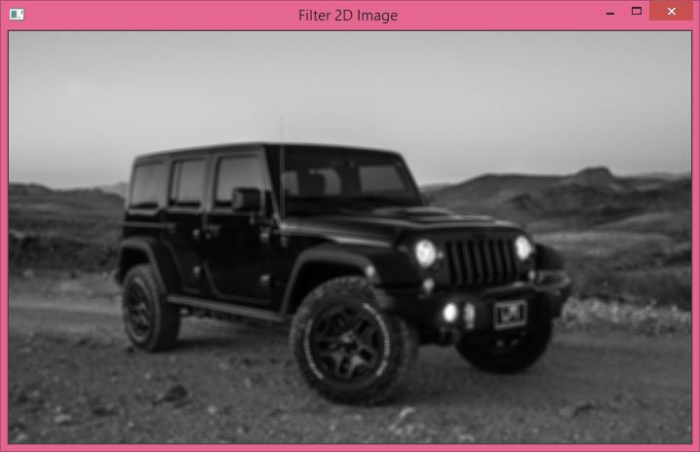
使用cv2.filter2D()应用平均滤波器后,获得上述输出图像。
示例 2
在下面的 Python 示例中,我们使用 5×5 核对输入图像应用boxFilter操作。
# Import required library
import cv2

# Read the input image
img = cv2.imread('vehicle.jpg')

# convert the image to grayscale
img = cv2.cvtColor(img, cv2.COLOR_BGR2GRAY)

# apply boxFilter to the input image
result = cv2.boxFilter(img,-1,(5,5))

# display the image after filter operation
cv2.imshow("Box Filter Image", result)
cv2.waitKey(0)
cv2.destroyAllWindows()
输出
执行上述代码时,将生成以下输出窗口:
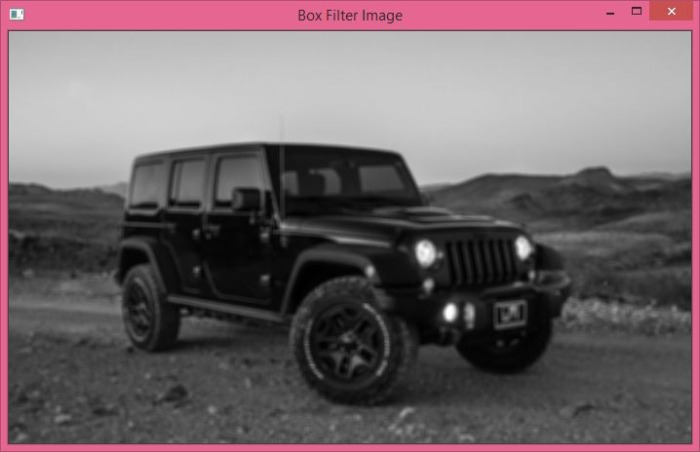
使用 cv2.boxFilter() 应用平均滤波器后,获得上述输出图像。

2K+ 次浏览
