
 数据结构
数据结构 网络
网络 关系型数据库管理系统
 操作系统
操作系统 Java
Java MS Excel
 iOS
iOS HTML
HTML CSS
CSS Android
 Python
 C 编程
C 编程 C++
C++ C#
C# MongoDB
 MySQL
MySQL Javascript
 PHP
PHP 物理
物理 化学
化学 生物
生物 数学
数学 英语
英语 经济学
经济学 心理学
心理学 社会研究
社会研究 时尚研究
时尚研究 法律研究
法律研究HTML DOM Input Search readOnly 属性
HTML DOM Input Search readOnly 属性用于设置或返回输入搜索字段是否只读。readOnly 属性使元素不可编辑,但仍可以通过 tab 键或单击对其进行焦点化。如果只读元素中有默认值,则会在提交时将其发送至服务器。
语法
以下是语法 −
设置 readOnly 属性 −
searchObject.readOnly = true|false
这里,true 表示搜索字段只读,而 false 则表示可读写。readOnly 属性默认设置为 false。
示例
让我们看一个 Search readOnly 属性示例 −
<!DOCTYPE html>
<html>
<body>
<h1>Search readOnly property</h1>
<form>
FRUITS: <input type="search" id="SEARCH1" name="fruits">
</form>
<p>Change the readOnly property of the above field by clicking the below button</p>
<button onclick="changeRead()">CHANGE</button>
<script>
   function changeRead() {
      document.getElementById("PASS1").readOnly = true;
   }
</script>
</body>
</html>
输出
这将产生以下输出 −
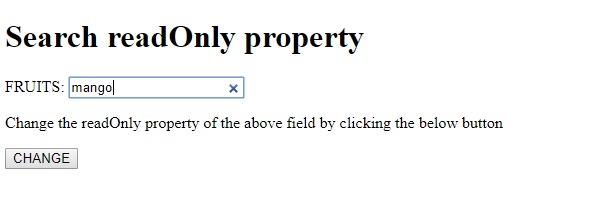
点击 CHANGE 按钮 −
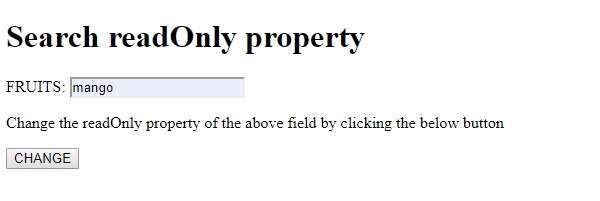

更新于: 19-Aug-2019
浏览 79 次

广告