
 数据结构
数据结构 网络
网络 RDBMS
RDBMS 操作系统
操作系统 Java
Java MS Excel
 iOS
iOS HTML
HTML CSS
CSS Android
 Python
 C 编程
C 编程 C++
C++ C#
C# MongoDB
 MySQL
MySQL Javascript
 PHP
PHP 物理学
物理学 化学
化学 生物学
生物学 数学
数学 英语
英语 经济学
经济学 心理学
心理学 社会学
社会学 时尚研究
时尚研究 法律研究
法律研究HTML DOM 输入 URL 类型属性
HTML DOM 输入 URL 类型属性返回/设置输入 URL 的类型。
语法
采用以下语法:
- 返回字符串值
inputURLObject.type
- 将类型设置为字符串值
inputURLObject.type = stringValue
字符串值
此处,“stringValue”可以是以下内容:
| stringValue | 详情 |
|---|---|
| email | 它定义输入类型为电子邮件 |
| url | 它定义输入类型为 url |
| radio | 它定义输入类型为单选按钮 |
| tel | 它定义输入类型为电话号码,并为输入显示数字键盘 |
示例
让我们看一个 输入 URL 类型 属性的示例:
<!DOCTYPE html>
<html>
<head>
<title>Input URL type</title>
<style>
   form {
      width:70%;
      margin: 0 auto;
      text-align: center;
   }
   * {
      padding: 2px;
      margin:5px;
   }
   input[type="button"] {
      border-radius: 10px;
   }
</style>
</head>
<body>
<form>
<fieldset>
<legend>URL-type</legend>
<label for="URLSelect"></label>
<input type="url" id="URLSelect" >
<input type="button" onclick="getTypeOfInput()" value="What to enter?">
</fieldset>
</form>
<script>
   var labelSelect = document.querySelector("label");
   var inputURL = document.getElementById("URLSelect");
   function getTypeOfInput() {
      labelSelect.innerHTML = inputURL.type.toUpperCase()+': ';
   }
</script>
</body>
</html>
输出
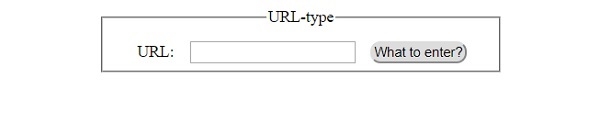
这将产生以下输出:
在单击 “输入什么?”按钮之前:

在单击 “输入什么?”按钮之后:

更新于: 30-Jul-2019
105 次浏览

广告