
 数据结构
数据结构 网络
网络 RDBMS
RDBMS 操作系统
操作系统 Java
Java MS Excel
 iOS
iOS HTML
HTML CSS
CSS Android
 Python
 C 编程
C 编程 C++
C++ C#
C# MongoDB
 MySQL
MySQL Javascript
 PHP
PHP 物理学
物理学 化学
化学 生物学
生物学 数学
数学 英语
英语 经济学
经济学 心理学
心理学 社会学
社会学 时尚研究
时尚研究 法律研究
法律研究HTML DOM Input URL name 属性
HTML DOM Input URL name 属性返回一个字符串,即 Input URL 的 name 属性值。用户也可以将其设置成一个新的字符串。
语法
以下是语法 −
- 返回字符串值
inputURLObject.name
- 将 name 属性设置成一个字符串值
inputURLObject.name = ‘String’
示例
我们来看看 Input URL name 属性的一个例子 −
<!DOCTYPE html>
<html>
<head>
<title>Input URL name</title>
<style>
   form {
      width:70%;
      margin: 0 auto;
      text-align: center;
   }
   * {
      padding: 2px;
      margin:5px;
   }
   input[type="button"] {
      border-radius: 10px;
   }
</style>
</head>
<body>
<form>
<fieldset>
<legend>URL-name</legend>
<label for="URLSelect">Employee URL:
<input type="url" id="URLSelect" value="https://www.example.com" name="Jack">
</label>
<input type="button" onclick="getName()" value="Who is the Owner? ">
<div id="divDisplay"></div>
</fieldset>
</form>
<script>
   var divDisplay = document.getElementById("divDisplay");
   var inputURL = document.getElementById("URLSelect");
   function getName() {
      if(inputURL.value === 'https://www.example.com')
         divDisplay.textContent = 'Above URL belongs to '+inputURL.name;
      else
         divDisplay.textContent = 'Above URL belongs to no one!';
   }
</script>
</body>
</html>
输出
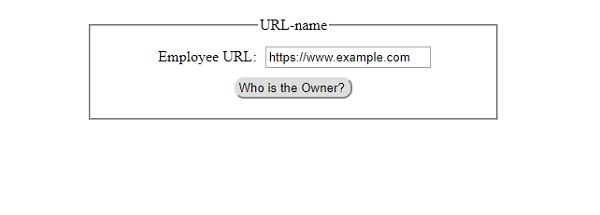
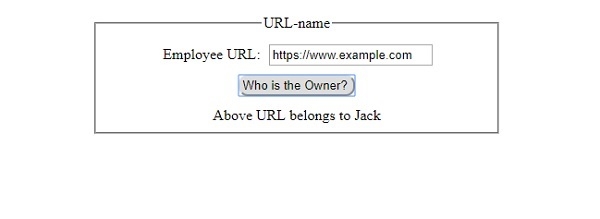
将会产生以下输出 −
单击 “所有者是谁?” 按钮之前 −
单击 “所有者是谁?” 按钮之后 −

更新于: 30-Jul-2019
67 次浏览

广告