
 数据结构
数据结构 网络
网络 关系型数据库管理系统
 操作系统
操作系统 Java
Java MS Excel
 iOS
iOS HTML
HTML CSS
CSS Android
 Python
 C 编程
C 编程 C++
C++ C#
C# MongoDB
 MySQL
MySQL Javascript
 PHP
PHP 物理学
物理学 化学
化学 生物学
生物学 数学
数学 英语
英语 经济学
经济学 心理学
心理学 社会研究
社会研究 时装研究
时装研究 法律研究
法律研究HTML DOM 视频 seeking 属性
HTML DOM Video seeking 属性返回一个布尔值 (true/false),表示用户是否正在寻找(将当前播放移动到新位置)正在播放的视频。
语法
以下是语法 −
返回布尔值
mediaObject.seeking
让我们看一个 HTML DOM Video seeking 属性的示例 −
示例
<!DOCTYPE html>
<html>
<head>
<title>HTML DOM Video seeking</title>
<style>
   * {
      padding: 2px;
      margin:5px;
   }
   form {
      width:70%;
      margin: 0 auto;
      text-align: center;
   }
   input[type="button"] {
      border-radius: 10px;
   }
</style>
</head>
<body>
   <form>
      <fieldset>
         <legend>HTML-DOM-Video-seeking</legend>
         <video id="demo" width="320" onseeking="getTrackDetails()" onseeked="getTrackDetails()"
         controls><source src="https://tutorialspoint.com/html5/foo.mp4"
         type="video/mp4"></video><br>
         <div id="divDisplay"></div>
      </fieldset>
   </form>
   <script>
      var divDisplay = document.getElementById("divDisplay");
      var demo = document.getElementById("demo");
      demo.autoplay =true;
      function getTrackDetails() {
         if(demo.seeking)
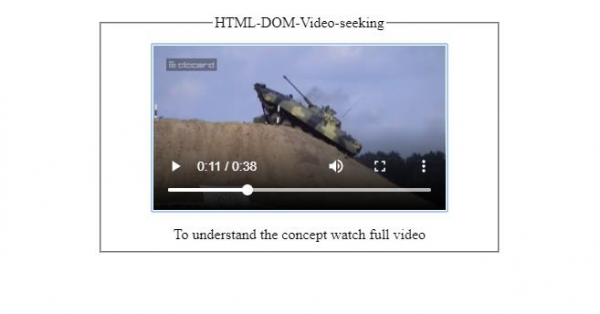
            divDisplay.textContent = 'To understand the concept watch full video';
      }
   </script>
</body>
</html>
输出
在视频查找之前和之后 −
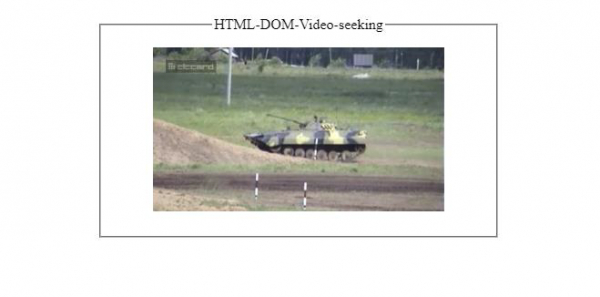
在视频查找期间 −

更新日期:2021-02-18
67 次浏览

广告