
 数据结构
数据结构 网络
网络 RDBMS
RDBMS 操作系统
操作系统 Java
Java MS Excel
 iOS
iOS HTML
HTML CSS
CSS Android
 Python
 C 编程
C 编程 C++
C++ C#
C# MongoDB
 MySQL
MySQL Javascript
 PHP
PHP 物理
物理 化学
化学 生物
生物 数学
数学 英语
英语 经济
经济 心理学
心理学 社会科学
社会科学 时尚
时尚 法律
法律HTML KeyboardEvent which 属性
HTML KeyboardEvent which 属性返回在 HTML 文档中触发 onkeypress 事件、onkeydown 事件或 onkeyup 事件的键的 Unicode 字符代码。
语法
以下是语法 -
event.which
让我们看一个 HTML KeyboardEvent which 属性的示例 -
示例
<!DOCTYPE html>
<html>
<style>
   body {
      color: #000;
      height: 100vh;
      background: linear-gradient(62deg, #FBAB7E 0%, #F7CE68 100%) no-repeat;
      text-align: center;
   }
   input {
      border: 2px solid #fff;
      padding: 8px;
      background: transparent;
      width: 310px;
      border-radius: 20px;
      outline: none;
   }
   ::placeholder {
      color: #000;
   }
   .show {
      font-size: 1.2rem;
      color: #fff;
   }
</style>
<body>
<h1>HTML KeyboardEvent which Property Demo</h1>
<input type="text" placeholder="Enter your message" onkeypress="display(event)">
<div class="show">
<p>The above message in Unicode character is:</p>
</div>
<script>
   function display(event) {
      document.querySelector(".show").innerHTML += "<p>" + event.which + "</p>";
   }
</script>
</body>
</html>
输出
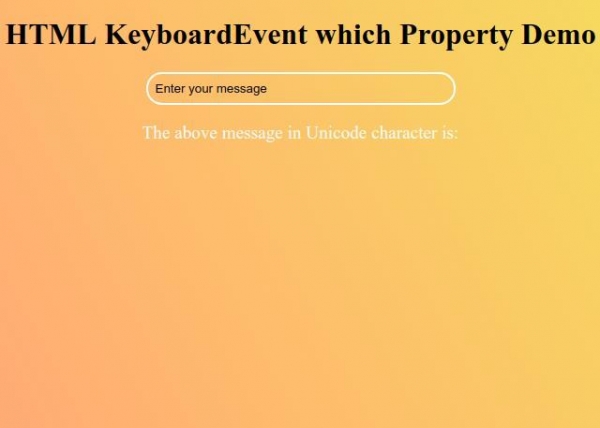
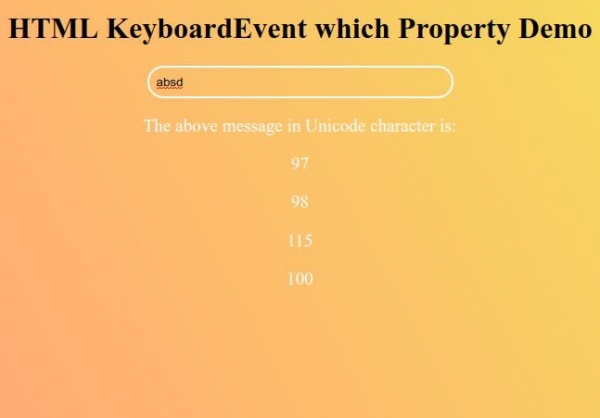
现在开始在文本字段中键入您的消息,然后在 Unicode 字符下方看到相同的消息 -

更新于:26-Sep-2019
53 次浏览

广告