
 数据结构
数据结构 网络
网络 RDBMS
RDBMS 操作系统
操作系统 Java
Java MS Excel
 iOS
iOS HTML
HTML CSS
CSS Android
 Python
 C 编程
C 编程 C++
C++ C#
C# MongoDB
 MySQL
MySQL Javascript
 PHP
PHP 物理
物理 化学
化学 生物
生物 数学
数学 英语
英语 经济学
经济学 心理学
心理学 社会学
社会学 时装研究
时装研究 法学研究
法学研究HTML returnValue 事件属性
HTML returnValue 事件属性返回并修改当前事件是否取消。
语法
以下为语法
1. 返回 returnValue
event.returnValue
2. 添加 returnValue
event.returnValue=”true | false”
我们来看看 HTML returnValue 事件属性的一个示例
示例
<!DOCTYPE html>
<html>
<head>
<style>
   body {
      color: #000;
      height: 100vh;
      background-color: #FBAB7E;
      background-image: linear-gradient(62deg, #FBAB7E 0%, #F7CE68 100%);
      text-align: center;
   }
   input {
      width: 200px;
      height: 2rem;
   }
   .msg {
      font-size: 1.5rem;
   }
</style>
</head>
<body>
<h1>HTML returnValue Event Property Demo</h1>
<input type="text" placeholder="Enter your name" onfocus="show(event)">
<p class="msg"></p>
<script>
   function show(event) {
      document.querySelector('.msg').innerHTML = 'Is onfocus event is active on above input field? ' + event.returnValue;
   }
</script>
</body>
</html>
输出
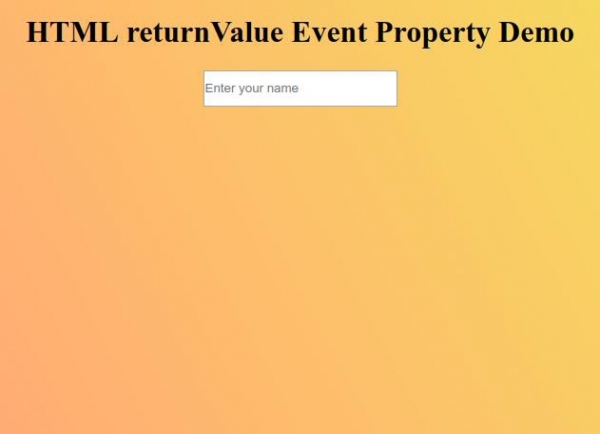
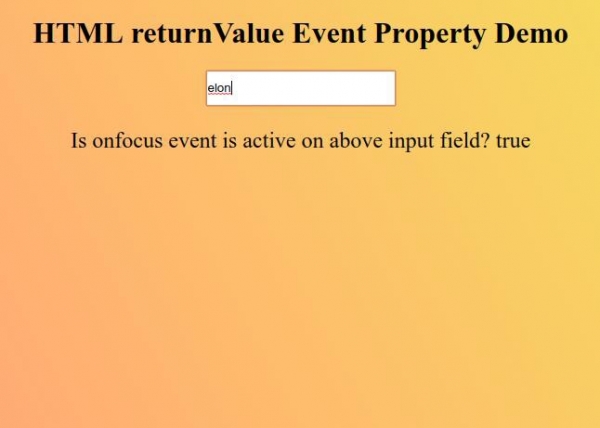
现在尝试在输入框中输入值,使其获得焦点,以显示 returnValue 事件属性的值。

更新于:2019-09-27
79 次浏览

广告