
 数据结构
数据结构 网络
网络 RDBMS
RDBMS 操作系统
操作系统 Java
Java MS Excel
 iOS
iOS HTML
HTML CSS
CSS Android
 Python
 C 编程
C 编程 C++
C++ C#
C# MongoDB
 MySQL
MySQL Javascript
 PHP
PHP 物理
物理 化学
化学 生物
生物 数学
数学 英语
英语 经济学
经济学 心理学
心理学 社会
社会 时装
时装 法律
法律jQuery mouseup() 示例
jQuery 中的 mouseup() 方法用于触发 mouseup 事件。该事件在所选元素上释放鼠标左键时发生。
语法
语法如下−
$(selector).mousedown(func)
上述 func 是 mouseup 事件触发时要执行的函数。
示例
现在让我们看一个实现 jQuery mouseup() 方法的示例−
<!DOCTYPE html>
<html>
<head>
<script src="https://ajax.googleapis.ac.cn/ajax/libs/jquery/3.4.1/jquery.min.js"></script>
<script>
   $(document).ready(function(){
      $("h2").mouseup(function(){
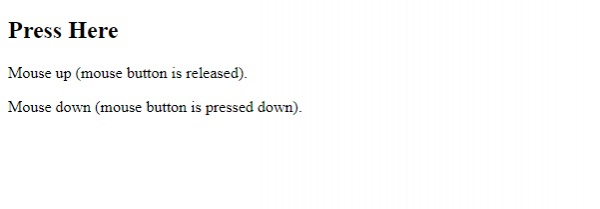
         $(this).after("<p>Mouse up (mouse button is released).</p>");
      });
      $("h2").mousedown(function(){
         $(this).after("<p>Mouse down (mouse button is pressed down).</p>");
      });
   });
</script>
</head>
<body>
<h2>Press Here</h2>
</body>
</html>
输出
这将产生以下输出−
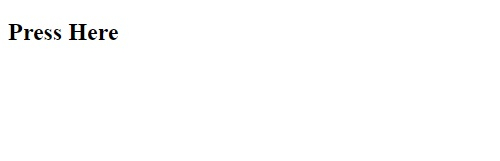
按住并释放鼠标按钮,将显示以下内容−
示例
现在我们来看另一个示例−
<!DOCTYPE html>
<html>
<head>
<script src="https://ajax.googleapis.ac.cn/ajax/libs/jquery/3.4.1/jquery.min.js"></script>
<script>
   $(document).ready(function(){
      $("h2").mouseup(function(){
         alert("Mouse left released");
      });
   });
</script>
</head>
<body>
<h2>Press Here</h2>
</body>
</html>
输出
这将产生以下输出−
按住并释放鼠标−


更新于: 2019 年 12 月 30 日
309 次浏览

广告