
 数据结构
数据结构 网络
网络 关系数据库管理系统 (RDBMS)
 操作系统
操作系统 Java
Java MS Excel
 iOS
iOS HTML
HTML CSS
CSS Android
 Python
 C语言编程
C语言编程 C++
C++ C#
C# MongoDB
 MySQL
MySQL Javascript
 PHP
PHP 物理学
物理学 化学
化学 生物学
生物学 数学
数学 英语
英语 经济学
经济学 心理学
心理学 社会学
社会学 服装设计
服装设计 法律研究
法律研究使用OpenCV Python拆分和合并通道
标准的数字彩色图像由像素表示,每个像素是原色的组合。而通道是由彩色图像的其中一种原色组成的灰度图像。例如,RGB图像有三个通道:红色、绿色和蓝色。
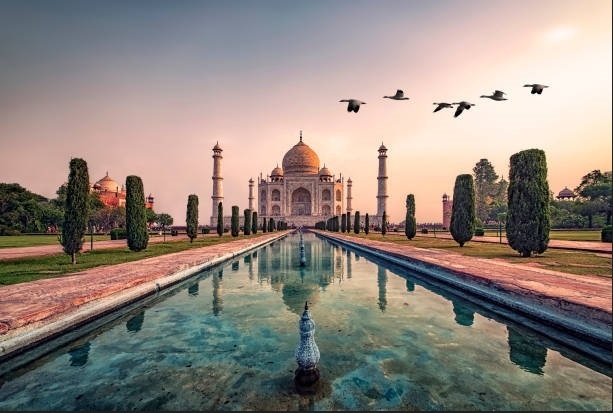
观察下面的彩色图像,看看每个通道单独是什么样子。
下面的灰度图像是RGB图像每个通道的表示。
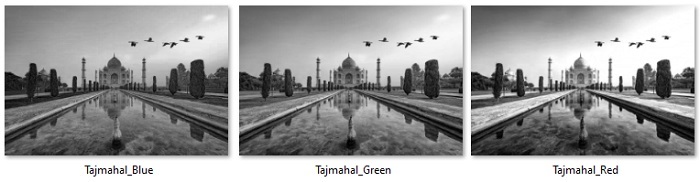
在本文中,我们将讨论如何使用python openCV库拆分和合并图像的通道。
拆分通道
Python OpenCV模块提供了一个函数cv2.split()来将多通道/彩色数组拆分成单独的单通道数组。它将返回一个包含三个通道的数组,每个通道对应蓝色、绿色和红色通道,表示为具有二维的ndarray。
语法
cv2.split(m[, mv])
其中:
src – 输入多通道数组。
mv – 输出数组或数组向量
示例
在这个例子中,我们将使用一个彩色图像“OpenCV_logo.png”将其拆分成3个通道。
import cv2

image = cv2.imread('Images/OpenCV_logo.png')
#split the image into its three channels
(b_channel, g_channel, r_channel) = cv2.split(image)

#display the images
cv2.imshow('blue channel',b_channel)
cv2.imshow('green channel',g_channel)
cv2.imshow('red channel',r_channel)
cv2.waitKey(0)
cv2.destroyAllWindows()
输入图像

输出图像
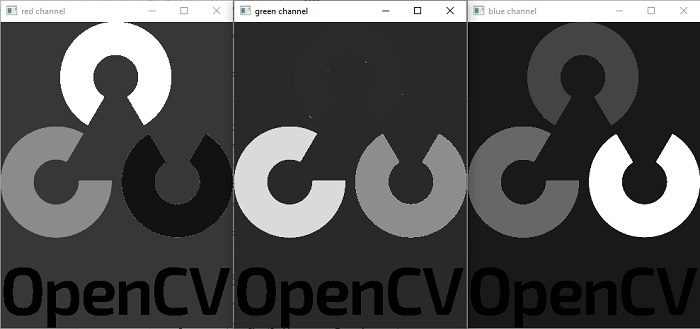
彩色图像“OpenCV_logo.png”已被拆分成三个灰度图像:r_channel(“红色通道”)、g_channel(绿色)、b_channel(蓝色)。
合并通道
cv2.merge()函数接收单通道数组并将它们组合成多通道数组/图像。返回输入数组元素连接的数组。以下是merge()函数的语法:
cv2.merge(mv[, dst])
参数
mv:要合并的矩阵的输入向量。所有矩阵都必须具有相同的大小和相同的深度。
count:必须大于零。当输入向量是普通的C数组时,指定输入矩阵的数量。
dst:与输入数组大小和深度相同的输出数组。
示例
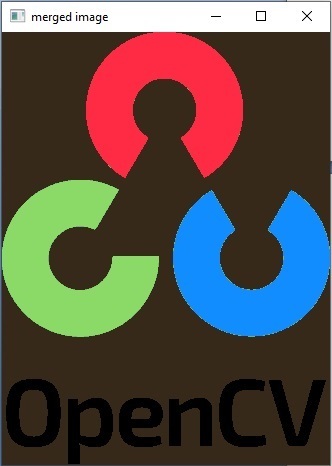
让我们将单独的蓝色、绿色和红色通道合并成BGR图像。
import cv2
image = cv2.imread('Images/OpenCV_logo.png')
#split the image into its three channels
(b_channel, g_channel, r_channel) = cv2.split(image)

#display the images
cv2.imshow('blue channel',b_channel)
cv2.imshow('green channel',g_channel)
cv2.imshow('red channel',r_channel)

# merge the image
image_merged = cv2.merge((b_channel,g_channel,r_channel))
cv2.imshow('merged image',image_merged)
cv2.waitKey(0)
cv2.destroyAllWindows()
输入图像
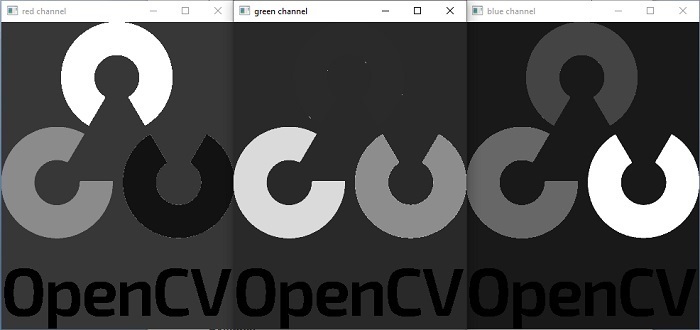
输出图像
示例
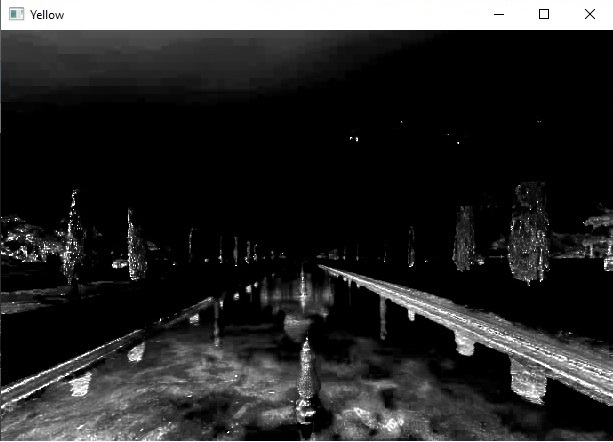
在这个例子中,我们将把图像转换为CMYK,然后拆分通道。
import cv2
import numpy as np

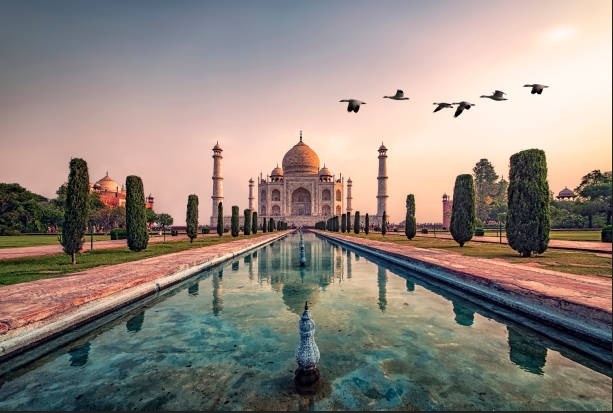
rgb = cv2.imread('Images/Tajmahal.jpg')
rgbdash = rgb.astype(np.float)/255.

K = 1 -np.max(rgbdash, axis=2)
C = (1-rgbdash [...,2] - K)/(1-K)
M = (1-rgbdash [...,1] - K)/(1-K)
Y = (1-rgbdash [...,0] - K)/(1-K)

# Convert the input BGR image to CMYK colorspace
CMYK = (np.dstack((C,M,Y,K)) * 255).astype(np.uint8)

# Split CMYK channels
Y, M, C, K = cv2.split(CMYK)

# display the images
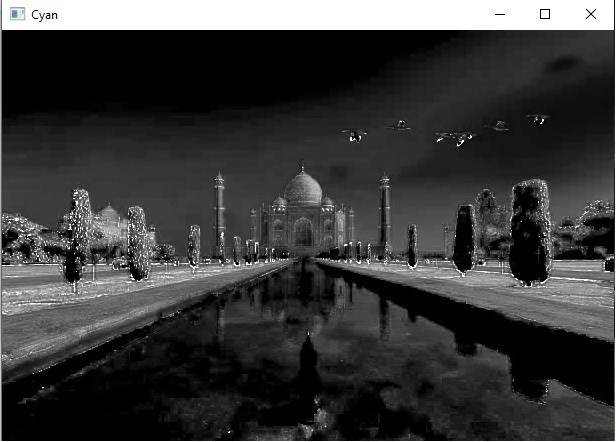
cv2.imshow("Cyan",C)
cv2.imshow("Magenta", M)
cv2.imshow("Yellow", Y)
cv2.imshow("Key", K)

if cv2.waitKey(0):
    cv2.destroyAllWindows()
输入图像
输出图像 青色
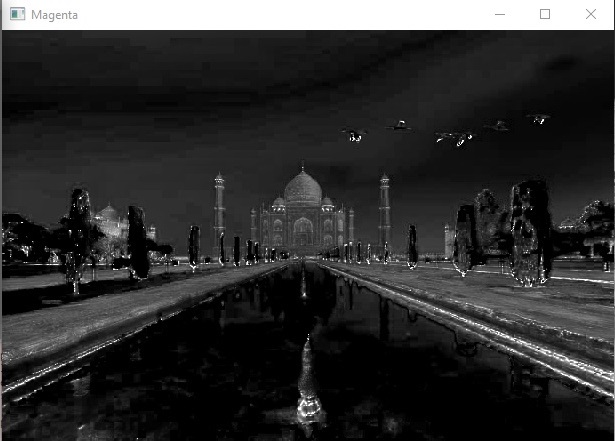
输出图像 品红
输出图像 黄色
输出图像 黑色
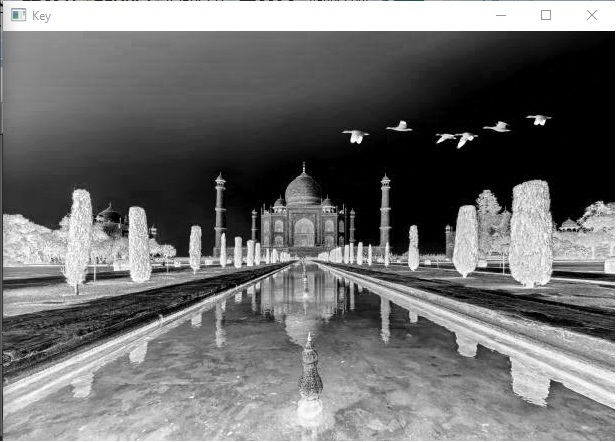
在上面的例子中,RGB图像被转换为CMYK并拆分成四个通道:青色、品红、黄色和黑色。
更新于:2023年5月30日
4K+ 浏览量

广告