
 数据结构
数据结构 网络
网络 关系数据库管理系统(RDBMS)
 操作系统
操作系统 Java
Java MS Excel
 iOS
iOS HTML
HTML CSS
CSS Android
 Python
 C语言编程
C语言编程 C++
C++ C#
C# MongoDB
 MySQL
MySQL Javascript
 PHP
PHP 物理学
物理学 化学
化学 生物学
生物学 数学
数学 英语
英语 经济学
经济学 心理学
心理学 社会学
社会学 服装设计
服装设计 法学
法学使用OpenCV Python进行黑白点检测
OpenCV Python是Python中的一种图像处理库,它使用NumPy数组存储图像数据,因此所有图像数组都表示为ndarray类型。
Python OpenCV模块中的cv2.findContours()方法用于检测二值图像中的对象。在下面的文章中,我们将使用此方法来检测图像中的黑白点(对象)。以下是此方法的语法:
cv2.findContours(image, mode, method[, contours[, hierarchy[, offset]]])
其中:
图像是8位单通道图像(二值图像)。
轮廓是检测到的轮廓。
方法
我们将遵循以下步骤,使用OpenCV模块检测/计数图像中的黑点和白点。
加载图像。
将图像转换为灰度。
应用中值模糊以平滑图像。
定义阈值。
查找轮廓
遍历轮廓并使用轮廓面积进行过滤
使用cv2.findContours()方法
除了cv2.findContours()方法外,我们还将使用以下方法:
cv2.medianBlur(): 平滑输入图像。
cv2.cvtColor(): 将彩色图像转换为灰度图像。
cv2.threshold(): 定义阈值。
cv2.contourArea(): 基于面积过滤轮廓(点)
示例
让我们以输入图像“WhiteDots2.jpg”为例,检测暗背景图像上的白点。
import cv2

image = cv2.imread('Images/WhiteDots2.jpg')
blur = cv2.medianBlur(image, 5)
gray = cv2.cvtColor(blur, cv2.COLOR_BGR2GRAY)
thresh = cv2.threshold(gray,200,255, cv2.THRESH_BINARY)[1]

cnts = cv2.findContours(thresh, cv2.RETR_EXTERNAL, cv2.CHAIN_APPROX_SIMPLE)
cnts = cnts[0] if len(cnts) == 2 else cnts[1]

min_area = 0.1
white_dots = []
for c in cnts:
   area = cv2.contourArea(c)
   if area > min_area:
      cv2.drawContours(image, [c], -1, (36, 255, 12), 2)
      white_dots.append(c)

print("White Dots count is:",len(white_dots))
cv2.imshow('image', image)
cv2.waitKey()
输出
White Dots count is: 11
输入图像
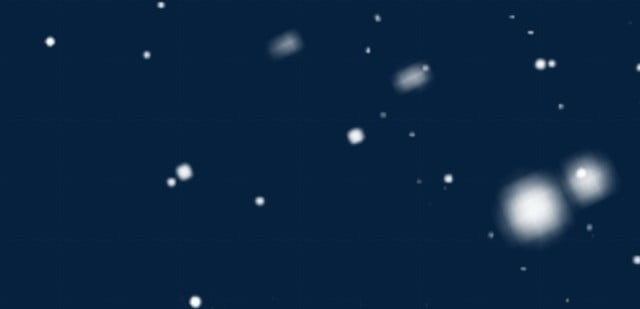
输出图像
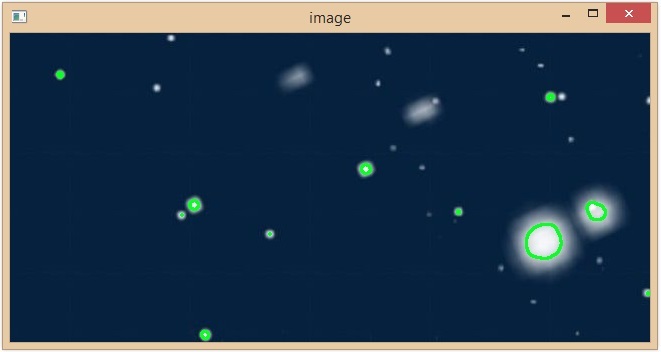
在上面的示例中,我们成功检测到输入图像上的16个白点,所有白点都以绿色突出显示。
示例
在这个例子中,我们将使用输入图像“black-doted-butterflies.jpg”来检测白色背景图像上的黑点。
import cv2

img = cv2.imread('Images/black-doted-butterflies.jpg')
blur = cv2.medianBlur(img, 5)
gray = cv2.cvtColor(blur, cv2.COLOR_BGR2GRAY)
thresh = cv2.threshold(gray,100,255, cv2.THRESH_BINARY_INV)[1]

cnts = cv2.findContours(thresh, cv2.RETR_EXTERNAL, cv2.CHAIN_APPROX_SIMPLE)
cnts = cnts[0] if len(cnts) == 2 else cnts[1]

min_area = 10
black_dots = []
for c in cnts:
   area = cv2.contourArea(c)
   if area > min_area:
      cv2.drawContours(img, [c], -1, (36, 255, 12), 2)
      black_dots.append(c)

print("Black Dots Count is:",len(black_dots))
cv2.imshow('Output image', img)
cv2.waitKey()
输出
Black Dots Count is: 25
输入图像
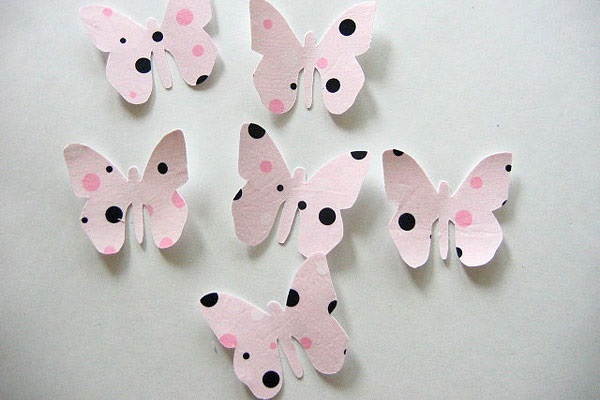
输出图像
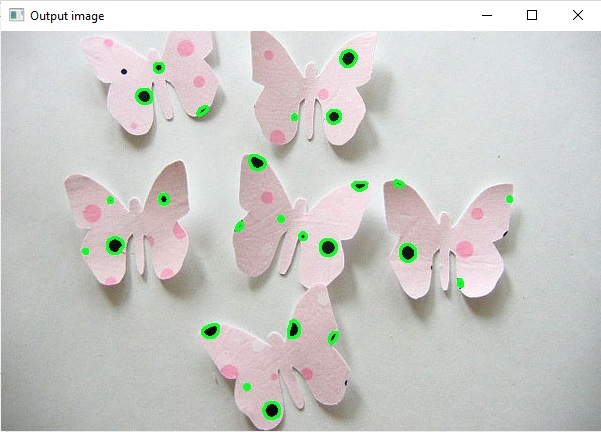
通过使用cv2.findContours()方法,我们成功地检测到了蝴蝶图像上的25个黑点。检测到的黑点以绿色突出显示。
示例
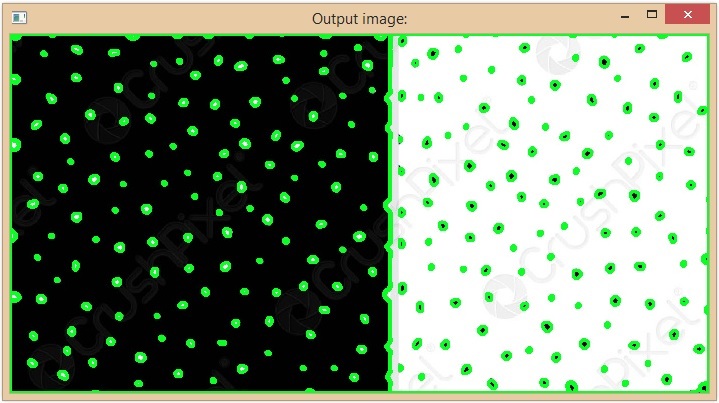
在这个例子中,我们将使用输入图像“BlackAndWhite.jpg”来检测单个图像中的黑点和白点。
import cv2
img = cv2.imread('Images/BlackAndWhite.jpg')

blur = cv2.medianBlur(img, 5)
gray = cv2.cvtColor(blur, cv2.COLOR_BGR2GRAY)

thresh_for_black_dots = cv2.threshold(gray,100,255, cv2.THRESH_BINARY_INV)[1]
thresh_for_white_dots = cv2.threshold(gray,200,255, cv2.THRESH_BINARY)[1]

cnts_for_black_dots = cv2.findContours(thresh_for_black_dots, cv2.RETR_EXTERNAL, cv2.CHAIN_APPROX_SIMPLE)
cnts_for_white_dots = cv2.findContours(thresh_for_white_dots, cv2.RETR_EXTERNAL, cv2.CHAIN_APPROX_SIMPLE)

cnts_for_black_dots = cnts_for_black_dots[0] if len(cnts_for_black_dots) == 2 else cnts_for_black_dots[1]
cnts_for_white_dots = cnts_for_white_dots[0] if len(cnts_for_white_dots) == 2 else cnts_for_white_dots[1]

min_area = 1
black_dots = []
white_dots = []

for c in cnts_for_white_dots:
   area = cv2.contourArea(c)
   if area > min_area:
      cv2.drawContours(img, [c], -1, (36, 255, 12), 2)
      black_dots.append(c)
      white_dots.append(c)

for c in cnts_for_black_dots:
   area = cv2.contourArea(c)
   if area > min_area:
      cv2.drawContours(img, [c], -1, (36, 255, 12), 2)
      black_dots.append(c)

print("Black Dots Count is:",len(black_dots))
print("White Dots count is:",len(white_dots))

cv2.imshow('Output image:', img)
cv2.waitKey()
输出
Black Dots Count is: 249
White Dots count is: 134
我们已经成功地使用Python OpenCV库通过不同的方法检测到了黑点和白点。
输入图像

输出图像
使用SimpleBlobDetector
在OpenCV中,SimpleBlobDetector是一个用于从图像中提取斑点的类。cv2.SimpleBlobDetector_create()方法创建一个检测器,根据SimpleBlobDetector算法检测给定图像上的斑点。
示例
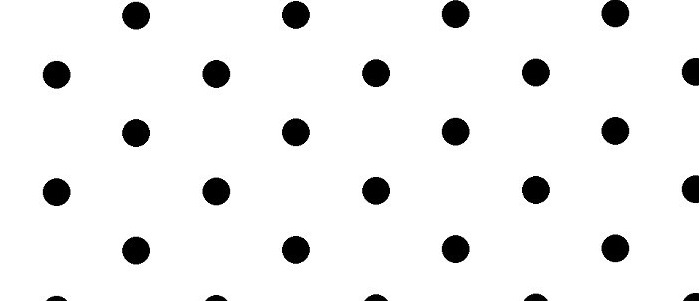
在这个例子中,我们将使用cv2.SimpleBlobDetector_create()方法来检测白色背景图像上的黑点。
import cv2
import numpy as np;

im = cv2.imread("Images/BlackDots.jpg", cv2.IMREAD_GRAYSCALE)
# create the detector with default parameters.
detector = cv2.SimpleBlobDetector_create()

# Detect dots.
keypoints = detector.detect(im)

print("Black Dots Count is:",len(keypoints))

# Draw detected blobs as red circles.
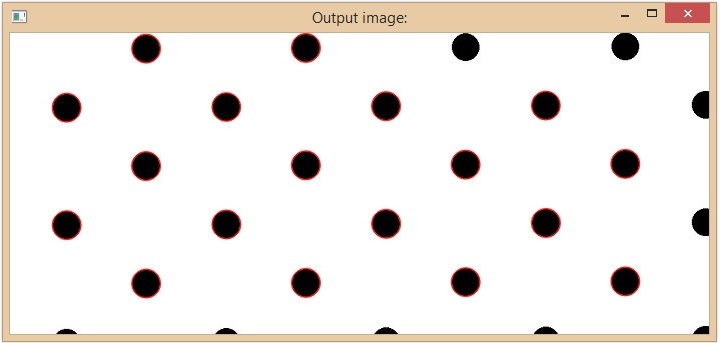
im_with_keypoints = cv2.drawKeypoints(im, keypoints, np.array([]), (0,0,250), cv2.DRAW_MATCHES_FLAGS_DRAW_RICH_KEYPOINTS)

cv2.imshow("Output image:", im_with_keypoints)
cv2.waitKey(0)
输出
Black Dots Count is: 18
在上面的代码中,cv2.DRAW_MATCHES_FLAGS_DRAW_RICH_KEYPOINTS确保圆的大小与斑点的大小相对应。在输出中,我们可以看到给定图像中共有49个黑点。
输入图像
输出图像
3K+ 次浏览
