
堆叠柱状图
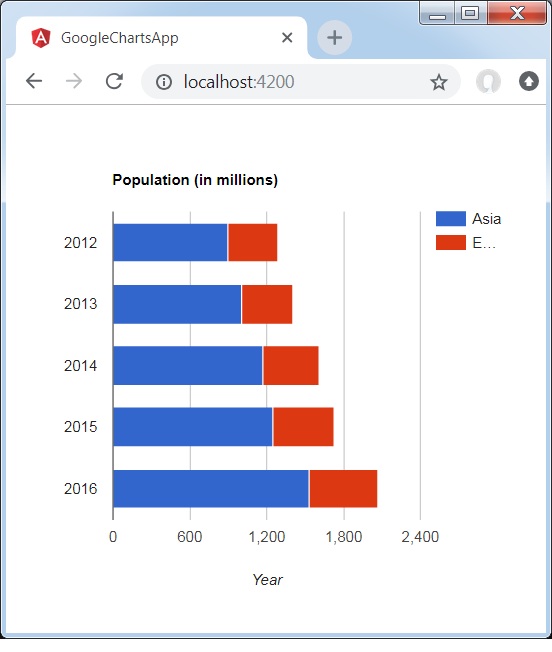
以下是堆叠柱状图示例。
我们在 Google Charts 配置语法 一章中已经了解了绘制图表时使用的配置。现在,让我们看一个堆叠柱状图示例。
配置
我们使用了 isStacked 选项将基于柱的图表显示为堆叠。
options = {
   isStacked:true,
}
示例
app.component.ts
import { Component } from '@angular/core';
@Component({
   selector: 'app-root',
   templateUrl: './app.component.html',
   styleUrls: ['./app.component.css']
})
export class AppComponent {
   title = 'Population (in millions)';
   type = 'BarChart';
   data = [
      ["2012", 900, 390],
      ["2013", 1000, 400],
      ["2014", 1170, 440],
      ["2015", 1250, 480],
      ["2016", 1530, 540]
   ];
   columnNames = ['Year', 'Asia','Europe'];
   options = {
      hAxis: {
         title: 'Year'
      },
      vAxis:{
         minValue:0
      },
      isStacked:true
   };
   width = 550;
   height = 400;
}
结果
验证结果。
angular_googlecharts_column_charts.htm
广告