
 数据结构
数据结构 网络
网络 RDBMS
RDBMS 操作系统
操作系统 Java
Java MS Excel
 iOS
iOS HTML
HTML CSS
CSS Android
 Python
 C 编程
C 编程 C++
C++ C#
C# MongoDB
 MySQL
MySQL Javascript
 PHP
PHP 物理
物理 化学
化学 生物
生物 数学
数学 英语
英语 经济学
经济学 心理学
心理学 社会研究
社会研究 时尚研究
时尚研究 法学
法学使用 Matplotlib 在图形中的子图上标注 A、B、C
要使用 matplotlib 在图形中的子图上标注 A、B 和 C,我们可以采用以下步骤
- 设置图形尺寸并调整子图之间的和子图周围的边距。
- 使用 nrows=1 和 ncols=3 创建一个图形和一组子图。
- 对一个数组进行 1D 迭代。
- 为每个轴迭代并以图像的形式显示数据。
- 在循环中放置文本 A、B 和 C。
- 使用 show() 方法显示图形。
示例
import numpy as np
from matplotlib import pyplot as plt
import string
plt.rcParams["figure.figsize"] = [7.50, 3.50]
plt.rcParams["figure.autolayout"] = True
fig, axs = plt.subplots(1, 3)
axs = axs.flat
for index, ax in enumerate(axs):
ax.imshow(np.random.randn(4, 4), interpolation='nearest',
cmap="copper")
ax.text(0.45, 1.1, string.ascii_uppercase[index],
transform=ax.transAxes,
size=20, weight='bold')
plt.show()
输出
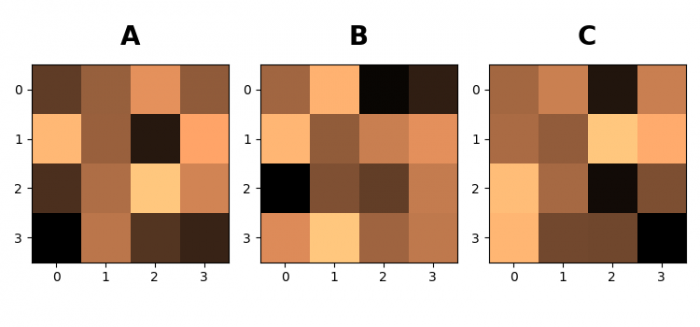

更新于: 01-06-2021
2 千 + 次浏览

广告