
 数据结构
数据结构 网络
网络 RDBMS
RDBMS 操作系统
操作系统 Java
Java MS Excel
 iOS
iOS HTML
HTML CSS
CSS Android
 Python
 C 编程
C 编程 C++
C++ C#
C# MongoDB
 MySQL
MySQL Javascript
 PHP
PHP 物理学
物理学 化学
化学 生物学
生物学 数学
数学 英语
英语 经济学
经济学 心理学
心理学 社会学科
社会学科 时尚研究
时尚研究 法律学习
法律学习在 JavaScript 中解释 Scroll 事件。
当用户通过向上或向下移动滚动条与滚动条交互时,JavaScript 会触发滚动事件。
以下是 JavaScript 中滚动事件的代码示例 −
示例
<!DOCTYPE html>
<html lang="en">
<head>
<meta charset="UTF-8" />
<meta name="viewport" content="width=device-width, initial-scale=1.0" />
<title>Document</title>
<style>
   body {
      font-family: "Segoe UI", Tahoma, Geneva, Verdana, sans-serif;
      height: 150vh; /*To have a scrollbar*/
   }
   .result{
      font-size: 18px;
      color: blueviolet;
      font-weight: 500;
   }
</style>
</head>
<body>
<h1>Scroll events in JavaScript</h1>
<div class="result"></div>
<h3>Scroll the scrollbar to see some text in the above paragraph</h3>
<script>
   let resEle = document.querySelector(".result");
   window.addEventListener("scroll", () => {
      resEle.innerHTML = "The scroll event has fired";
   });
</script>
</body>
</html>
输出
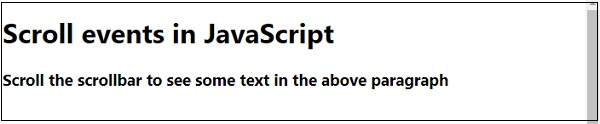
向下滚动一点 −


更新于:16-7-2020
291 浏览量

广告