
 数据结构
数据结构 网络
网络 关系数据库管理系统 (RDBMS)
 操作系统
操作系统 Java
Java MS Excel
 iOS
iOS HTML
HTML CSS
CSS Android
 Python
 C语言编程
C语言编程 C++
C++ C#
C# MongoDB
 MySQL
MySQL Javascript
 PHP
PHP 物理学
物理学 化学
化学 生物学
生物学 数学
数学 英语
英语 经济学
经济学 心理学
心理学 社会学
社会学 服装学
服装学 法学
法学如何使用OpenCV Python查找图像的傅里叶变换?
离散傅里叶变换 (DFT) 和离散傅里叶逆变换 (IDFT) 应用于图像以查找频域。为了找到图像的傅里叶变换,我们使用函数cv2.dft()和cv2.idft()。我们可以应用傅里叶变换来分析各种滤波器的频率特性。
步骤
为了找到输入图像的傅里叶变换,可以按照以下步骤操作:
导入所需的库。在以下所有 Python 示例中,所需的 Python 库为OpenCV、Numpy和Matplotlib。请确保您已安装它们。
使用cv2.imread()方法将输入图像加载为灰度图像。并将灰度图像的类型转换为float32。
使用cv2.dft()并传递所需参数来查找图像上的离散傅里叶变换。
调用np.fft.fftshift()将零频率分量移到频谱的中心。
应用对数变换并可视化幅度谱。
为了可视化变换后的图像,我们应用逆变换np.fft.ifftshift()和cv2.idft()。请参见下面讨论的第二个示例。
让我们来看一些例子,以便清楚地理解这个问题。
输入图像
我们将在下面的示例中使用此图像作为输入文件。
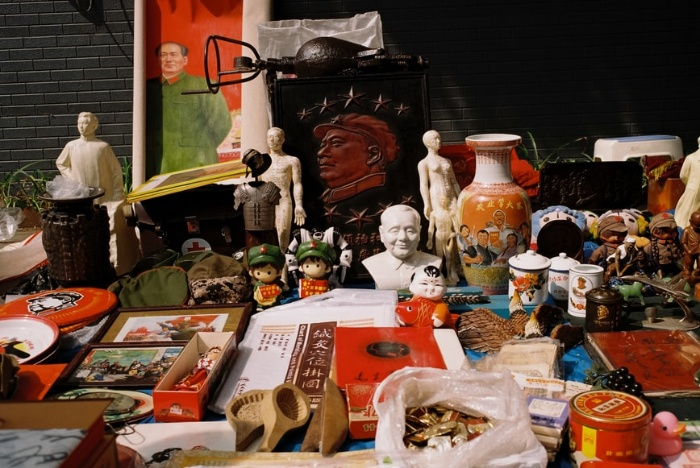
示例
在这个程序中,我们找到输入图像的离散傅里叶变换。我们找到并绘制幅度谱。
# import required libraries
import numpy as np
import cv2
from matplotlib import pyplot as plt

# read input image
img = cv2.imread('film.jpg',0)

# find the discrete fourier transform of the image
dft = cv2.dft(np.float32(img),flags = cv2.DFT_COMPLEX_OUTPUT)

# shift zero-frequency component to the center of the spectrum
dft_shift = np.fft.fftshift(dft)
   magnitude_spectrum = 20*np.log(cv2.magnitude(
      dft_shift[:,:,0],
      dft_shift[:,:,1])
   )
# visualize input image and the magnitude spectrum
plt.subplot(121),plt.imshow(img, cmap = 'gray')
plt.title('Input Image'), plt.xticks([]), plt.yticks([])
plt.subplot(122),plt.imshow(magnitude_spectrum, cmap = 'gray')
plt.title('Magnitude Spectrum'), plt.xticks([]), plt.yticks([])
plt.show()
输出
运行上面的 Python 程序后,它将生成以下输出窗口:

示例
在这个程序中,我们找到输入图像的离散傅里叶变换。我们使用诸如ifftshift()和idft()之类的反函数重建图像。
import numpy as np
import cv2
from matplotlib import pyplot as plt

# read the input image
img = cv2.imread('film.jpg',0)

# find the discrete fourier transform of the image
dft = cv2.dft(np.float32(img),flags = cv2.DFT_COMPLEX_OUTPUT)

# hift zero-frequency component to the center of the spectrum
dft_shift = np.fft.fftshift(dft)
rows, cols = img.shape
crow,ccol = rows//2 , cols//2
mask = np.zeros((rows,cols,2),np.uint8)
mask[crow-30:crow+30, ccol-30:ccol+30] = 1

# apply mask and inverse DFT
fshift = dft_shift*mask
f_ishift = np.fft.ifftshift(fshift)
img_back = cv2.idft(f_ishift)
img_back = cv2.magnitude(img_back[:,:,0],img_back[:,:,1])

# visualize the images
plt.subplot(121),plt.imshow(img, cmap = 'gray')
plt.title('Input Image'), plt.xticks([]), plt.yticks([])
plt.subplot(122),plt.imshow(img_back, cmap = 'gray')
plt.title('Magnitude Spectrum'), plt.xticks([]), plt.yticks([])
plt.show()
输出
运行上面的 Python 程序后,它将生成以下输出窗口:


更新于:2022年12月2日
4K+ 次浏览

广告