
 数据结构
数据结构 网络
网络 关系型数据库管理系统
 操作系统
操作系统 Java
Java MS Excel
 iOS
iOS HTML
HTML CSS
CSS Android
 Python
 C 编程
C 编程 C++
C++ C#
C# MongoDB
 MySQL
MySQL Javascript
 PHP
PHP 物理学
物理学 化学
化学 生物学
生物学 数学
数学 英语
英语 经济学
经济学 心理学
心理学 社会学
社会学 时尚研究
时尚研究 法律研究
法律研究如何在 Android 中实现 TextSwitcher?
Android 的 TextSwitcher 组件是一个灵活的工具,它能够在一个视图中实现无缝的文本切换。它非常适合展示动态内容或提供实时的视觉反馈。通过对不同文本值之间的切换进行动画处理,此组件增加了交互性并增强了用户体验。
要实现 TextSwitcher,开发人员需要在他们的 XML 布局中定义对象并分配合适的动画。然后,他们可以轻松地以编程方式更新文本内容,通过在各种文本表示之间无缝切换来提高参与度。
TextSwitcher
Android 中的 TextSwitcher 指的是一种 ViewSwitcher,用于处理一个视图的文本内容更新。它的特点在于在更新显示文本时具有平滑的过渡效果,通过视觉反馈为用户提供更好的体验。换句话说,它包含两个 TextView 对象,并通过自动动画在它们之间无缝切换。TextSwitcher 的实现简化了开发人员在需要动态更新或更改应用程序中各种文本类型时的工作,从而在界面上提供实时更新。
方法
要在 Android 中实现 TextSwitcher,您可以使用不同的方法。以下三种方法是常用的:
以编程方式创建和配置 TextSwitcher
使用 XML 布局创建 TextSwitcher
在自定义类中扩展 TextSwitcher
以编程方式创建和配置 TextSwitcher
在这种方法中,您以编程方式创建一个 TextSwitcher 实例,设置所需的文本切换动画,并提供一个 ViewFactory 来创建 TextView 对象。最后,您可以动态地将 TextSwitcher 添加到您的布局中。
算法
以编程方式创建一个 TextSwitcher 实例。
使用 setInAnimation() 和 setOutAnimation() 方法设置文本切换的动画。
实现一个创建 TextView 对象的 ViewFactory。
将 TextSwitcher 动态添加到所需的布局中。
示例
import android.content.Context;
import android.view.View;
import android.view.ViewGroup;
import android.widget.TextSwitcher;
import android.widget.TextView;
import android.widget.ViewSwitcher;

public class MainActivity extends AppCompatActivity {
   private TextSwitcher textSwitcher;

   @Override
   protected void onCreate(Bundle savedInstanceState) {
      super.onCreate(savedInstanceState);
      setContentView(R.layout.activity_main);

      textSwitcher = new TextSwitcher(this);
      textSwitcher.setInAnimation(this, android.R.anim.slide_in_left);
      textSwitcher.setOutAnimation(this, android.R.anim.slide_out_right);

      textSwitcher.setFactory(new ViewSwitcher.ViewFactory() {
         @Override
         public View makeView() {
            return new TextView(MainActivity.this);
         }
      });

      ViewGroup parentView = findViewById(R.id.parent_layout);
      parentView.addView(textSwitcher);

      // Update the text in the TextSwitcher
      textSwitcher.setText("click on next button to switch text");
      textSwitcher.setText("Text Switcher 1");
   }
}
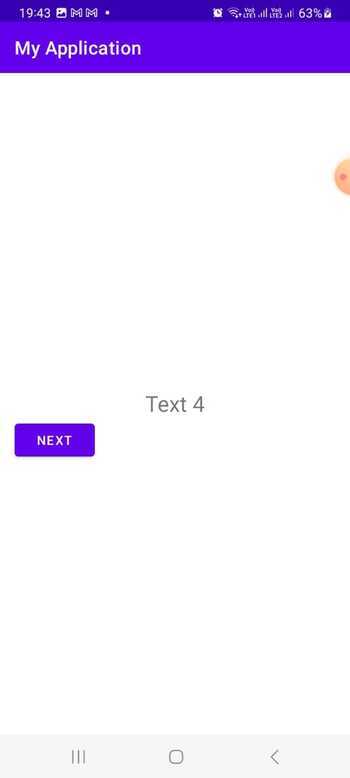
输出
使用 XML 布局创建 TextSwitcher
此方法涉及在您的 XML 布局文件中定义 TextSwitcher,并指定所需的动画属性。在您的 Java 代码中,您可以通过其 ID 找到 TextSwitcher,设置 ViewFactory 来创建 TextView 对象,并访问它以供进一步使用。
算法
在 XML 布局中定义 TextSwitcher,并指定动画属性。
在 Java 代码中使用 findViewById() 找到 TextSwitcher。
设置一个创建 TextView 对象的 ViewFactory 实现。
访问 TextSwitcher 以供进一步使用。
activity_main.xml
<LinearLayout
   xmlns:android="http://schemas.android.com/apk/res/android"
   xmlns:tools="http://schemas.android.com/tools"
   android:id="@+id/parent_layout"
   android:layout_width="match_parent"
   android:layout_height="match_parent"
   android:orientation="vertical"
   android:gravity="center">

   <TextSwitcher
      android:id="@+id/textSwitcher"
      android:layout_width="wrap_content"
      android:layout_height="wrap_content"
      android:inAnimation="@android:anim/slide_in_left"
      android:outAnimation="@android:anim/slide_out_right" />
</LinearLayout>
示例
import android.os.Bundle;
import android.widget.TextSwitcher;
import android.widget.TextView;
import android.widget.ViewSwitcher;

public class MainActivity extends AppCompatActivity {
   private TextSwitcher textSwitcher;

   @Override
   protected void onCreate(Bundle savedInstanceState) {
      super.onCreate(savedInstanceState);
      setContentView(R.layout.activity_main);

      textSwitcher = findViewById(R.id.textSwitcher);
      textSwitcher.setFactory(new ViewSwitcher.ViewFactory() {
         @Override
         public View makeView() {
            return new TextView(MainActivity.this);
         }
      });

      // Update the text in the TextSwitcher
      textSwitcher.setText("click on next button to switch text ");
      textSwitcher.setText("Text Switcher 1");
   }
}
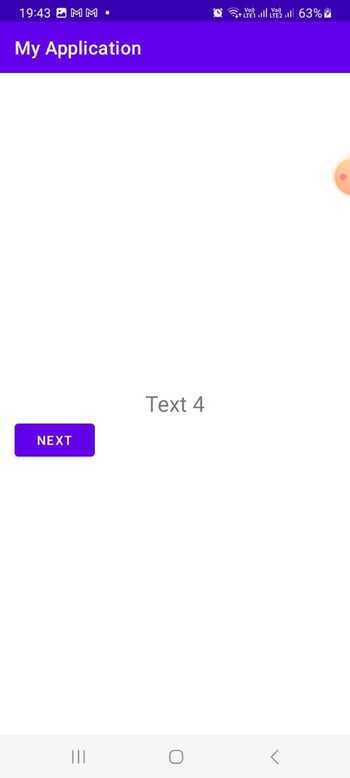
输出
在自定义类中扩展 TextSwitcher
通过这种方法,您可以创建一个扩展 TextSwitcher 的自定义类,如果需要,可以定义其他配置。您可以在 XML 布局文件中使用此自定义 TextSwitcher 类,并提供所需的动画属性。在您的 Java 代码中,您可以通过其 ID 找到自定义 TextSwitcher,并在您的应用程序中使用它。
算法
创建一个扩展 TextSwitcher 的自定义类。
在自定义 TextSwitcher 类中实现必要的配置和自定义。
在 XML 布局中声明自定义 TextSwitcher,并指定动画属性。
在 Java 代码中使用 findViewById() 找到自定义 TextSwitcher。
根据需要在您的应用程序中使用自定义 TextSwitcher。
CustomTextSwitcher.java
import android.content.Context;
import android.util.AttributeSet;
import android.view.View;
import android.widget.TextSwitcher;
import android.widget.TextView;
import android.widget.ViewSwitcher;

public class CustomTextSwitcher extends TextSwitcher {
   public CustomTextSwitcher(Context context) {
      super(context);
      init();
   }

   public CustomTextSwitcher(Context context, AttributeSet attrs) {
      super(context, attrs);
      init();
   }

   private void init() {
      setInAnimation(getContext(), android.R.anim.slide_in_left);
      setOutAnimation(getContext(), android.R.anim.slide_out_right);

      setFactory(new ViewSwitcher.ViewFactory() {
         @Override
         public View makeView() {
            return new TextView(getContext());
         }
      });
   }
}
示例
import android.os.Bundle;
import androidx.appcompat.app.AppCompatActivity;
import com.example.app.CustomTextSwitcher;

public class MainActivity extends AppCompatActivity {
   private CustomTextSwitcher textSwitcher;

   @Override
   protected void onCreate(Bundle savedInstanceState) {
      super.onCreate(savedInstanceState);
      setContentView(R.layout.activity_main);

      textSwitcher = findViewById(R.id.textSwitcher);

      // Update the text in the TextSwitcher
      textSwitcher.setText("click on next button to switch text");
      textSwitcher.setText("Text Switcher 1");
   }
}
activity_main.xml
<LinearLayout
   xmlns:android="http://schemas.android.com/apk/res/android"
   xmlns:tools="http://schemas.android.com/tools"
   android:id="@+id/parent_layout"
   android:layout_width="match_parent"
   android:layout_height="match_parent"
   android:orientation="vertical"
   android:gravity="center">

   <com.example.app.CustomTextSwitcher
      android:id="@+id/textSwitcher"
      android:layout_width="wrap_content"
      android:layout_height="wrap_content" />
</LinearLayout>
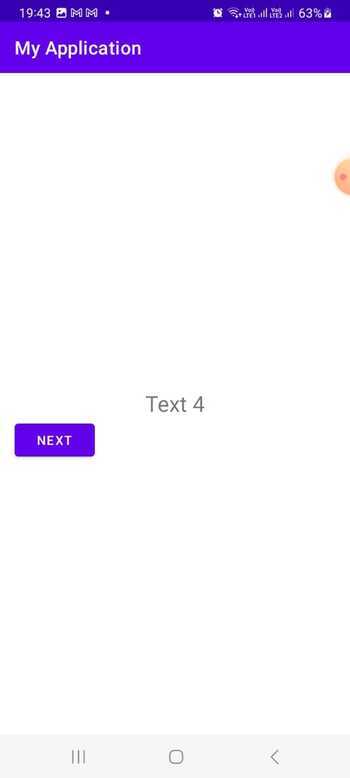
输出
结论
Android 中的 TextSwitcher 是一个强大的组件,可以促进在一个视图中对各种文本值的无缝切换和动画处理。本教程重点介绍了如何有效地使用此功能。通过使用各种方法实现 TextSwitcher,例如以编程方式配置它、使用 XML 布局或扩展自定义类,开发人员可以轻松地动态显示和切换文本内容,从而增强用户体验。

287 次浏览
