
 数据结构
数据结构 网络通信
网络通信 关系型数据库管理系统
 操作系统
操作系统 Java
Java MS Excel
 iOS
iOS HTML
HTML CSS
CSS Android
 Python
 C 编程
C 编程 C++
C++ C#
C# MongoDB
 MySQL
MySQL Javascript
 PHP
PHP 物理
物理 化学
化学 生物
生物 数学
数学 英语
英语 经济学
经济学 心理学
心理学 社会学
社会学 时尚学
时尚学 法律学
法律学如何在 Android 中使用 Kotlin 播放任意音调?
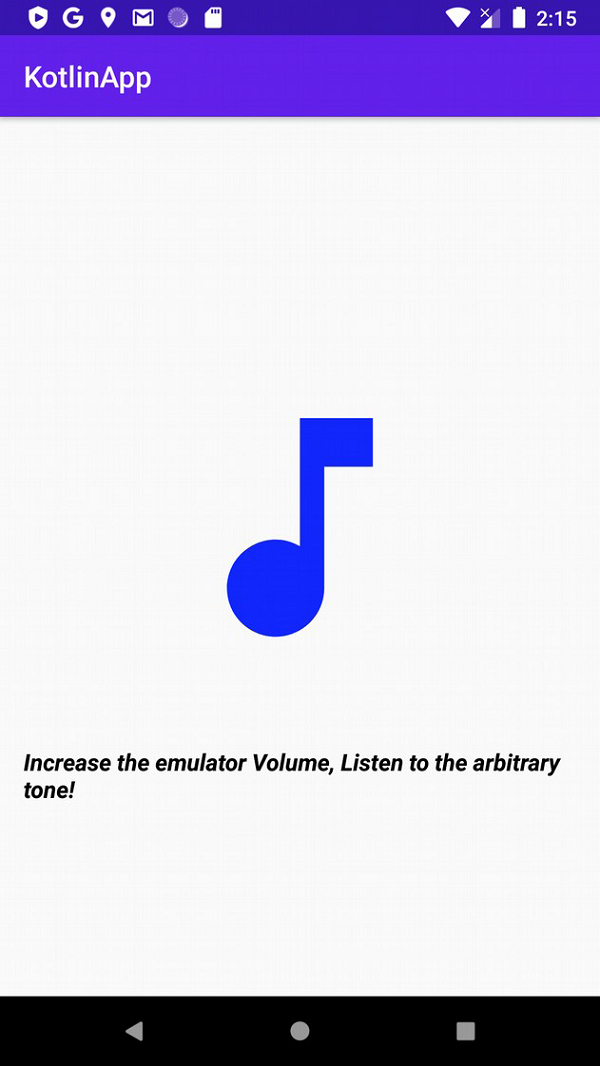
本例演示如何在 Android 中使用 Kotlin 播放任意音调
步骤 1 − 在 Android Studio 中创建一个新项目,依次转到“文件 ⇒ 新建项目”,并填写所有必需详细信息以创建新项目。
步骤 2 − 将以下代码添加到 res/layout/activity_main.xml 中。
<?xml version="1.0" encoding="utf-8"?>
<LinearLayout xmlns:android="http://schemas.android.com/apk/res/android"
   xmlns:tools="http://schemas.android.com/tools"
   android:layout_width="match_parent"
   android:layout_height="match_parent"
   android:gravity="center"
   android:orientation="vertical"
   android:padding="16dp"
   tools:context=".MainActivity">
   <ImageView
      android:layout_width="200dp"
      android:layout_height="300dp"
      android:src="@drawable/ic_music" />
   <TextView
      android:layout_width="wrap_content"
      android:layout_height="wrap_content"
      android:text="Increase the emulator Volume, Listen to the arbitrary tone!"
      android:textColor="@android:color/background_dark"
      android:textSize="16sp"
      android:textStyle="bold|italic" />
</LinearLayout>
步骤 3 − 将以下代码添加到 src/MainActivity.kt 中
import android.media.AudioFormat
import android.media.AudioManager
import android.media.AudioTrack
import android.os.Bundle
import android.os.Handler
import androidx.appcompat.app.AppCompatActivity
import kotlin.experimental.and
import kotlin.math.sin
class MainActivity : AppCompatActivity() {
   private val duration = 10
   private val sampleRate = 8000
   private val numSamples = duration * sampleRate
   private val sample = DoubleArray(numSamples)
   private val generatedSnd = ByteArray(2 * numSamples)
   var handler: Handler = Handler()
   override fun onCreate(savedInstanceState: Bundle?) {
      super.onCreate(savedInstanceState)
      setContentView(R.layout.activity_main)
      title = "KotlinApp"
   }
   override fun onResume() {
      super.onResume()
      val thread = Thread(Runnable {
         genTone()
         handler.post { playSound() }
      })
      thread.start()
   }
   private fun genTone() {
      for (i in 0 until numSamples) {
         val freqOfTone = 440.0
         sample[i] =
         sin(2 * Math.PI * i / (sampleRate / freqOfTone))
      }
      var idx = 0
      for (dVal in sample) {
         val `val` = (dVal * 32767).toShort()
         generatedSnd[idx++] = `val`.and(0x00ff).toByte()
         generatedSnd[idx++] = `val`.and(0xff00 ushr 8).toByte()
      }
   }
   private fun playSound() {
      val audioTrack = AudioTrack(
         AudioManager.STREAM_MUSIC,
         sampleRate, AudioFormat.CHANNEL_OUT_MONO,
         AudioFormat.ENCODING_PCM_16BIT, generatedSnd.size,
         AudioTrack.MODE_STATIC
      )
      audioTrack.write(generatedSnd, 0, generatedSnd.size)
      audioTrack.play()
   }
}
步骤 4 − 将以下代码添加到 androidManifest.xml 中
<?xml version="1.0" encoding="utf-8"?>
<manifest xmlns:android="http://schemas.android.com/apk/res/android" package="app.com.q11">
   <application
      android:allowBackup="true"
      android:icon="@mipmap/ic_launcher"
      android:label="@string/app_name"
      android:roundIcon="@mipmap/ic_launcher_round"
      android:supportsRtl="true"
      android:theme="@style/AppTheme">
      <activity android:name=".MainActivity">
         <intent-filter>
            <action android:name="android.intent.action.MAIN" />
            <category android:name="android.intent.category.LAUNCHER" />
         </intent-filter>
      </activity>
   </application>
</manifest>
让我们尝试运行应用。我假设你已经将真正的 Android 移动设备连接到你的电脑上。要从 Android Studio 运行应用,请打开项目的一个活动文件,并单击工具栏上的运行图标 。选择移动设备作为选项,然后查看移动设备,它将显示默认界面

更新于: 26-5-2020
901 次查看

广告