
 数据结构
数据结构 网络
网络 RDBMS
RDBMS 操作系统
操作系统 Java
Java MS Excel
 iOS
iOS HTML
HTML CSS
CSS Android
 Python
 C 编程
C 编程 C++
C++ C#
C# MongoDB
 MySQL
MySQL Javascript
 PHP
PHP 物理
物理 化学
化学 生物
生物 数学
数学 英语
英语 经济学
经济学 心理学
心理学 社会研究
社会研究 时尚研究
时尚研究 法律研究
法律研究HTML DOM 输入隐藏值属性
HTML DOM 输入隐藏值属性返回和修改 type=”hidden” 的 HTML 文档中输入字段的 value 属性的内容。
语法
以下为语法 −
1. 返回值
object.value
2. 修改值
object.value=”text”
示例
我们来看一个 HTML DOM 输入隐藏值属性示例 −
<!DOCTYPE html>
<html>
<head>
<style>
   body{
      text-align:center;
      background-color:#F19A3E;
      color:#fff;
   }
   .btn{
      background-color:#3C787E;
      border:none;
      height:2rem;
      border-radius:50px;
      width:60%;
      margin:1rem auto;
      display:block;
      color:#fff;
      outline:none;
      cursor:pointer;
   }
   .show{
      color:#fff;
      font-size:1.2rem;
      font-weight:600;
   }
</style>
</head>
<body>
<h1>DOM Hidden value Property Example</h1>
Here is hidden input field:
<input type="hidden" class="input-field" value="Hi! I was previous value of hidden input">
<button onclick="getType()" class="btn">Click to change value</button>
<div class="show"></div>
<script>
   function getType() {
      var inputField = document.querySelector(".input-field");
      var msgDiv = document.querySelector(".show");
      msgDiv.innerHTML = "" + inputField.value + "";
      inputField.value = "Hello! I'm new value of hidden input"
      msgDiv.innerHTML +="" + inputField.value + "";
   }
</script>
</body>
</html>
输出
这将生成以下输出 −
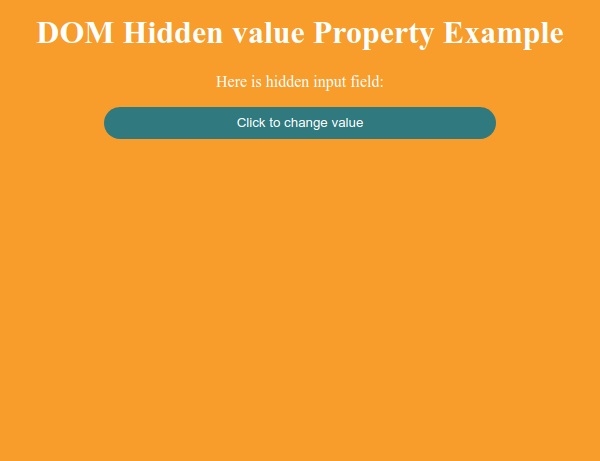
控制台 −
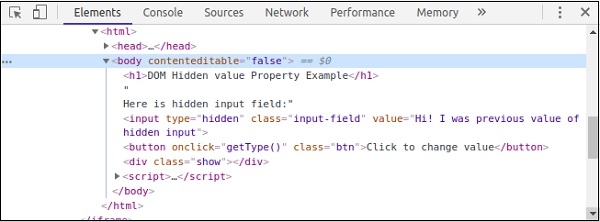
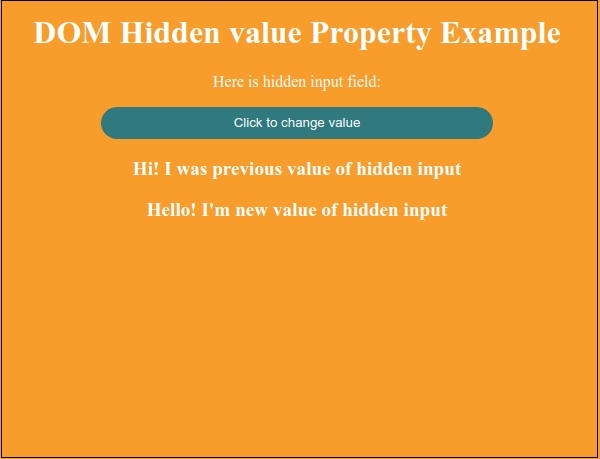
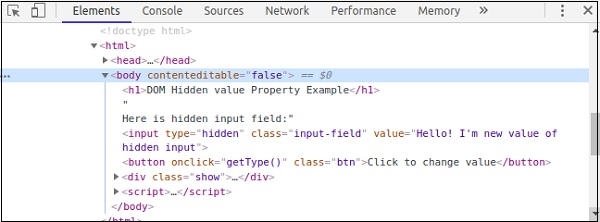
点击“点击更改值”按钮更改隐藏输入域的值。查看控制台截图可轻松了解 −
控制台 −

更新于: 30-Jul-2019
213 次浏览

广告