
 数据结构
数据结构 网络
网络 RDBMS
RDBMS 操作系统
操作系统 Java
Java MS Excel
 iOS
iOS HTML
HTML CSS
CSS Android
 Python
 C 编程
C 编程 C++
C++ C#
C# MongoDB
 MySQL
MySQL Javascript
 PHP
PHP 物理
物理 化学
化学 生物
生物 数学
数学 英语
英语 经济学
经济学 心理学
心理学 社会学
社会学 时尚研究
时尚研究 法律研究
法律研究HTML 窗口 resizeBy() 方法
HTML 窗口 resizeBy() 方法通过指定的值相对于其当前大小调整窗口大小。
语法
以下是语法 −
window.resizeBy(w,h)
此处,w 和 h 分别定义调整窗口宽度和高度(以像素为单位)的值。
让我们看一个 HTML 窗口 resizeBy() 方法的示例 −
示例
<!DOCTYPE html>
<html>
<style>
   body {
      color: #000;
      height: 100vh;
      background-color: #8BC6EC;
      background-image: linear-gradient(135deg, #8BC6EC 0%, #9599E2 100%) no-repeat;
      text-align: center;
   }
   .btn {
      background: #db133a;
      border: none;
      height: 2rem;
      border-radius: 2px;
      width: 20%;
      display: block;
      color: #fff;
      outline: none;
      cursor: pointer;
      margin: 1rem auto;
   }
</style>
<body>
<h1>HTML Window resizeBy() Method Demo</h1>
<button onclick="create()" class="btn">Create a new window</button>
<button onclick='resize()' class="btn">Resize the window</button>
<script>
   var newWindow;
   function create(){
      newWindow =window.open('','','width=80,height=80');
   }
   function resize(){
      newWindow.resizeBy(100, 100);
      newWindow.focus();
   }
</script>
</body>
</html>
输出
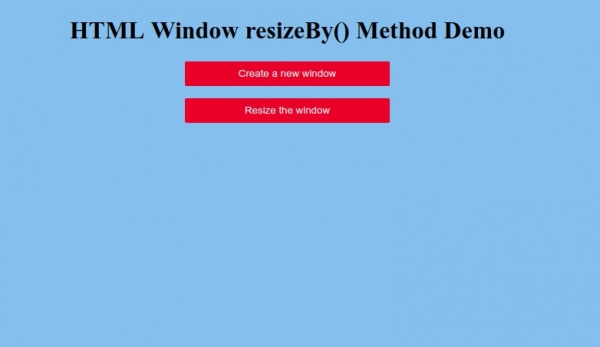
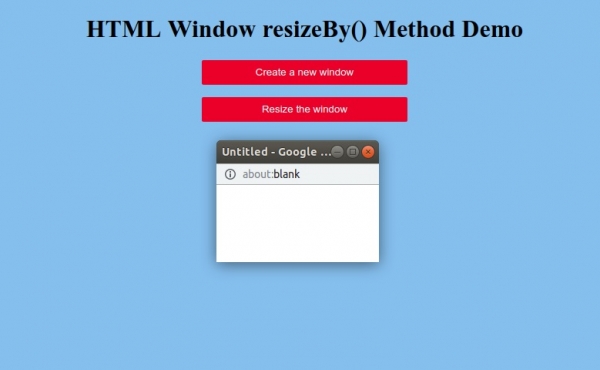
单击“创建新窗口”按钮生成新窗口
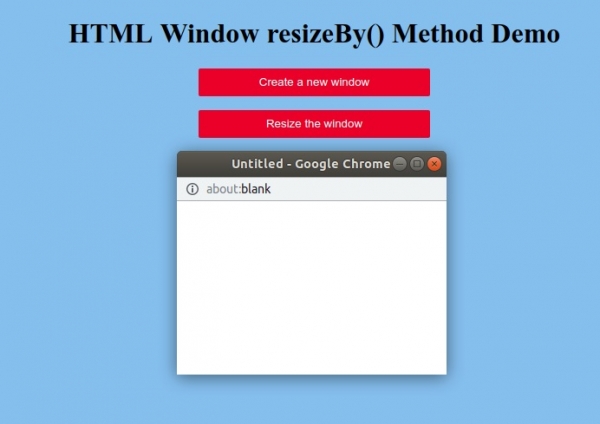
现在单击“调整窗口大小”按钮调整新创建的窗口的大小 −

更新时间: 2019 年 10 月 1 日
71 次浏览

广告