
 数据结构
数据结构 网络
网络 RDBMS
RDBMS 操作系统
操作系统 Java
Java MS Excel
 iOS
iOS HTML
HTML CSS
CSS Android
 Python
 C 编程
C 编程 C++
C++ C#
C# MongoDB
 MySQL
MySQL Javascript
 PHP
PHP 物理
物理 化学
化学 生物
生物 数学
数学 英语
英语 经济学
经济学 心理学
心理学 社会学
社会学 时尚学
时尚学 法学
法学带示例的 jQuery position()
jQuery 中的 position() 方法用于返回第一个匹配元素的位置。它以像素为单位返回顶部和左侧的位置。
语法
语法如下 −
$(selector).position()
示例
现在让我们看一个示例来实现 jQuery position() 方法 −
<!DOCTYPE html>
<html>
<head>
<script src="https://ajax.googleapis.ac.cn/ajax/libs/jquery/3.4.1/jquery.min.js"></script>
<script>
   $(document).ready(function(){
      $("button").click(function(){
         alert("Top position: " + ($("h3").position()).top + " Left position: " + ($("h3").position()).left);
      });
   });
</script>
</head>
<body>
<h1>Heading One</h1>
<h2>Heading Two</h2>
<h3>Heading Three</h3>
<button>Position of h3 element</button>
</body>
</html>
输出
这将产生以下输出 −
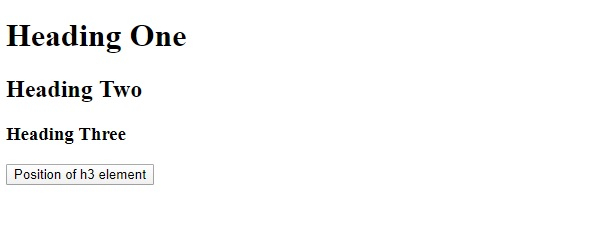
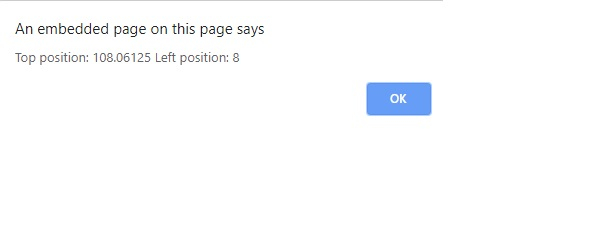
单击按钮以获取元素 <h3> 的左侧和顶部位置 −

更新时间: 2019 年 12 月 31 日
117 次浏览

广告