
- Next.js 教程
- Next.js - 首页
- Next.js - 概述
- Next.js - 环境设置
- Next.js 功能
- Next.js - 页面
- Next.js - 静态文件服务
- Next.js - 元数据
- Next.js - CSS 支持
- Next.js - 全局 CSS 支持
- Next.js - 预渲染
- Next.js 路由
- Next.js - 路由
- Next.js - 动态 API 路由
- Next.js - 命令式路由
- Next.js - 浅层路由
- Next.js API 路由
- Next.js - API 路由
- Next.js - API 中间件
- Next.js - 响应助手
- Next.js 其他内容
- Next.js - Typescript
- Next.js - 环境变量
- Next.js - 部署
- Next.js - CLI
- Next.js 有用资源
- Next.js - 快速指南
- Next.js - 有用资源
- Next.js - 讨论
Next.js - 动态路由
在 Next.js 中,我们可以动态创建路由。在示例中,我们将动态创建页面和它们的路由。
步骤 1. 定义 [id].js 文件 − [id].js 表示动态页面,其中 id 是相对路径。在 pages/post 目录中定义此文件。
步骤 2. 定义 lib/posts.js − posts.js 表示 id 和内容。要创建 lib 目录,放在根目录中。
[id].js
使用 getStaticPaths() 方法更新 [id].js 文件,该方法设置路径并使用 getStaticProps() 方法来基于 id 获取内容。
import Link from 'next/link'
import Head from 'next/head'
import Container from '../../components/container'

import { getAllPostIds, getPostData } from '../../lib/posts'

export default function Post({ postData }) {
   return (
      <Container>
         {postData.id}
         <br />
         {postData.title}
         <br />
         {postData.date}
      </Container>
   )
}
export async function getStaticPaths() {
   const paths = getAllPostIds()
   return {
      paths,
      fallback: false
   }
}

export async function getStaticProps({ params }) {
   const postData = getPostData(params.id)
      return {
      props: {
         postData
      }
   }
}
posts.js
posts.js 包含 getAllPostIds() 以获取 id 和 getPostData() 以获取相应的内容。
export function getPostData(id) {
   const postOne = {
      title: 'One',
      id: 1,
      date: '7/12/2020'
   }

   const postTwo = {
      title: 'Two',
      id: 2,
      date: '7/12/2020'
   }
   if(id == 'one'){
      return postOne;
   }else if(id == 'two'){
      return postTwo;
   }
}

export function getAllPostIds() {
   return [{
      params: {
         id: 'one'
      }
   },
   {
      params: {
         id: 'two'
      }
   }
];
}
启动 Next.js 服务器
运行以下命令以启动服务器 -。
npm run dev
> nextjs@1.0.0 dev \Node\nextjs
> next

ready - started server on https://:3000
event - compiled successfully
event - build page: /
wait  - compiling...
event - compiled successfully
event - build page: /next/dist/pages/_error
wait  - compiling...
event - compiled successfully
验证输出
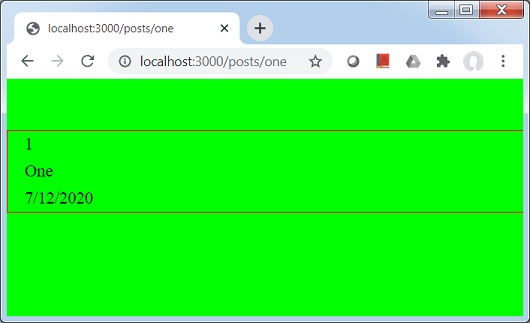
在浏览器中打开 localhost:3000/posts/one,你将看到以下输出。
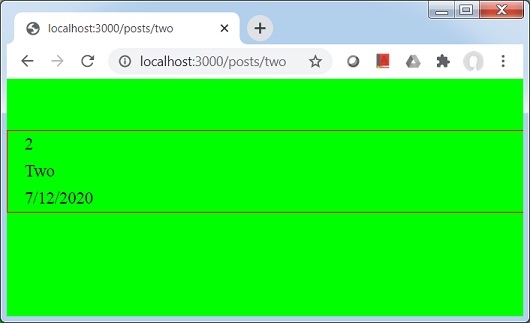
在浏览器中打开 localhost:3000/posts/two,你将看到以下输出。
广告