
- Next.js 教程
- Next.js - 主页
- Next.js - 概述
- Next.js - 环境设置
- Next.js 功能
- Next.js - 页面
- Next.js - 静态文件提供
- Next.js - 元数据
- Next.js - CSS 支持
- Next.js - 全局 CSS 支持
- Next.js - 预渲染
- Next.js 路由
- Next.js - 路由
- Next.js - 动态 API 路由
- Next.js - 命令式路由
- Next.js - 浅路由
- Next.js API 路由
- Next.js - API 路由
- Next.js - API 中间件
- Next.js - 响应助手
- Next.js 杂项
- Next.js - TypeScript
- Next.js - 环境变量
- Next.js - 部署
- Next.js - CLI
- Next.js 有用资源
- Next.js - 快速指南
- Next.js - 有用资源
- Next.js - 讨论
Next.js - 静态文件提供
在 Next.js 中,我们可以非常轻松地通过将静态页面(如图像)放入顶级目录 **public** 中来提供服务。我们可以在 **pages** 目录中的页面中以类似的方式引用这些文件。
在 Next.js 中,页面是一个 React 组件,并从 pages 目录导出。每个页面都根据其文件名与一个路由相关联。
让我们更新在 页面 章节中使用的 nextjs 项目。
创建 public 目录并在其中放置任何图像。我们采用了 logo.png,TutorialsPoint Logo 图像。
按照以下方式更新 first.js −
import Link from 'next/link'

export default function FirstPost() {
   return (
      <>
         <h1>My First Post</h1>
         <h2>
            <Link href="/">
               <a>Home</a>
            </Link>
         </h2>
         <br/">
         <img src="/logo.png" alt="TutorialsPoint Logo" />
      </>
   )
}
这里我们在 index.js 文件中添加了对 logo.png 的引用。
启动 Next.js 服务器
运行以下命令来启动服务器 −.
npm run dev
> nextjs@1.0.0 dev \Node\nextjs
> next

ready - started server on https://:3000
event - compiled successfully
event - build page: /
wait  - compiling...
event - compiled successfully
event - build page: /next/dist/pages/_error
wait  - compiling...
event - compiled successfully
验证输出
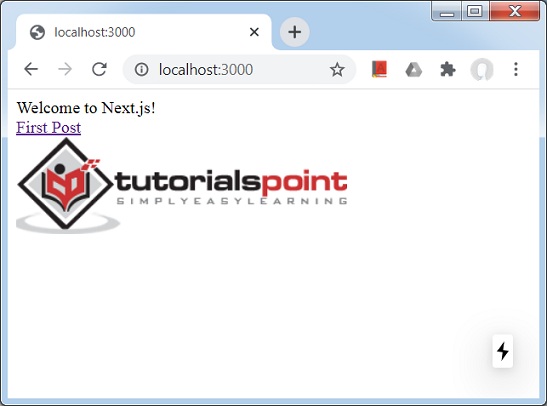
在浏览器中打开 localhost:3000,你将看到以下输出。
public 目录在 SEO 目标方面也很有用。可用于 Google 网站验证或 Web 应用程序中的任何其他静态资产中的 robot.txt。
广告