
- Next.js 教程
- Next.js - 首页
- Next.js - 概述
- Next.js - 环境搭建
- Next.js 特性
- Next.js - 页面
- Next.js - 静态文件服务
- Next.js - 元数据
- Next.js - CSS 支持
- Next.js - 全局 CSS 支持
- Next.js - 预渲染
- Next.js 路由
- Next.js - 路由
- Next.js - 动态 API 路由
- Next.js - 命令式路由
- Next.js - 浅路由
- Next.js API 路由
- Next.js - API 路由
- Next.js - API 中间件
- Next.js - 响应助手
- Next.js 其他
- Next.js - TypeScript
- Next.js - 环境变量
- Next.js - 部署
- Next.js - 命令行界面 (CLI)
- Next.js 有用资源
- Next.js 快速指南
- Next.js - 有用资源
- Next.js - 讨论
Next.js 快速指南
Next.js - 概述
Next.js 是一个基于 React 的框架,具有服务器端渲染功能。它非常快速且对 SEO 友好。
使用 Next.js,您可以轻松创建强大的基于 React 的应用程序并对其进行测试。以下是 Next.js 的主要功能。
热代码重载 - Next.js 服务器检测修改后的文件并自动重新加载它们。
自动路由 - 无需配置任何 URL 路由。文件需要放在 pages 文件夹中。所有 URL 将映射到文件系统。可以进行自定义。
组件特定样式 - styled-jsx 提供对全局和组件特定样式的支持。
服务器端渲染 - React 组件在服务器上预渲染,因此在客户端加载速度更快。
Node 生态系统 - Next.js 基于 React,与 Node 生态系统很好地融合。
自动代码分割 - Next.js 使用其所需的库渲染页面。Next.js 不会创建一个大型 JavaScript 文件,而是创建多个资源。加载页面时,只会加载所需的 JavaScript 页面。
预取 - Next.js 提供 Link 组件,用于链接多个组件,并支持预取属性以在后台预取页面资源。
动态组件 - Next.js 允许动态导入 JavaScript 模块和 React 组件。
导出静态站点 - Next.js 允许从您的 Web 应用程序导出完整的静态站点。
内置 TypeScript 支持 - Next.js 使用 TypeScript 编写,并提供出色的 TypeScript 支持。
Next.js - 环境搭建
由于 Next.js 是一个基于 React 的框架,我们使用 Node 环境。现在请确保您的系统上已安装Node.js 和 npm。您可以使用以下命令安装 Next.js:
npm install next react react-dom
Next.js 成功安装后,您可以看到以下输出:
+ react@16.13.1
+ react-dom@16.13.1
+ next@9.4.4
added 831 packages from 323 contributors and audited 834 packages in 172.989s
现在,让我们创建一个 node package.json:
npm init
创建 package.json 时选择默认值:
This utility will walk you through creating a package.json file.
It only covers the most common items, and tries to guess sensible defaults.

See `npm help json` for definitive documentation on these fields
and exactly what they do.

Use `npm install <pkg>` afterwards to install a package and
save it as a dependency in the package.json file.

Press ^C at any time to quit.
package name: (nextjs)
version: (1.0.0)
description:
entry point: (index.js)
test command:
git repository:
keywords:
author:
license: (ISC)
About to write to \Node\nextjs\package.json:
{
   "name": "nextjs",
   "version": "1.0.0",
   "description": "",
   "main": "index.js",
   "dependencies": {
      "next": "^9.4.4",
      "react": "^16.13.1",
      "react-dom": "^16.13.1"
   },
   "devDependencies": {},
   "scripts": {
      "test": "echo \"Error: no test specified\" && exit 1"
   },
   "author": "",
   "license": "ISC"
}
Is this OK? (yes)
现在更新 package.json 的 scripts 部分以包含 Next.js 命令。
{
   "name": "nextjs",
   "version": "1.0.0",
   "description": "",
   "main": "index.js",
   "dependencies": {
      "next": "^9.4.4",
      "react": "^16.13.1",
      "react-dom": "^16.13.1"
   },
   "devDependencies": {},
   "scripts": {
      "test": "echo \"Error: no test specified\" && exit 1",
      "dev": "next",
      "build": "next build",
      "start": "next start"
   },
   "author": "",
   "license": "ISC"
}
创建 pages 目录。
在 nextjs 文件夹内创建一个 pages 文件夹,并创建一个包含以下内容的 index.js 文件。
function HomePage() {
   return <div>Welcome to Next.js!</div>
}

export default HomePage
启动 Next.js 服务器
运行以下命令启动服务器:
npm run dev
> nextjs@1.0.0 dev \Node\nextjs
> next

ready - started server on https://:3000
event - compiled successfully
event - build page: /
wait  - compiling...
event - compiled successfully
event - build page: /next/dist/pages/_error
wait  - compiling...
event - compiled successfully
验证输出
在浏览器中打开 localhost:3000,您将看到以下输出。

Next.js - 页面
在 Next.js 中,我们可以创建页面并使用文件系统路由功能在它们之间导航。我们将使用Link组件进行页面间的客户端导航。
在 Next.js 中,页面是一个 React 组件,并从 pages 目录导出。每个页面都与其文件名相关的路由相关联。例如
pages/index.js 链接到 '/' 路由。
pages/posts/first.js 链接到 '/posts/first' 路由,以此类推。
让我们更新在环境搭建章节中创建的 nextjs 项目。
创建 post 目录并在其中创建 first.js 文件,内容如下:
export default function FirstPost() {
   return <h1>My First Post</h1>
}
添加 Link 支持以返回主页。更新 first.js 如下:
import Link from 'next/link'

export default function FirstPost() {
   return (
      <>
         <h1>My First Post</h1>
         <h2>
            <Link href="/">
               <a>Home</a>
            </Link>
         </h2>
      </>
   )
}
添加 Link 支持到主页以导航到第一个页面。更新 index.js 如下:
import Link from 'next/link'

function HomePage() {
   return (
      <>
         <div>Welcome to Next.js!</div>
         <Link href="/posts/first"><a>First Post</a></Link>
      </>
   )
}

export default HomePage
启动 Next.js 服务器
运行以下命令启动服务器:
npm run dev
> nextjs@1.0.0 dev \Node\nextjs
> next

ready - started server on https://:3000
event - compiled successfully
event - build page: /
wait  - compiling...
event - compiled successfully
event - build page: /next/dist/pages/_error
wait  - compiling...
event - compiled successfully
验证输出
在浏览器中打开 localhost:3000,您将看到以下输出。
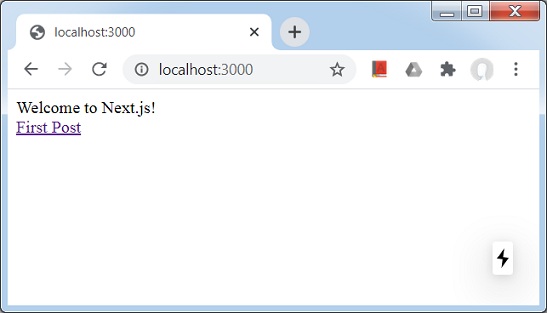
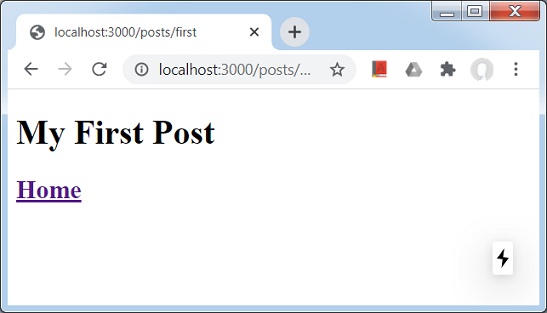
点击“First”链接,您将看到以下输出。
Next.js - 静态文件服务
在 Next.js 中,我们可以通过将静态页面(如图像)放在顶级目录public中来轻松地提供服务。我们可以像在pages目录中的页面一样引用这些文件。
在 Next.js 中,页面是一个 React 组件,并从 pages 目录导出。每个页面都与其文件名相关的路由相关联。
让我们更新在页面章节中使用的 nextjs 项目。
创建 public 目录并将任何图像放在其中。我们使用了 logo.png,TutorialsPoint 徽标图像。
更新 first.js 如下:
import Link from 'next/link'

export default function FirstPost() {
   return (
      <>
         <h1>My First Post</h1>
         <h2>
            <Link href="/">
               <a>Home</a>
            </Link>
         </h2>
         <br/">
         <img src="/logo.png" alt="TutorialsPoint Logo" />
      </>
   )
}
在这里,我们在 index.js 文件中添加了对 logo.png 的引用。
启动 Next.js 服务器
运行以下命令启动服务器:
npm run dev
> nextjs@1.0.0 dev \Node\nextjs
> next

ready - started server on https://:3000
event - compiled successfully
event - build page: /
wait  - compiling...
event - compiled successfully
event - build page: /next/dist/pages/_error
wait  - compiling...
event - compiled successfully
验证输出
在浏览器中打开 localhost:3000,您将看到以下输出。
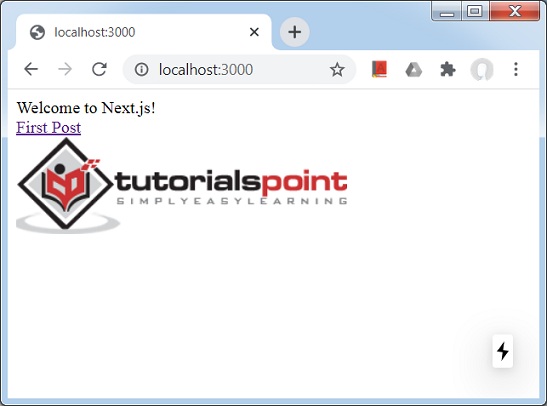
public 目录在 SEO 目的方面也很有用。它可用于 robot.txt、Google 站点验证或 Web 应用程序中的任何其他静态资源。
Next.js - 元数据
在 Next.js 中,我们可以使用内置的<Head> React 组件轻松修改每个 React 页面的 head 部分。
让我们更新在页面章节中使用的 nextjs 项目。
更新 index.js 如下:
import Link from 'next/link'
import Head from 'next/head'

function HomePage() {
   return (
      <>
         <Head>
            <title>Welcome to Next.js!</title>
         </Head>
         <div>Welcome to Next.js!</div>
         <Link href="/posts/first"><a>First Post</a></Link>
         <br/>
         <img src="/logo.png" alt="TutorialsPoint Logo" />
      </>
   )
}

export default HomePage
更新 first.js 如下:
import Link from 'next/link'
import Head from 'next/head'

export default function FirstPost() {
   return (
      <>
      <Head>
         <title>My First Post</title>
      </Head>
      <h1>My First Post</h1>
      <h2>
         <Link href="/">
            <a>Home</a>
         </Link>
      </h2>
      </>
   )
}
在这里,我们在 index.js 文件中添加了对 logo.png 的引用。
启动 Next.js 服务器
运行以下命令启动服务器:
npm run dev
> nextjs@1.0.0 dev \Node\nextjs
> next

ready - started server on https://:3000
event - compiled successfully
event - build page: /
wait  - compiling...
event - compiled successfully
event - build page: /next/dist/pages/_error
wait  - compiling...
event - compiled successfully
验证输出
在浏览器中打开 localhost:3000,您将看到以下输出。
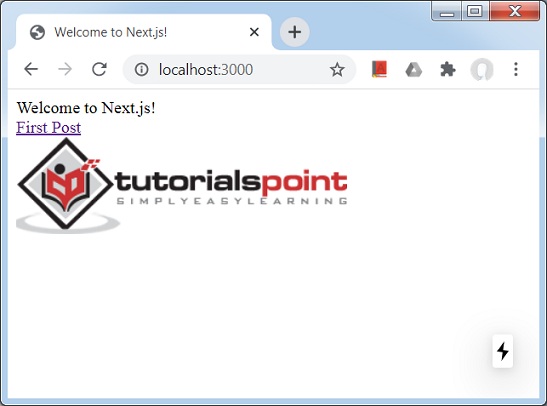
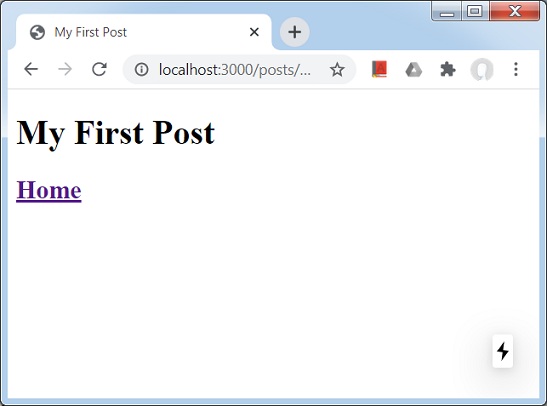
点击“First Page”链接并验证“First Post”页面的标题也已更改。
Next.js - CSS 支持
在 Next.js 中,我们可以使用名为 styled-jsx 的内置 css-in-js 库。它允许在 React 组件中编写 CSS,这些样式将作用域到组件。
在此示例中,我们将创建一个 Container 对象,它将用于通过包含它们来设置其他组件的样式。
让我们更新在元数据章节中使用的 nextjs 项目。
首先在根级别创建一个 Components 目录,并添加一个名为 container.module.css 的文件,内容如下:
.container {
   max-width: 36rem;
   padding: 0 1rem;
   margin: 3rem auto 6rem;
   border: 1px solid red;
}
在 Components 目录中创建 container.js 文件
import styles from './container.module.css'

function Container({ children }) {
   return <div className={styles.container}>{children}</div>
}

export default Container
现在在 first.js 中使用 Container 组件。
import Link from 'next/link'
import Head from 'next/head'
import Container from '../../components/container'

export default function FirstPost() {
   return (
      <>
         <Container>
            <Head>
               <title>My First Post</title>
            </Head>
            <h1>My First Post</h1>
            <h2>
            <Link href="/">
               <a>Home</a>
            </Link>
            </h2>
         </Container>
      </>
   )
}
启动 Next.js 服务器
运行以下命令启动服务器:
npm run dev
> nextjs@1.0.0 dev \Node\nextjs
> next

ready - started server on https://:3000
event - compiled successfully
event - build page: /
wait  - compiling...
event - compiled successfully
event - build page: /next/dist/pages/_error
wait  - compiling...
event - compiled successfully
验证输出
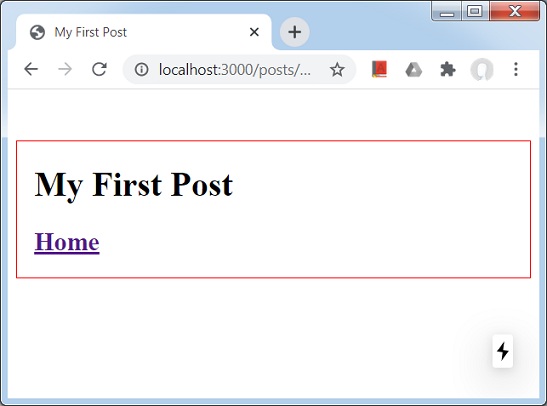
在浏览器中打开 localhost:3000 并转到第一篇文章,您将看到以下输出。
Next.js - 全局 CSS 支持
在 Next.js 中,让我们创建将应用于所有页面的全局样式。
在此示例中,我们将创建一个 styles.css 文件,该文件将使用 _app.js 组件应用于所有组件。
让我们更新在CSS 支持章节中使用的 nextjs 项目。
首先在根级别创建一个 styles 目录,并添加一个名为 styles.css 的文件,内容如下:
html,
body {
   padding: 0;
   margin: 0;
   line-height: 1.6;
   font-size: 18px;
   background-color: lime;
}

* {
   box-sizing: border-box;
}

a {
   color: #0070f3;
   text-decoration: none;
}

a:hover {
   text-decoration: underline;
}

img {
   max-width: 100%;
   display: block;
}
在 pages 目录中创建 _app.js 文件
import '../styles/styles.css'

export default function App({ Component, pageProps }) {
   return <Component {...pageProps} />
}
启动 Next.js 服务器
运行以下命令启动服务器:
npm run dev
> nextjs@1.0.0 dev \Node\nextjs
> next

ready - started server on https://:3000
event - compiled successfully
event - build page: /
wait  - compiling...
event - compiled successfully
event - build page: /next/dist/pages/_error
wait  - compiling...
event - compiled successfully
验证输出
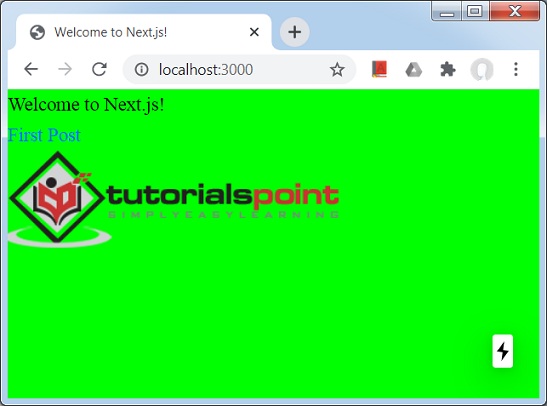
在浏览器中打开 localhost:3000,您将看到以下输出。
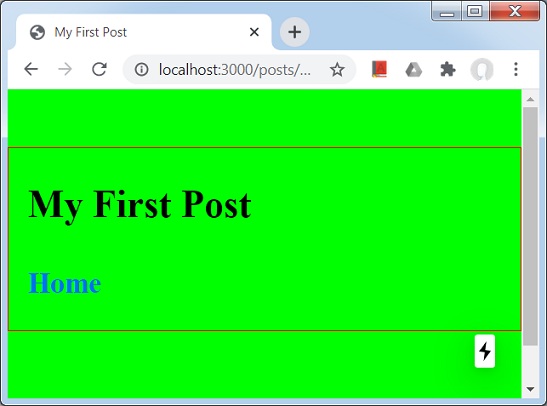
点击“First post”链接。
Next.js - 预渲染
在 Next.js 中,我们知道它会生成称为预渲染的页面的 HTML。Next.JS 支持两种类型的预渲染。
静态生成 - 此方法在构建时生成 HTML 页面。此预渲染的 HTML 将在每个请求中发送。此方法适用于营销网站、博客、电子商务产品列表网站、帮助文档网站。
服务器端生成 - 此方法在每次请求时生成 HTML 页面。当 HTML 页面内容可能随每个请求而变化时,此方法适用。
每页预渲染
Next.JS 允许为每个页面设置预渲染方法,其中大多数页面遵循静态生成,其他页面将使用服务器端渲染。
无数据的静态生成
可以在没有数据的情况下进行静态生成,在这种情况下,HTML 页面将准备好,无需预取数据然后开始渲染。数据可以在以后或按请求获取。此技术有助于在数据需要时间到达时向用户显示用户界面而无需任何数据。
带数据的静态生成
可以在有数据的情况下进行静态生成,在这种情况下,在获取数据之前,HTML 页面将不会准备好,因为 HTML 可能依赖于数据。每个组件都有一个特殊的getStaticProps方法,可用于获取数据并将数据作为页面的 props 传递,以便页面可以根据传递的 props 进行渲染。
getStaticProps() 函数在生产环境中构建时运行,在开发模式下为每个请求运行。
让我们创建一个示例来演示这一点。
在此示例中,我们将创建更新 index.js 和 first.js 页面以进行服务器命中以获取数据。
让我们更新在全局 CSS 支持章节中使用的 nextjs 项目。
更新 pages 目录中的 index.js 文件以使用 getServerSideProps() 方法。此方法将为每个请求调用。
import Link from 'next/link'
import Head from 'next/head'

function HomePage(props) {
   return (
      <>
         <Head>
            <title>Welcome to Next.js!</title>
         </Head>
         <div>Welcome to Next.js!</div>
         <Link href="/posts/first"><a>First Post</a></Link>
         <br/>
         <div>Next stars: {props.stars}</div>
         <img src="/logo.png" alt="TutorialsPoint Logo" />
      </>
   )
}

export async function getServerSideProps(context) {
   const res = await fetch('https://api.github.com/repos/vercel/next.js')
   const json = await res.json()
   return {
      props: { stars: json.stargazers_count }
   }
}

export default HomePage
更新 pages 目录中的 first.js 文件以使用 getStaticProps() 方法。此方法将只调用一次。
import Link from 'next/link'
import Head from 'next/head'
import Container from '../../components/container'

export default function FirstPost(props) {
   return (
      <>
         <Container>
            <Head>
               <title>My First Post</title>
            </Head>
            <h1>My First Post</h1>
            <h2>
               <Link href="/">
                  <a>Home</a>
               </Link>
               <div>Next stars: {props.stars}</div>
            </h2>
         </Container>
      </>
   )
}

export async function getStaticProps() {
   const res = await fetch('https://api.github.com/repos/vercel/next.js')
   const json = await res.json()
   return {
      props: { stars: json.stargazers_count }
   }
}
启动 Next.js 服务器
运行以下命令启动服务器:
npm run dev
> nextjs@1.0.0 dev \Node\nextjs
> next

ready - started server on https://:3000
event - compiled successfully
event - build page: /
wait  - compiling...
event - compiled successfully
event - build page: /next/dist/pages/_error
wait  - compiling...
event - compiled successfully
验证输出
在浏览器中打开 localhost:3000,您将看到以下输出。

点击“First post”链接。

Next.js - 路由
Next.js 使用基于文件系统的路由器。每当我们将任何页面添加到pages目录时,它都会通过 URL 自动可用。以下是此路由器的规则。
索引路由 - 存在于文件夹中的 index.js 文件映射到目录的根目录。例如:
pages/index.js 映射到 '/'.
pages/posts/index.js 映射到 '/posts'.
嵌套路由 - pages 目录中的任何嵌套文件夹结构都会自动生成路由 URL。例如:
pages/settings/dashboard/about.js 映射到 '/settings/dashboard/about'.
pages/posts/first.js 映射到 '/posts/first'.
动态路由 - 我们也可以使用命名参数来匹配 URL。为此使用方括号。例如:
pages/posts/[id].js 映射到 '/posts/:id',我们可以使用类似 '/posts/1' 的 URL。
pages/[user]/settings.js 映射到 '/posts/:user/settings',我们可以使用类似 '/abc/settings' 的 URL。
pages/posts/[...all].js 映射到 '/posts/*',我们可以使用任何 URL,例如 '/posts/2020/jun/'.
页面链接
Next.JS 允许使用 Link React 组件在客户端链接页面。它具有以下属性:
href - pages 目录中页面的名称。例如/posts/first,它指的是 pages/posts 目录中存在的 first.js。
让我们创建一个示例来演示这一点。
在此示例中,我们将更新 index.js 和 first.js 页面以进行服务器命中以获取数据。
让我们更新在全局 CSS 支持章节中使用的 nextjs 项目。
按如下所示更新 pages 目录中的 index.js 文件。
import Link from 'next/link'
import Head from 'next/head'

function HomePage(props) {
   return (
      <>
         <Head>
            <title>Welcome to Next.js!</title>
         </Head>
         <div>Welcome to Next.js!</div>
         <Link href="/posts/first">> <a>First Post</a></Link>
         <br/>
         <div>Next stars: {props.stars}</div>
         <img src="/logo.png" alt="TutorialsPoint Logo" />
      </>
   )
}

export async function getServerSideProps(context) {
   const res = await fetch('https://api.github.com/repos/vercel/next.js')
   const json = await res.json()
   return {
      props: { stars: json.stargazers_count }
   }
}

export default HomePage
启动 Next.js 服务器
运行以下命令启动服务器:
npm run dev
> nextjs@1.0.0 dev \Node\nextjs
> next

ready - started server on https://:3000
event - compiled successfully
event - build page: /
wait  - compiling...
event - compiled successfully
event - build page: /next/dist/pages/_error
wait  - compiling...
event - compiled successfully
验证输出
在浏览器中打开 localhost:3000,您将看到以下输出。
点击“First post”链接。
Next.js - 动态路由
在 Next.js 中,我们可以动态创建路由。在此示例中,我们将动态创建页面及其路由。
步骤 1. 定义 [id].js 文件 - [id].js 代表动态页面,其中 id 将是相对路径。在 pages/post 目录中定义此文件。
步骤 2. 定义 lib/posts.js - posts.js 代表 id 和内容。lib 目录需要在根目录中创建。
[id].js
使用 getStaticPaths() 方法更新 [id].js 文件,该方法设置路径,并使用 getStaticProps() 方法根据 id 获取内容。
import Link from 'next/link'
import Head from 'next/head'
import Container from '../../components/container'

import { getAllPostIds, getPostData } from '../../lib/posts'

export default function Post({ postData }) {
   return (
      <Container>
         {postData.id}
         <br />
         {postData.title}
         <br />
         {postData.date}
      </Container>
   )
}
export async function getStaticPaths() {
   const paths = getAllPostIds()
   return {
      paths,
      fallback: false
   }
}

export async function getStaticProps({ params }) {
   const postData = getPostData(params.id)
      return {
      props: {
         postData
      }
   }
}
posts.js
posts.js 包含 getAllPostIds() 以获取 id 和 getPostData() 以获取相应的内容。
export function getPostData(id) {
   const postOne = {
      title: 'One',
      id: 1,
      date: '7/12/2020'
   }

   const postTwo = {
      title: 'Two',
      id: 2,
      date: '7/12/2020'
   }
   if(id == 'one'){
      return postOne;
   }else if(id == 'two'){
      return postTwo;
   }
}

export function getAllPostIds() {
   return [{
      params: {
         id: 'one'
      }
   },
   {
      params: {
         id: 'two'
      }
   }
];
}
启动 Next.js 服务器
运行以下命令启动服务器:
npm run dev
> nextjs@1.0.0 dev \Node\nextjs
> next

ready - started server on https://:3000
event - compiled successfully
event - build page: /
wait  - compiling...
event - compiled successfully
event - build page: /next/dist/pages/_error
wait  - compiling...
event - compiled successfully
验证输出
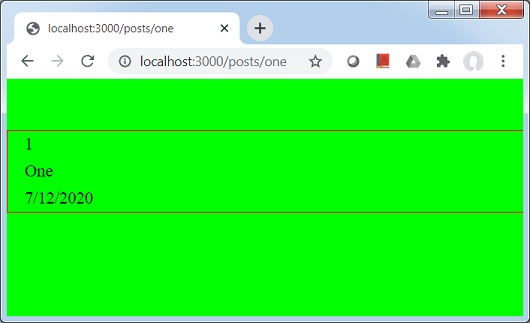
在浏览器中打开 localhost:3000/posts/one,您将看到以下输出。
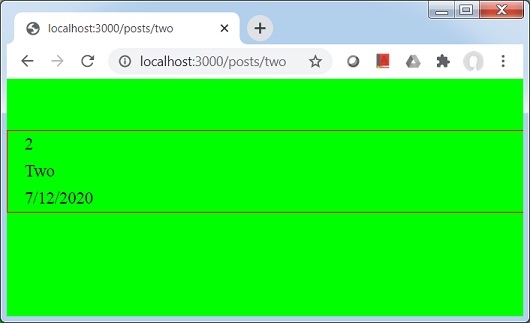
在浏览器中打开 localhost:3000/posts/two,你将看到以下输出。
Next.js - 命令式路由
在 Next.js 中,到目前为止,我们使用 Link React 组件在页面之间导航。 还有一个编程方式可以使用 Router 组件实现相同的功能。 通常 Router 组件与 html 标签一起使用。
按如下所示更新 pages 目录中的 index.js 文件。
import Router from 'next/router'
import Head from 'next/head'

function HomePage(props) {
   return (
      <>
         <Head>
            <title>Welcome to Next.js!</title>
         </Head>
         <div>Welcome to Next.js!</div>
         <span onClick={() => Router.push('/posts/one')}>First Post</span>
         <br/>
         <div>Next stars: {props.stars}</div>
         <img src="/logo.png" alt="TutorialsPoint Logo" />
      </>
   )
}

export async function getServerSideProps(context) {
   const res = await fetch('https://api.github.com/repos/vercel/next.js')
   const json = await res.json()
   return {
      props: { stars: json.stargazers_count }
   }
}

export default HomePage
启动 Next.js 服务器
运行以下命令启动服务器:
npm run dev
> nextjs@1.0.0 dev \Node\nextjs
> next

ready - started server on https://:3000
event - compiled successfully
event - build page: /
wait  - compiling...
event - compiled successfully
event - build page: /next/dist/pages/_error
wait  - compiling...
event - compiled successfully
验证输出
在浏览器中打开 localhost:3000,您将看到以下输出。
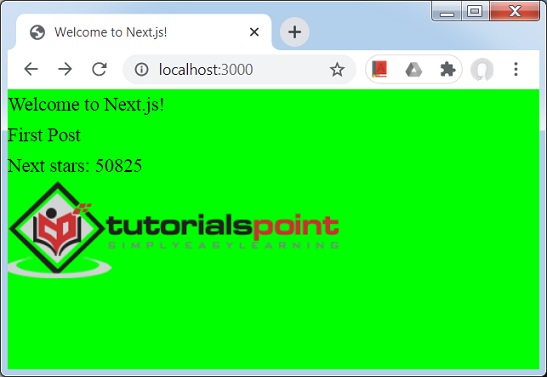
点击“第一篇文章”,它不是链接,但可以点击。
Next.js - 浅路由
在 Next.js 中,浅路由是指导航到同一页面,但不调用 getServerSideProps、getStaticProps 和 getInitialProps 方法。
要进行浅路由,我们使用 Router 并将 shallow 标志设置为 true。 请参见下面的示例。
按如下所示更新 pages 目录中的 index.js 文件。
import Router from 'next/router'
import Head from 'next/head'

function HomePage(props) {
   return (
      <>
         <Head>
            <title>Welcome to Next.js!</title>
         </Head>
         <div>Welcome to Next.js!</div>
         <span onClick={() => Router.push('/?counter=1', undefined, { shallow: true })}>Reload</span>
         <br/>
         <div>Next stars: {props.stars}</div>
         <img src="/logo.png" alt="TutorialsPoint Logo" />
      </>
   )
}

export async function getServerSideProps(context) {
   const res = await fetch('https://api.github.com/repos/vercel/next.js')
   const json = await res.json()
   return {
      props: { stars: json.stargazers_count }
   }
}

export default HomePage
启动 Next.js 服务器
运行以下命令启动服务器:
npm run dev
> nextjs@1.0.0 dev \Node\nextjs
> next

ready - started server on https://:3000
event - compiled successfully
event - build page: /
wait  - compiling...
event - compiled successfully
event - build page: /next/dist/pages/_error
wait  - compiling...
event - compiled successfully
验证输出
在浏览器中打开 localhost:3000,然后点击“重新加载”链接,你将看到以下输出。

Next.js - API 路由
API 路由是一种使用 Next.js 创建 REST API 的方法。 Next.js 将 **pages/api** 文件夹中的任何文件映射为 API 端点。 API 函数示例:
export default (req, res) => {
   ...
}
以下是一些需要考虑的重要事项。
**req** - req 是 http.IncomingMessage 的一个实例,用于从请求中获取数据。
**res** - res 是 http.ServerResponse 的一个实例,用于发送数据作为响应。
让我们创建一个示例来演示这一点。
在这个例子中,我们将在 **pages/api** 目录中创建一个 user.js 文件。
让我们更新在全局 CSS 支持章节中使用的 nextjs 项目。
在 pages/api 目录中创建 user.js 文件,内容如下。
export default (req, res) => {
   res.statusCode = 200
   res.setHeader('Content-Type', 'application/json')
   res.end(JSON.stringify({ name: 'Robert' }))
}
启动 Next.js 服务器
运行以下命令启动服务器:
npm run dev

> nextjs@1.0.0 dev D:\Node\nextjs
> next

ready - started server on https://:3000
info  - Loaded env from D:\Node\nextjs\.env.local
event - compiled successfully
event - build page: /api/user
wait  - compiling...
event - compiled successfully
event - build page: /next/dist/pages/_error
wait  - compiling...
event - compiled successfully
验证输出
在浏览器中打开 localhost:3000/api/user,你将看到以下输出。
{"name":"Robert"}
Next.js - API 中间件
Next.JS 中的 API 路由具有内置中间件,有助于解析传入的请求。
以下是中间件
**req.cookies** - cookies 对象包含请求发送的 Cookie。 默认值为 {}。
**req.query** - query 对象包含查询字符串。 默认值为 {}。
**req.body** - query 对象包含使用“content-type”解析的请求体。 默认值为 null。
让我们创建一个示例来演示这一点。
在这个例子中,我们将更新 **pages/api** 目录中的 user.js 文件。
让我们更新在 API 路由 章节中使用的 Next.js 项目。
在 pages/api 目录中创建 user.js 文件,内容如下。
export default (req, res) => {
   res.statusCode = 200
   res.setHeader('Content-Type', 'application/json')
   res.end(JSON.stringify({ query: req.query }))
}
启动 Next.js 服务器
运行以下命令启动服务器:
npm run dev

> nextjs@1.0.0 dev D:\Node\nextjs
> next

ready - started server on https://:3000
info  - Loaded env from D:\Node\nextjs\.env.local
event - compiled successfully
event - build page: /api/user
wait  - compiling...
event - compiled successfully
event - build page: /next/dist/pages/_error
wait  - compiling...
event - compiled successfully
验证输出
在浏览器中打开 https://:3000/api/user?counter=1,你将看到以下输出。
{"query":{"counter":"1"}}
Next.js - 响应助手
**res** 对象具有类似 express.js 的辅助方法,可以简化创建服务的开发。
以下是响应辅助方法
**res.status(code)** - 此方法设置响应的状态。 传递的代码必须是有效的 HTTP 状态码。
**req.json(json)** - 此方法返回 JSON 响应。 传递的 json 必须是有效的 JSON 对象。
**req.send(body)** - 此方法发送 HTTP 响应。 响应可以是字符串、对象或 Buffer。
让我们创建一个示例来演示这一点。
在这个例子中,我们将更新 **pages/api** 目录中的 user.js 文件。
让我们更新在 API 路由 章节中使用的 Next.js 项目。
在 pages/api 目录中创建 user.js 文件,内容如下。
export default (req, res) => {
   res.status(200).json({ name: 'Robert' });
}
启动 Next.js 服务器
运行以下命令启动服务器:
npm run dev

> nextjs@1.0.0 dev D:\Node\nextjs
> next

ready - started server on https://:3000
info  - Loaded env from D:\Node\nextjs\.env.local
event - compiled successfully
event - build page: /api/user
wait  - compiling...
event - compiled successfully
event - build page: /next/dist/pages/_error
wait  - compiling...
event - compiled successfully
验证输出
在浏览器中打开 https://:3000/api/user,你将看到以下输出。
{ name: 'Robert' }
Next.js - TypeScript 支持
Next.js 对 TypeScript 提供了极好的支持。以下是启用项目中 TypeScript 的几个步骤。
创建 tsconfig.json
在根目录中创建 tsconfig.json。 我们最初将其保持为空。 现在启动服务器。
Next.JS 将检测 tsconfig.json 并显示以下控制台消息。
npm run dev

> nextjs@1.0.0 dev D:\Node\nextjs
> next

ready - started server on https://:3000
It looks like you're trying to use TypeScript but do not have the required package(s) installed.

Please install typescript, @types/react, and @types/node by running:

        npm install --save-dev typescript @types/react @types/node

If you are not trying to use TypeScript, please remove the tsconfig.json file from your package root (and any TypeScript files).
...
安装 TypeScript
运行 npm install 命令来安装 TypeScript 和相关的库。
npm install --save-dev typescript @types/react @types/node
...

+ @types/node@14.0.23
+ @types/react@16.9.43
+ typescript@3.9.6
added 5 packages from 72 contributors and audited 839 packages in 27.538s
...
启动 Next.js 服务器
运行以下命令启动服务器:
npm run dev

> nextjs@1.0.0 dev D:\Node\nextjs
> next

ready - started server on https://:3000
We detected TypeScript in your project and created a tsconfig.json file for you.


Your tsconfig.json has been populated with default values.

event - compiled successfully
wait  - compiling...
event - compiled successfully
打开 tsconfig.json
NextJS 服务器已修改 tsconfig.json。
{
   "compilerOptions": {
      "target": "es5",
      "lib": [
         "dom",
         "dom.iterable",
         "esnext"
      ],
      "allowJs": true,
      "skipLibCheck": true,
      "strict": false,
      "forceConsistentCasingInFileNames": true,
      "noEmit": true,
      "esModuleInterop": true,
      "module": "esnext",
      "moduleResolution": "node",
      "resolveJsonModule": true,
      "isolatedModules": true,
      "jsx": "preserve"
   },
   "exclude": [
      "node_modules"
   ],
   "include": [
      "next-env.d.ts",
      "**/*.ts",
      "**/*.tsx"
   ]
}
创建 hello.ts
在 pages/api 目录中创建 hello.ts,它将充当我们的 REST 服务。
import { NextApiRequest, NextApiResponse } from 'next'

export default (_: NextApiRequest, res: NextApiResponse) => {
   res.status(200).json({ text: 'Welcome to TutorialsPoint' })
}
启动 Next.js 服务器
运行以下命令启动服务器:
npm run dev
> nextjs@1.0.0 dev \Node\nextjs
> next

ready - started server on https://:3000
event - compiled successfully
event - build page: /
wait  - compiling...
event - compiled successfully
event - build page: /next/dist/pages/_error
wait  - compiling...
event - compiled successfully
验证输出
在浏览器中打开 localhost:3000/api/hello,你将看到以下输出。
{"text":"Welcome to TutorialsPoint"}
Next.js - 环境变量
Next.js 支持在 Node 中发布环境变量,我们可以用它来连接服务器、数据库等。为此,我们需要在根目录中创建一个 .env.local 文件。我们也可以创建 .env.production。
创建 .env.local
在根目录中创建 .env.local 文件,内容如下。
DB_HOST=localhost
DB_USER=tutorialspoint
DB_PASS=nextjs
创建 env.js
在 pages/posts 目录中创建一个名为 env.js 的页面,我们将在其中使用 process.env 使用环境变量。
import Head from 'next/head'
import Container from '../../components/container'

export default function FirstPost(props) {
   return (
      <>
         <Container>
            <Head>
               <title>Environment Variables</title>
            </Head>
            <h1>Database Credentials</h1>
               <p>Host: {props.host}</p>
               <p>Username: {props.username}</p>
               <p>Password: {props.password}</p>
         </Container>
      </>
   )
}

export async function getStaticProps() {
   // Connect to Database using DB properties
   return {
      props: {
         host: process.env.DB_HOST,
         username: process.env.DB_USER,
         password: process.env.DB_PASS
      }
   }
}
现在启动服务器。
Next.JS 将检测 .env.local 并显示以下控制台消息。
npm run dev

> nextjs@1.0.0 dev D:\Node\nextjs
> next

ready - started server on https://:3000
info  - Loaded env from D:\Node\nextjs\.env.local
event - compiled successfully
wait  - compiling...
event - compiled successfully
event - build page: /posts/env
wait  - compiling...
event - compiled successfully
验证输出
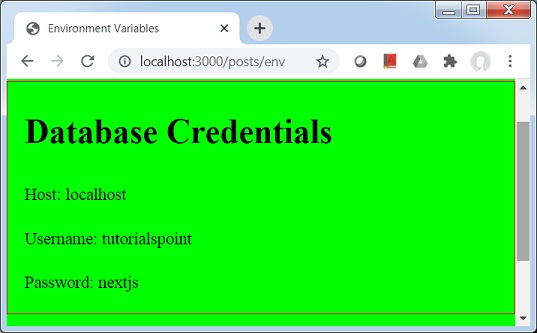
在浏览器中打开 localhost:3000/posts/env,你将看到以下输出。
Next.js - 部署
到目前为止,我们已经开发并运行了开发模式下的示例 NEXT.JS 应用程序,现在我们将使用以下步骤在本地进行生产就绪部署。
**npm run build** - 构建生产就绪的、高度优化的构建。
**npm run start** - 启动服务器。
与开发模式相比,生产就绪的构建缺少源映射和热代码重载,因为这些功能主要用于调试。
准备构建
运行以下命令以准备生产就绪的构建:
npm run build

> nextjs@1.0.0 build \Node\nextjs
> next build

info  - Loaded env from \Node\nextjs\.env.local
Creating an optimized production build

Compiled successfully.

Automatically optimizing pages

Page                                                           Size     First Load JS
+ ? /                                                          2.25 kB        60.3 kB
+   /_app                                                      288 B          58.1 kB
+        /404                                                       3.25 kB   61.3 kB
+ ? /api/user
+ ? /posts/[id]                                                312 B          61.6 kB
+   + /posts/one
+   + /posts/two
+ ? /posts/env                                                 2.71 kB        60.8 kB
+ ? /posts/first                                               374 B          61.7 kB
+ First Load JS shared by all                                  58.1 kB
  + static/pages/_app.js                                       288 B
  + chunks/3458401054237127135bcd3ee8eb2a19d67af299.a1a019.js  10.5 kB
  + chunks/framework.c6faae.js                                 40 kB
  + runtime/main.60464f.js                                     6.54 kB
  + runtime/webpack.c21266.js                                  746 B
  + css/9706b5b8ed8e82c0fba0.css                               175 B

?  (Server)  server-side renders at runtime (uses getInitialProps or getServerSideProps)
          (Static)  automatically rendered as static HTML (uses no initial props)
?  (SSG)     automatically generated as static HTML + JSON (uses getStaticProps)
启动服务器
运行以下命令启动生产服务器:
npm run start

> nextjs@1.0.0 start \Node\nextjs
> next start

info  - Loaded env from \Node\nextjs\.env.local
ready - started server on https://:3000
验证输出
在浏览器中打开 localhost:3000/api/user,你将看到以下输出。
{"name":"Robert"}
Next.js - 命令行界面 (CLI)
NEXT.JS 提供了一个 CLI 来启动、构建和导出应用程序。可以使用从 npm 5.2 开始提供的 npx 来调用它。
CLI 帮助
要获取 CLI 命令列表及其帮助信息,请键入以下命令。
npx next -h
   Usage
      $ next <command>

   Available commands
      build, start, export, dev, telemetry

   Options
      --version, -v   Version number
      --help, -h      Displays this message

   For more information run a command with the --help flag
      $ next build --help
构建生产就绪的构建
键入以下命令。
npx next build
info  - Loaded env from D:\Node\nextjs\.env.local
Creating an optimized production build

Compiled successfully.

Automatically optimizing pages

Page                                                           Size     First Load JS
+ ? /                                                          2.25 kB        60.3 kB
+   /_app                                                      288 B          58.1 kB
+        /404                                                       3.25 kB   61.3 kB
+ ? /api/user
+ ? /posts/[id]                                                312 B          61.6 kB
+   + /posts/one
+   + /posts/two
+ ? /posts/env                                                 2.71 kB        60.8 kB
+ ? /posts/first                                               374 B          61.7 kB
+ First Load JS shared by all                                  58.1 kB
  + static/pages/_app.js                                       288 B
  + chunks/ab55cb957ceed242a750c37a082143fb9d2f0cdf.a1a019.js  10.5 kB
  + chunks/framework.c6faae.js                                 40 kB
  + runtime/main.60464f.js                                     6.54 kB
  + runtime/webpack.c21266.js                                  746 B
  + css/9706b5b8ed8e82c0fba0.css                               175 B

?  (Server)  server-side renders at runtime (uses getInitialProps or getServerSideProps)
          (Static)  automatically rendered as static HTML (uses no initial props)
?  (SSG)     automatically generated as static HTML + JSON (uses getStaticProps)
构建并启动开发服务器
键入以下命令。
npx next dev

ready - started server on https://:3000
info  - Loaded env from D:\Node\nextjs\.env.local
event - compiled successfully
启动生产服务器
键入以下命令。
npx next start

info  - Loaded env from \Node\nextjs\.env.local
ready - started server on https://:3000