- Spring Security 教程
- Spring Security - 首页
- Spring Security - 简介
- Spring Security - 架构
- Spring Security - 项目模块
- Spring Security - 环境设置
- Spring Security - 表单登录
- Spring Security - 自定义表单登录
- Spring Security - 注销
- Spring Security - 记住我
- Spring Security - 重定向
- Spring Security - 标签库
- Spring Security - XML 配置
- Spring Security - 身份验证提供程序
- Spring Security - 基本身份验证
- Spring Security - AuthenticationFailureHandler
- Spring Security - JWT
- Spring Security - 获取用户信息
- Spring Security - Maven
- Spring Security - 默认密码编码器
- Spring Security – 密码编码
- Spring Security - 方法级别
- Spring Security 有用资源
- Spring Security - 快速指南
- Spring Security - 有用资源
- Spring Security - 讨论
Spring Security - XML 配置
在基于 Spring Boot 的项目中,更倾向于使用基于 Java 的配置,但我们也有等效的 XML 配置。在本文中,我们将使用如下所示的基于 XML 的 Spring Security 配置。
<beans:beans //...
   <http auto-config="true">
      <intercept-url pattern="/admin" access="hasRole('ROLE_ADMIN')" />
      <intercept-url pattern="/**" access="hasRole('ROLE_ADMIN')"/>
   </http>
   <authentication-manager>
      <authentication-provider>
         <user-service>
            <user name="admin" password="{noop}1234" authorities="ROLE_ADMIN" />
         </user-service>
      </authentication-provider>
   </authentication-manager>
   <beans:bean id ="passwordEncoder"
      class = "org.springframework.security.crypto.password.NoOpPasswordEncoder"
      factory-method = "getInstance">
   </beans:bean>
</beans:beans>
http − 所有与 Web 相关的命名空间功能的父元素。在这里,我们可以配置要拦截哪些 URL、需要哪些权限、使用哪种类型的登录以及所有此类配置。
auto-config − 将此属性设置为 true 会自动设置表单登录、基本登录和注销功能。Spring Security 使用标准值和启用的功能生成它们。
intercept-url − 使用 access 属性设置我们要保护的 URL 的模式。
access − 它指定允许哪些用户访问 pattern 属性指定的 URL。这是根据用户的角色和权限进行的。我们可以为此属性使用 SPEL。
authentication-manager − <authentication-manager> 用于配置应用程序中的用户、其密码和角色。这些用户将是能够访问应用程序受保护部分的用户,前提是他们拥有适当的角色。<authentication-provider> 将创建一个 DaoAuthenticationProvider bean,而 <user-service> 元素将创建一个 InMemoryDaoImpl。所有 authentication-provider 元素都允许用户通过向 authentication-manager 提供用户信息来进行身份验证。
password-encoder − 这将注册一个密码编码器 bean。为了简化这里,我们使用了 NoOpPasswordEncoder。
为了在 Spring Boot 应用程序中注册此 security-config.xml,我们可以按如下所示导入它
@SpringBootApplication
@ImportResource("classpath:/spring/spring-security.xml")
public class FormloginApplication {
   public static void main(String[] args) {
      SpringApplication.run(FormloginApplication.class, args);
   }
}
让我们开始使用 Spring Security 进行实际编程。在开始使用 Spring 框架编写示例之前,您必须确保已正确设置 Spring 环境,如Spring Security - 环境设置章节中所述。我们还假设您对 Spring Tool Suite IDE 有些了解。
现在让我们继续编写一个由 Maven 管理的基于 Spring MVC 的应用程序,该应用程序将要求用户登录、验证用户身份,然后使用 Spring Security 表单登录功能提供注销选项。
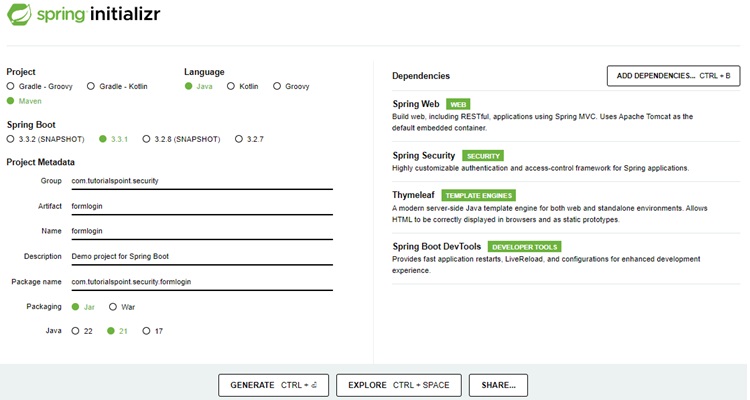
使用 Spring Initializr 创建项目
Spring Initializr 是开始 Spring Boot 项目的好方法。它提供了一个易于使用的用户界面来创建项目、添加依赖项、选择 Java 运行时等。它生成一个骨架项目结构,下载后可以在 Spring Tool Suite 中导入,然后我们可以继续使用现成的项目结构。
我们选择一个 Maven 项目,将项目命名为 formlogin,Java 版本为 21。添加了以下依赖项:
Spring Web
Spring Security
Spring Boot DevTools
Thymeleaf 是一个 Java 模板引擎。它允许我们快速开发静态或动态网页以在浏览器中呈现。它具有极高的可扩展性,允许我们详细定义和自定义模板的处理过程。除此之外,我们可以点击此链接了解更多关于 Thymeleaf 的信息。
让我们继续生成我们的项目并下载它。然后我们将其解压到我们选择的文件夹中,并使用任何 IDE 打开它。我将使用Spring Tools Suite 4。它可以从https://springframework.org.cn/tools网站免费下载,并针对 Spring 应用程序进行了优化。
包含所有相关依赖项的 pom.xml
让我们看一下我们的 pom.xml 文件。它应该看起来类似于以下内容:
pom.xml
<?xml version="1.0" encoding="UTF-8"?>
<project xmlns="http://maven.apache.org/POM/4.0.0" xmlns:xsi="http://www.w3.org/2001/XMLSchema-instance"
xsi:schemaLocation="http://maven.apache.org/POM/4.0.0 https://maven.apache.org/xsd/maven-4.0.0.xsd">
   <modelVersion>4.0.0</modelVersion>
   <parent>
      <groupId>org.springframework.boot</groupId>
      <artifactId>spring-boot-starter-parent</artifactId>
      <version>3.3.1</version>
      <relativePath/> <!-- lookup parent from repository -->
   </parent>
   <groupId>com.tutorialspoint.security</groupId>
   <artifactId>formlogin</artifactId>
   <version>0.0.1-SNAPSHOT</version>
   <name>formlogin</name>
   <description>Demo project for Spring Boot</description>
   <url/>
   <licenses>
      <license/>
   </licenses>
   <developers>
      <developer/>
   </developers>
   <scm>
      <connection/>
      <developerConnection/>
      <tag/>
      <url/>
   </scm>
   <properties>
      <java.version>21</java.version>
   </properties>
   <dependencies>
      <dependency>
         <groupId>org.springframework.boot</groupId>
         <artifactId>spring-boot-starter-security</artifactId>
      </dependency>
      <dependency>
         <groupId>org.springframework.boot</groupId>
         <artifactId>spring-boot-starter-thymeleaf</artifactId>
      </dependency>
      <dependency>
         <groupId>org.springframework.boot</groupId>
         <artifactId>spring-boot-starter-web</artifactId>
      </dependency>
      <dependency>
         <groupId>org.thymeleaf.extras</groupId>
         <artifactId>thymeleaf-extras-springsecurity6</artifactId>
      </dependency>
      <dependency>
         <groupId>org.springframework.boot</groupId>
         <artifactId>spring-boot-devtools</artifactId>
         <scope>runtime</scope>
         <optional>true</optional>
      </dependency>
      <dependency>
         <groupId>org.springframework.boot</groupId>
         <artifactId>spring-boot-starter-test</artifactId>
         <scope>test</scope>
      </dependency>
      <dependency>
         <groupId>org.springframework.security</groupId>
         <artifactId>spring-security-test</artifactId>
         <scope>test</scope>
      </dependency>
   </dependencies>
   <build>
      <plugins>
         <plugin>
            <groupId>org.springframework.boot</groupId>
            <artifactId>spring-boot-maven-plugin</artifactId>
         </plugin>
      </plugins>
   </build>
</project>
Spring Security 配置 XML
以下是创建在/src/main/resources/spring/文件夹中的 spring-security.xml 文件的完整代码。
spring-security.xml
<?xml version="1.0" encoding="UTF-8"?>
<beans:beans xmlns="http://www.springframework.org/schema/security"
   xmlns:beans="http://www.springframework.org/schema/beans"
   xmlns:xsi="http://www.w3.org/2001/XMLSchema-instance"
   xsi:schemaLocation="http://www.springframework.org/schema/beans
   http://www.springframework.org/schema/beans/spring-beans.xsd
   http://www.springframework.org/schema/security
   http://www.springframework.org/schema/security/spring-security.xsd">
   <http auto-config="true">
   <intercept-url pattern="/admin" access="hasRole('ROLE_ADMIN')" />
   <intercept-url pattern="/**" access="hasRole('ROLE_ADMIN')"/> </http>
   <authentication-manager>
      <authentication-provider>
         <user-service>
            <user name="admin" password="{noop}1234" authorities="ROLE_ADMIN" />
         </user-service>
      </authentication-provider> </authentication-manager>
      <beans:bean id ="passwordEncoder"
         class = "org.springframework.security.crypto.password.NoOpPasswordEncoder"
         factory-method = "getInstance">
      </beans:bean>
</beans:beans>
Spring Boot 应用程序
以下是 FormloginApplication 类的内容,我们从中导入类路径中的 spring-security.xml。
FormloginApplication.java
package com.tutorialspoint.security.formlogin;

import org.springframework.boot.SpringApplication;
import org.springframework.boot.autoconfigure.SpringBootApplication;
import org.springframework.context.annotation.ImportResource;

@SpringBootApplication
@ImportResource("classpath:/spring/spring-security.xml")
public class FormloginApplication {
   public static void main(String[] args) {
      SpringApplication.run(FormloginApplication.class, args);
   }
}
控制器类
在这个类中,我们为 "/" 端点、"/admin"(用于此应用程序的索引页面和管理员页面)创建了一个映射。
AuthController.java
package com.tutorialspoint.security.formlogin.controllers;

import org.springframework.stereotype.Controller;
import org.springframework.web.bind.annotation.GetMapping;

@Controller
public class AuthController {
   @GetMapping("/")
   public String home() {
      return "index";
   }
   @GetMapping("/admin")
   public String admin() {
      return "admin";
   }
}
视图
在/src/main/resources/templates文件夹中创建 index.html,其内容如下,用作主页。
index.html
<!DOCTYPE html>
<html xmlns="http://www.w3.org/1999/xhtml"
   xmlns:th="https://www.thymeleaf.org"
   xmlns:sec="https://www.thymeleaf.org/thymeleaf-extras-springsecurity3">
   <head>
      <title>
         Hello World!
      </title>
   </head>
   <body>
      <h1 th:inline="text">Hello World!</h1>
      <a href="/logout" alt="logout">Sign Out</a>
   </body>
<html>
让我们在/src/main/resources/templates文件夹中创建 admin.html,其内容如下,用作管理员页面。
admin.html
<!DOCTYPE html>
<html xmlns="http://www.w3.org/1999/xhtml"
xmlns:th="https://www.thymeleaf.org"
xmlns:sec="https://www.thymeleaf.org/thymeleaf-extras-springsecurity6">
   <head>
      <title>
         Hello Admin!
      </title>
   </head>
   <body>
      <p>Admin Console</p>
      <a href="/logout" alt="logout">Sign Out</a>
   </body>
<html>
运行应用程序
一旦我们准备好所有组件,让我们运行应用程序。右键单击项目,选择以...运行,然后选择Spring Boot App。
它将启动应用程序,一旦应用程序启动,我们可以运行 localhost:8080 来检查更改。
输出
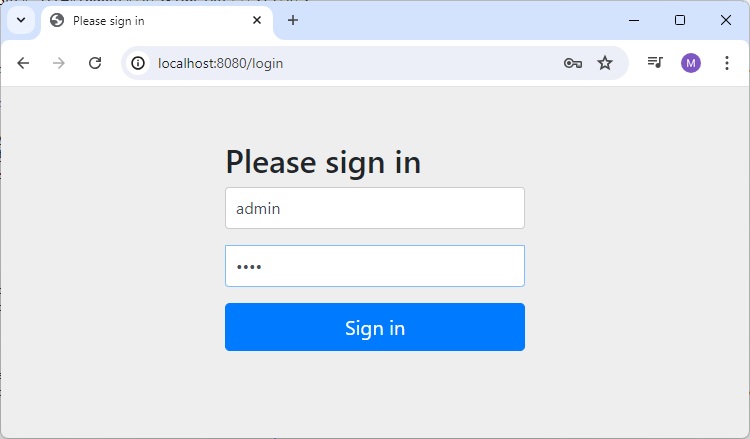
现在打开 localhost:8080,您可以看到我们的登录页面。
输入管理员详细信息的登录页面
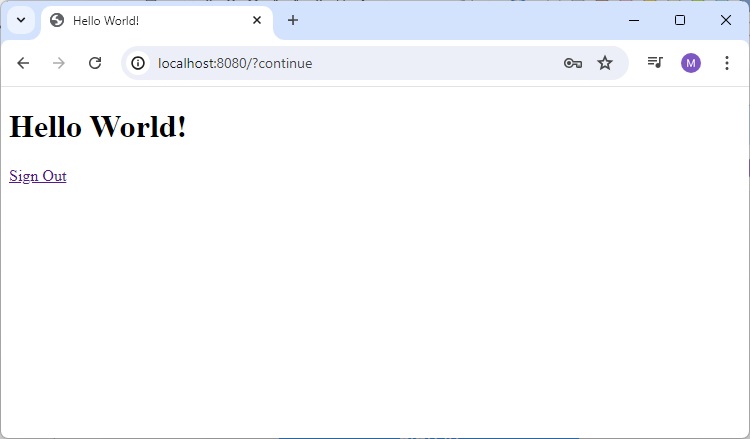
管理员的主页
当我们输入管理员的有效凭据时,它将加载 index.html 作为主页。
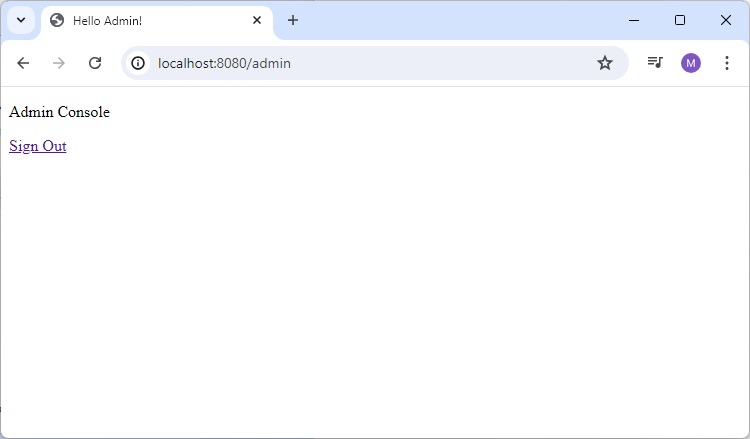
打开管理员页面
现在打开 localhost:8080/admin,您可以看到管理员页面。
注销
单击“注销”链接,它将要求注销。
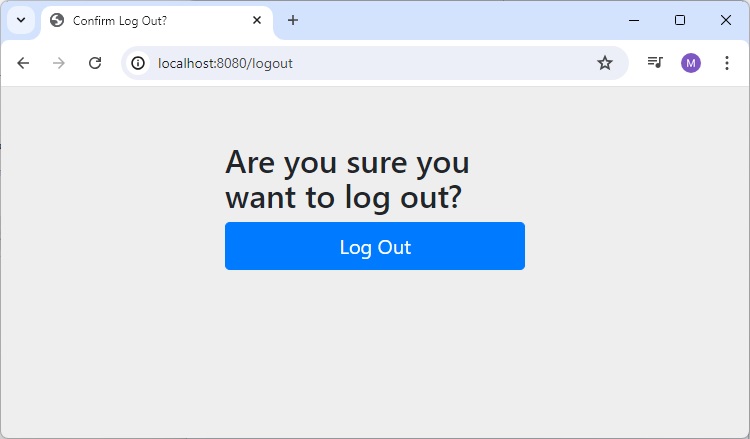
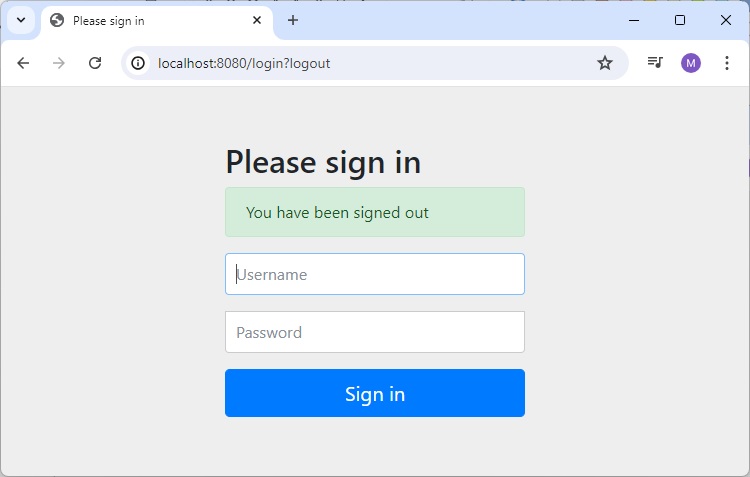
单击注销按钮,它将显示登录页面。