
 数据结构
数据结构 网络
网络 RDBMS
RDBMS 操作系统
操作系统 Java
Java MS Excel
 iOS
iOS HTML
HTML CSS
CSS Android
 Python
 C 编程
C 编程 C++
C++ C#
C# MongoDB
 MySQL
MySQL Javascript
 PHP
PHP 物理
物理 化学
化学 生物
生物 数学
数学 英语
英语 经济
经济 心理学
心理学 社会学
社会学 时尚
时尚 法律
法律使用 XPath(Selenium WebDriver)单击 SVG 中的元素。
我们将讲述如何使用 XPath 在 Selenium 中单击 SVG 中的元素。SVG 元素的标签名称是 svg。它具有 width、height、viewBox 等属性。
要单击具有 svg 的元素,我们应该识别元素,然后使用 Actions 类。我们将首先使用 movetoElement 方法移动到该元素,然后对其应用 click 方法。
最后,要实际执行操作,我们必须使用 build 和 execute 方法。要使用 xpath 标识 svg 元素,可以使用 local-name() 函数。
让我们看一下 svg 元素的 html 代码。
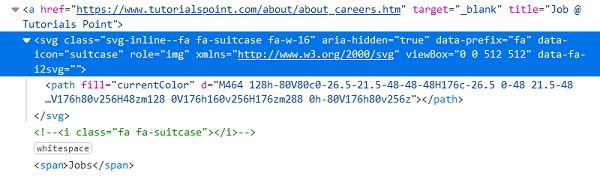
示例
代码实现。
import org.openqa.selenium.By;
import org.openqa.selenium.WebDriver;
import org.openqa.selenium.WebElement;
import org.openqa.selenium.chrome.ChromeDriver;
import java.util.concurrent.TimeUnit;
import org.openqa.selenium.interactions.Action;
import org.openqa.selenium.interactions.Actions;
public class SVGElement{
   public static void main(String[] args) {
      System.setProperty("webdriver.chrome.driver", "C:\Users\ghs6kor\Desktop\Java\chromedriver.exe");
      WebDriver driver = new ChromeDriver();
      driver.get("https://tutorialspoint.com/index.htm");
      // wait of 5 seconds
      driver.manage().timeouts().implicitlyWait(5, TimeUnit.SECONDS);
      // identify element, enter text
      WebElement m= driver.findElement(By.xpath ("//*[local-name()='svg' and @data-icon='home']/*[localname()='path']"));
      // Action class to move and click element
      Actions a = new Actions(driver);
      a.moveToElement(m).
      click().build().perform();
   }
}
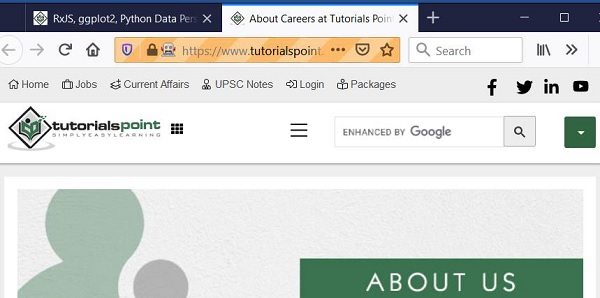
输出

更新日期: 2020 年 12 月 28 日
11K+ 浏览量

广告