
 数据结构
数据结构 网络
网络 RDBMS
RDBMS 操作系统
操作系统 Java
Java MS Excel
 iOS
iOS HTML
HTML CSS
CSS Android
 Python
 C 编程
C 编程 C++
C++ C#
C# MongoDB
 MySQL
MySQL Javascript
 PHP
PHP 物理
物理 化学
化学 生物
生物 数学
数学 英语
英语 经济
经济 心理学
心理学 社会学
社会学 时尚学
时尚学 法律研究
法律研究HTML DOM 表格的 insertRow() 方法
HTML DOM 表格的 insertRow() 方法会生成一个空的 <tr> 元素,并将其添加到 HTML 文档中的表格中。
语法
以下是语法——
object.insertRow(index)
在此处,index 表示一个数字,它指定要插入的行的位置。
我们来看一个 HTML DOM 表格 insertRow() 方法示例——
示例
<!DOCTYPE html>
<html>
<style>
   body {
      color: #000;
      background: lightblue;
      height: 100vh;
      text-align: center;
   }
   table {
      margin: 2rem auto;
   }
   caption {
      color: #db133a;
   }
   .btn {
      background: #db133a;
      border: none;
      height: 2rem;
      border-radius: 2px;
      width: 40%;
      display: block;
      color: #fff;
      outline: none;
      cursor: pointer;
      margin: 1rem auto;
   }
   .show {
      font-size: 1.2rem;
   }
</style>
<body>
<h1>DOM Table insertRow() Method Demo</h1>
<table border="2">
<tr>
<td>Name</td>
<td>Roll No.</td>
</tr>
<tr>
<td>John</td>
<td>071717</td>
</tr>
<tr>
<td>Jane</td>
<td>031717</td>
</tr>
</table>
<button onclick="create()" class="btn">Create Row</button>
<script>
   function create() {
      var table = document.querySelector('table');
      var tableRow = table.insertRow(1);
      tableRow.innerHTML = "<td>Maximilian</td><td>081717</td>";
   }
</script>
</body>
</html>
输出
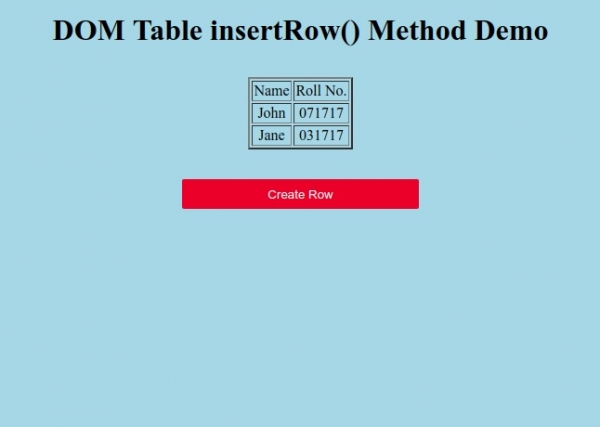
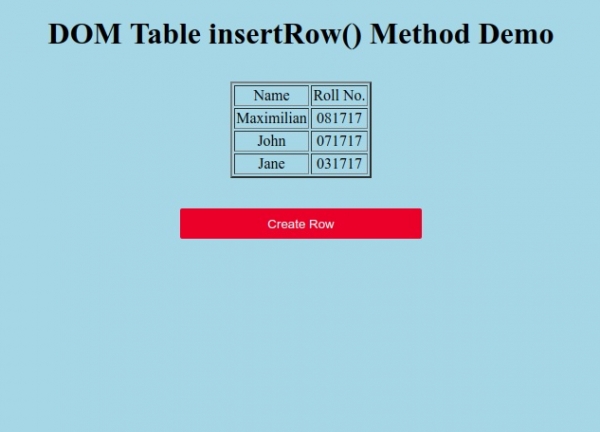
点击“创建行”按钮,为表格新增一行。

更新于:2019 年 9 月 19 日
190 次浏览

广告