
 数据结构
数据结构 网络
网络 RDBMS
RDBMS 操作系统
操作系统 Java
Java MS Excel
 iOS
iOS HTML
HTML CSS
CSS Android
 Python
 C 编程
C 编程 C++
C++ C#
C# MongoDB
 MySQL
MySQL Javascript
 PHP
PHP 物理
物理 化学
化学 生物
生物 数学
数学 英语
英语 经济学
经济学 心理学
心理学 社会学
社会学 时尚学
时尚学 法学
法学HTML novalidate 属性
HTML novalidate 属性定义当提交表单时,表单数据不应该在 HTML 文档中被验证。
语法
以下是语法 −
<form novalidate></form>
让我们看一个 HTML novalidate 属性实例 −
实例
<!DOCTYPE html>
<html>
<style>
   body {
      color: #000;
      height: 100vh;
      background: linear-gradient(62deg, #FBAB7E 0%, #F7CE68 100%) no-repeat;
      text-align: center;
   }
   input[type='text'] {
      width: 300px;
      padding: 8px 16px;
      border: 2px solid #fff;
      background: transparent;
      border-radius: 20px;
      display: block;
      margin: 1rem auto;
      outline: none;
   }
   .btn {
      background: #db133a;
      border: none;
      height: 2rem;
      border-radius: 20px;
      width: 330px;
      display: block;
      color: #fff;
      outline: none;
      cursor: pointer;
      margin: 1rem auto;
   }
   ::placeholder {
      color: #000;
   }
</style>
<body>
<h1>HTML novalidate attribute Demo</h1>
<form>
<input type="text" placeholder="Enter your name" required>
<input type="submit" value="Submit" class="btn" onclick='check()'>
</form>
<button type='button' class="btn" onclick="set()">Set No Validation</button>
<div class="show"></div>
<script>
   function set() {
      document.querySelector('form').setAttribute('novalidate', 'true');
   }
</script>
</body>
</html>
输出
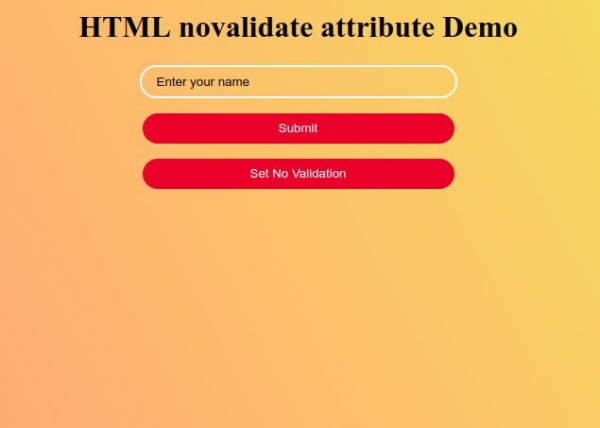
尝试在文本框中不输入任何名字而单击“提交”按钮,它会产生警告信息 −
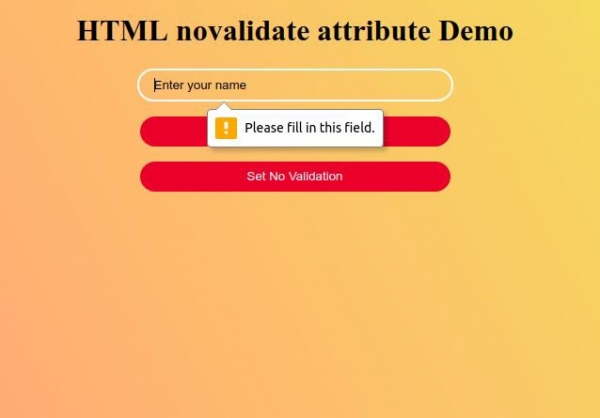
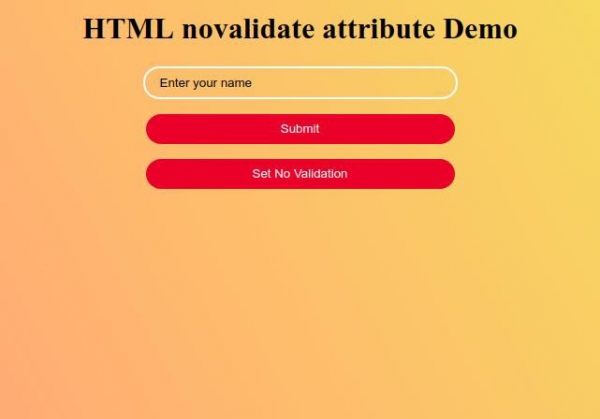
现在单击“设置无验证”按钮,在表单元素上设置 novalidate 属性,并且现在尝试在文本框中不输入任何名字而提交表单,这次它将轻松提交,而不会显示任何警告信息
−

更新于: 26-9 月-2019
263 次浏览

广告