
 Data Structure
 Networking
 RDBMS
RDBMS Operating System
 Java
Java MS Excel
 iOS
iOS HTML
HTML CSS
CSS Android
 Python
 C Programming
 C++
C++ C#
C# MongoDB
 MySQL
MySQL Javascript
 PHP
PHP Physics
 Chemistry
 Biology
 Mathematics
 English
 Economics
 Psychology
 Social Studies
 Fashion Studies
 Legal Studies
Tkinter 画布中的运动小球
Tkinter 是用于创建基于 GUI 的应用程序的标准 Python 库。为了创建一个简单的运动小球应用程序,我们可以使用 Canvas 窗口小部件,它允许用户添加图像、绘制形状并对对象进行动画。该应用程序具有以下组件,
一个 Canvas 窗口小部件,用于在窗口中绘制椭圆或球。
为了移动小球,我们必须定义一个函数 move_ball()。在该函数中,你必须定义小球的位置,当小球击中 Canvas 墙壁(左、右、上和下)时,该位置将不断更新。
为了更新小球位置,我们必须使用 canvas.after(duration, function()),该函数反映了小球在一定时间段后改变其位置。
最后,执行代码以运行应用程序。
示例
# Import the required libraries
from tkinter import *

# Create an instance of tkinter frame or window
win=Tk()

# Set the size of the window
win.geometry("700x350")

# Make the window size fixed
win.resizable(False,False)

# Create a canvas widget
canvas=Canvas(win, width=700, height=350)
canvas.pack()

# Create an oval or ball in the canvas widget
ball=canvas.create_oval(10,10,50,50, fill="green3")

# Move the ball
xspeed=yspeed=3

def move_ball():
   global xspeed, yspeed

   canvas.move(ball, xspeed, yspeed)
   (leftpos, toppos, rightpos, bottompos)=canvas.coords(ball)
   if leftpos <=0 or rightpos>=700:
      xspeed=-xspeed

   if toppos <=0 or bottompos >=350:
      yspeed=-yspeed

   canvas.after(30,move_ball)

canvas.after(30, move_ball)

win.mainloop()
输出
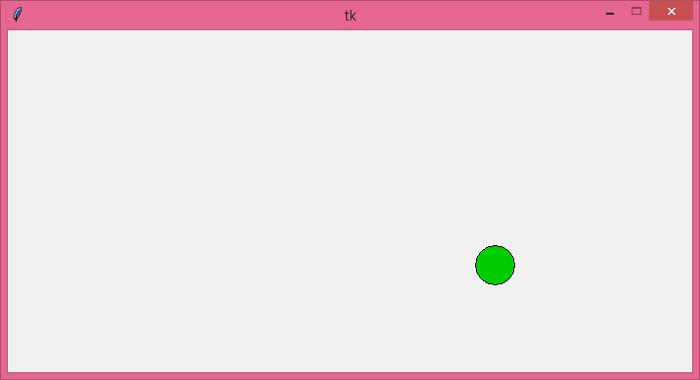
运行以上代码将显示一个应用程序窗口,其中将有一个运动的小球在 Canvas 中。

更新于:18-6-2021
2 千次以上浏览

广告