
 数据结构
数据结构 网络
网络 关系数据库管理系统
 操作系统
操作系统 Java
Java MS Excel
 iOS
iOS HTML
HTML CSS
CSS Android
 Python
 C 编程
C 编程 C++
C++ C#
C# MongoDB
 MySQL
MySQL Javascript
 PHP
PHP 物理学
物理学 化学
化学 生物学
生物学 数学
数学 英语
英语 经济学
经济学 心理学
心理学 社会学
社会学 时尚研究
时尚研究 法律研究
法律研究如何在 React Native 中从服务器加载数据?
要从服务器加载数据,您可以使用 **fetch API**,它类似于 XMLHttpRequest 或任何其他网络 API。
使用 fetch 向服务器发出请求非常容易。请查看以下代码:
fetch('https://jsonplaceholder.typicode.com/posts/1')
   .then((response) => response.json())
   .then((responseJson) => console.log(responseJson));
在上面的代码中,我们正在获取 JSON 文件 https://jsonplaceholder.typicode.com/posts/1 并将数据打印到控制台。对 fetch() API 的最简单调用接受一个参数,即您要获取的路径,它返回一个包含响应的 Promise。
fetch api 返回一个包含 http 响应的 Promise,要从响应中获取 JSON 内容,我们需要使用 json() 方法。
fetch api 的第二个参数是一个对象,它可以包含方法(GET、POST)、头信息、您要发布的数据等。
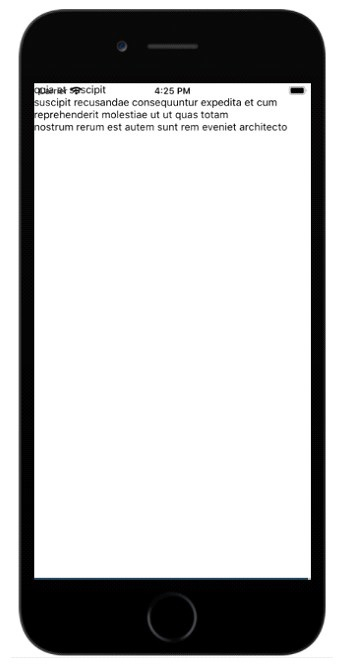
这是一个工作示例,它展示了如何从服务器获取数据并显示给用户。
示例:使用 fetch API 获取数据
数据在开始时初始化为空,如下所示:
state = {
   data: ''
}
关于 componentDidMount() 的详细信息
fetch API 在 componentDidMount() 函数内调用。componentDidMount() 在组件挂载后立即调用,即页面上所有元素都渲染完成后。
以下是相同代码:
componentDidMount = () => {
   fetch('https://jsonplaceholder.typicode.com/posts/1', {
      method: 'GET'
   })
   .then((response) => response.json())
   .then((responseJson) => {
      console.log(responseJson);
      this.setState({
         data: responseJson
      })
   })
   .catch((error) => {
      console.error(error);
   });
}
来自 url 的数据:https://jsonplaceholder.typicode.com/posts/1 如下所示:
{
   "userId": 1,
   "id": 1,
   "title": "sunt aut facere repellat provident occaecati excepturi optio reprehenderit",
   "body": "quia et suscipit
suscipit recusandae consequuntur expedita et cum
reprehenderit molestiae ut ut quas totam
nostrum rerum est autem sunt rem eveniet architecto"
}
我们感兴趣的是显示 body 内部的文本。
数据变量使用 setState 方法更新,如下所示:
this.setState({
   data: responseJson
})
因此,现在 this.state.data.body 包含来自服务器的数据,可以用来显示给用户,如下所示:
render() {
   return (
      <View>
         <Text>
            {this.state.data.body}
         </Text>
      </View>
   )
}
以下是使用 fetch Api 从服务器获取数据的有效代码:
import React, { Component } from "react";
import { Text, View } from "react-native";
class HttpExample extends Component {
   state = {
      data: ''
   }
   componentDidMount = () => { fetch('https://jsonplaceholder.typicode.com/posts/1', {
      method: 'GET'
   })
   .then((response) => response.json())
   .then((responseJson) => {
      console.log(responseJson);
      this.setState({
         data: responseJson
      })
   })
   .catch((error) => {
      console.error(error);
   });
}
render() {
   return (
      <View>
         <Text>
            {this.state.data.body}
            </Text>
         </View>
      )
   }
}
const App = () => {
   return (
      <HttpExample />
   )
}
export default App
输出

更新于: 2021-07-01
1K+ 次查看

广告