
 数据结构
数据结构 网络
网络 关系型数据库管理系统
 操作系统
操作系统 Java
Java MS Excel
 iOS
iOS HTML
HTML CSS
CSS Android
 Python
 C 编程
C 编程 C++
C++ C#
C# MongoDB
 MySQL
MySQL Javascript
 PHP
PHP 物理学
物理学 化学
化学 生物学
生物学 数学
数学 英语
英语 经济学
经济学 心理学
心理学 社会学
社会学 服装设计
服装设计 法律研究
法律研究React Native 中的状态是什么?
状态是数据来源的地方。我们应该始终尽量使我们的状态尽可能简单,并最大程度地减少有状态组件的数量。例如,如果我们有十个组件需要来自状态的数据,我们应该创建一个容器组件来为所有这些组件保留状态。
示例 1
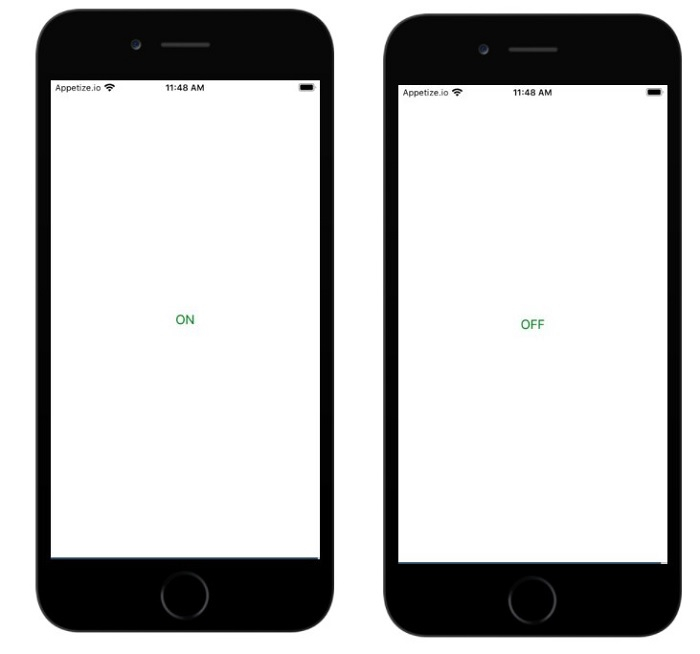
用户按下按钮时,按钮标题更改为 ON/OFF。
状态在构造函数内部初始化,如下所示:
constructor(props) {
   super(props);
   this.state = { isToggle: true };
}
isToggle 是赋予状态的布尔值。按钮的标题根据 isToggle 属性决定。如果值为 true,则按钮的标题为 ON,否则为 OFF。
按下按钮时,会调用 onpress 方法,该方法会调用 setState,如以下所示更新 isToggle 值:
onPress={() => {
   this.setState({ isToggle: !this.state.isToggle });
}}
当用户点击按钮时,将调用 onPress 事件,setState 将更改 isToggle 属性的状态。
App.js
import React, { Component } from "react";
import { Text, View, Button, Alert } from 'react-native';

class App extends Component {

   constructor(props) {
      super(props);
      this.state = { isToggle: true };
   }

   render(props) {
      return (
         <View style={{flex :1, justifyContent: 'center', margin: 15 }}>
            <Button
               onPress={() => {
                  this.setState({ isToggle: !this.state.isToggle });
               }}
               title={
                  this.state.isToggle ? 'ON' : "OFF"
               }
               color="green"
            />
         </View>
      );
   }
}
export default App;
输出
当用户按下按钮时,按钮将切换。
示例 2
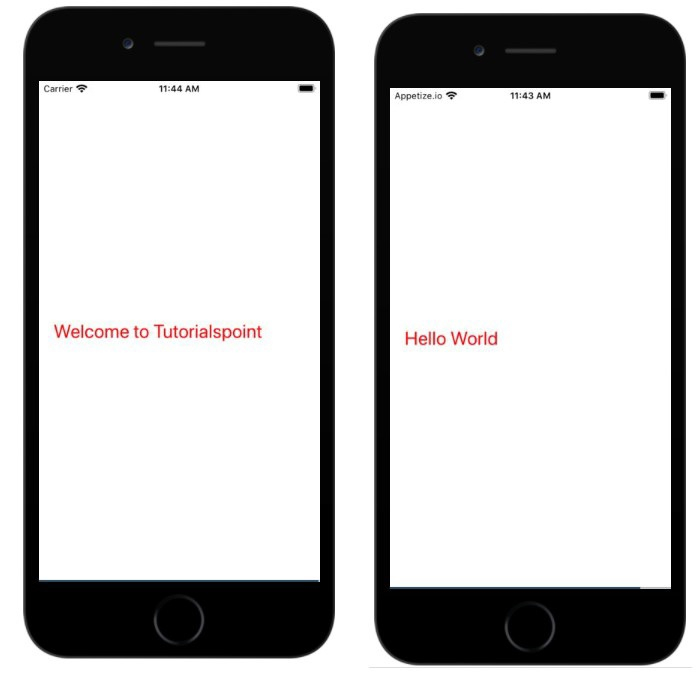
用户点击文本时更改文本。
在下面的示例中,状态在构造函数内部显示如下:
constructor(props) {
   super(props);
   this.state = { myState: 'Welcome to Tutorialspoint' };
}
状态 myState 在 Text 组件内部显示如下:
<Text onPress={this.changeState} style={{color:'red', fontSize:25}}>{this.state.myState} </Text>当用户触摸或按下文本时,会触发 onPress 事件并调用方法 this.changeState,该方法通过更新状态 myState 来更改文本,如下所示:
changeState = () => this.setState({myState: 'Hello World'})import React, { Component } from "react";
import { Text, View, Button, Alert } from 'react-native';
class App extends Component {
constructor(props) {
super(props);
this.state = { myState: 'Welcome to Tutorialspoint' };
}
changeState = () => this.setState({myState: 'Hello World'})
render(props) {
return (
<View style={{flex :1, justifyContent: 'center', margin: 15 }}>
<View>
<Text onPress={this.changeState} style={{color:'red', fontSize:25}}> {this.state.myState} </Text>
</View>
</View>
);
}
}
export default App;输出

更新于: 2021年7月1日
2K+ 阅读量

广告