
 数据结构
数据结构 网络
网络 RDBMS
RDBMS 操作系统
操作系统 Java
Java MS Excel
 iOS
iOS HTML
HTML CSS
CSS Android
 Python
 C 编程
C 编程 C++
C++ C#
C# MongoDB
 MySQL
MySQL Javascript
 PHP
PHP 物理
物理 化学
化学 生物
生物 数学
数学 英语
英语 经济学
经济学 心理学
心理学 社会学
社会学 时尚研究
时尚研究 法律研究
法律研究HTML DOM 存储 getItem() 方法
HTML DOM 存储 getItem() 方法用于通过传递给定键名来获取存储对象。它将返回键的值,如果不存在具有该给定名称的键,则将返回 NULL。
语法
以下是 Storage getItem() 方法的语法 -
localStorage.getItem(keyname);
或
sessionStorage.getItem(keyname);
其中,keyname 是字符串类型,表示要获取的项的名称。
示例
让我们看一个 HTML DOM 存储 getItem() 方法的示例 -
<!DOCTYPE html>
<html>
<body>
<h1 style="text-align:center">Storage getItem() method example</h1>
<p>Create a localStorage item with the name CLICKS to count the number of clicks on the create button by clicking the below button</p>
<button onclick="createItem()">CREATE</button>
<p>Get the CLICKS item value by clicking the below button</p>
<button onclick="showItem()">Display</button>
<p id="Sample"></p>
<script>
   var y=1;
   function createItem() {
      document.getElementById("Sample").innerHTML="localStorage Item has been created with name CLICKS";
      localStorage.visits = y;
      y++;
   }
   function showItem() {
      var x = localStorage.getItem("visits");
      document.getElementById("Sample").innerHTML = "The total no. of clicks are : "+x;
   }
</script>
</body>
</html>
输出
这将产生以下输出 -
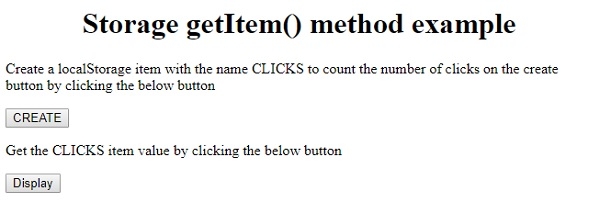
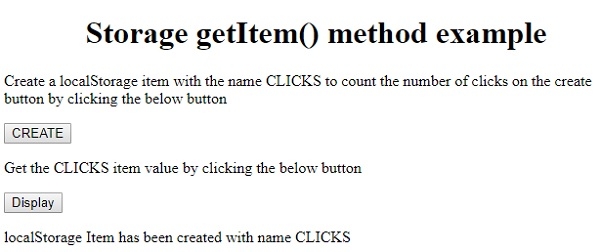
点击 CREATE 按钮 -
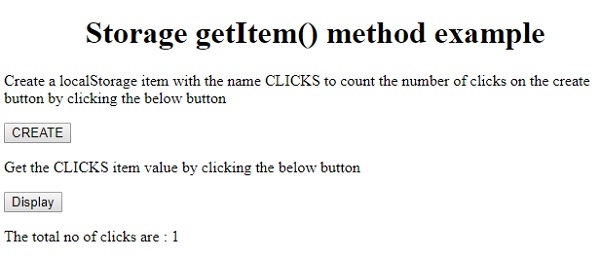
点击“Display”按钮 -

更新于: 19-Feb-2021
84 次浏览

广告