
- HTML Canvas 教程
- HTML Canvas - 首页
- HTML Canvas - 概览
- 环境设置
- HTML Canvas - 第一个应用程序
- HTML Canvas - 绘制二维图形
- HTML Canvas - 路径元素
- 使用路径元素绘制二维图形
- HTML Canvas - 颜色
- HTML Canvas - 添加样式
- HTML Canvas - 添加文本
- HTML Canvas - 添加图像
- HTML Canvas - Canvas 时钟
- HTML Canvas - 变换
- 合成和剪裁
- HTML Canvas - 基本动画
- 高级动画
- HTML Canvas API 函数
- HTML Canvas - 元素
- HTML Canvas - 矩形
- HTML Canvas - 线
- HTML Canvas - 路径
- HTML Canvas - 文本
- HTML Canvas - 颜色和样式
- HTML Canvas - 图像
- HTML Canvas - 阴影和变换
- HTML Canvas 有用资源
- HTML Canvas - 快速指南
- HTML Canvas - 有用资源
- HTML Canvas - 讨论
HTML Canvas - 第一个应用程序
在前面的章节中,我们已经了解如何使用 <canvas> 标签创建 Canvas 元素。现在,我们将使用简单的 CSS 样式格式化 Canvas 元素,这有助于我们理解 Canvas 元素是如何形成的。
我们首先创建一个空的 Canvas 元素,并使用以下属性进行格式化
添加背景色
更改边框
为 Canvas 元素添加背景色
以下代码演示了如何使用 CSS 样式属性为 Canvas 元素添加颜色。我们使用 Canvas 元素的 background_color 属性。代码如下所示。
<!DOCTYPE html>
<html lang="en">
<head>
   <title>Canvas Element</title>
   <style>
      #canvas{
         border:5px solid black;
         background-color: green;
      }
   </style>
</head>
<body>
   <canvas id="canvas" width="300" height="150" >
      This text is displayed if your browser does not support HTML5 Canvas or if JavaScript is disabled.
   </canvas>
</body>
</html>
输出
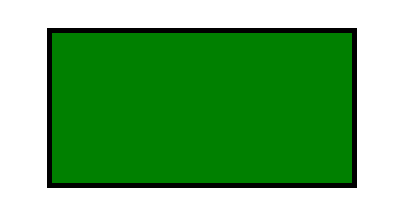
更改 Canvas 元素的边框
通过使用 CSS 样式属性,我们可以轻松更改 Canvas 元素的边框样式。在使用 Canvas 创建交互式视觉图形时,这非常有用。以下是更改 Canvas 元素的边框样式的实现。
<!DOCTYPE html>
<html lang="en">
<head>
   <title>Canvas Element</title>
   <style>
      #canvas{
         border:2px dotted black;
      }
   </style>
</head>
<body>
   <canvas id="canvas" width="300" height="150" >
      This text is displayed if your browser does not support HTML5 Canvas or if JavaScript is disabled.
   </canvas>
</body>
</html>
输出
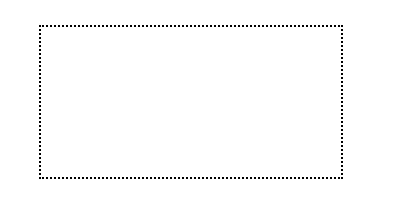
在创建 Canvas 元素时,我们可以使用以下选项之一来更改 Canvas 边框的样式,而不是使用实心边框
点状
虚线
双线
浮雕
脊线
广告