
- Koa.js 教程
- Koa.js - 主页
- Koa.js - 概述
- Koa.js - 环境
- Koa.js - Hello World
- Koa.js - 生成器
- Koa.js - 路由
- Koa.js - URL 构建
- Koa.js - HTTP 方法
- Koa.js - 请求对象
- Koa.js - 响应对象
- Koa.js - 重定向
- Koa.js - 错误处理
- Koa.js - 级联
- Koa.js - 模板
- Koa.js - 表单数据
- Koa.js - 文件上传
- Koa.js - 静态文件
- Koa.js - Cookie
- Koa.js - 会话
- Koa.js - 认证
- Koa.js - 压缩
- Koa.js - 缓存
- Koa.js - 数据库
- Koa.js - RESTful API
- Koa.js - 日志记录
- Koa.js - 脚手架
- Koa.js - 资源
- Koa.js 实用资源
- Koa.js - 快速指南
- Koa.js - 实用资源
- Koa.js - 讨论
Koa.js - 文件上传
Web 应用程序需要提供允许文件上传的功能。让我们看看如何从客户端接收文件并将它们存储在我们的服务器上。
我们已经使用了 koa-body 中间件来解析请求。此中间件还用于处理文件上传。让我们创建一个表单,允许我们上传文件,然后使用 Koa 保存这些文件。首先创建一个名为 file_upload.pug 的模板,其中包含以下内容。
html
   head
      title File uploads
   body
      form(action = "/upload" method = "POST" enctype = "multipart/form-data")
         div
            input(type = "text" name = "name" placeholder = "Name")

         div
            input(type = "file" name = "image")

         div
            input(type = "submit")
请注意,您需要在表单中提供与上述相同的编码类型。现在让我们在我们的服务器上处理此数据。
var koa = require('koa');
var router = require('koa-router');
var bodyParser = require('koa-body');
var app = koa();

//Set up Pug
var Pug = require('koa-pug');
var pug = new Pug({
   viewPath: './views',
   basedir: './views',
   app: app
});

//Set up body parsing middleware
app.use(bodyParser({
   formidable:{uploadDir: './uploads'},    //This is where the files would come
   multipart: true,
   urlencoded: true
}));

var _ = router(); //Instantiate the router

_.get('/files', renderForm);
_.post('/upload', handleForm);

function * renderForm(){
   this.render('file_upload');
}

function *handleForm(){
   console.log("Files: ", this.request.body.files);
   console.log("Fields: ", this.request.body.fields);
   this.body = "Received your data!"; //This is where the parsed request is stored
}

app.use(_.routes());
app.listen(3000);
运行此代码后,您将获得以下表单。
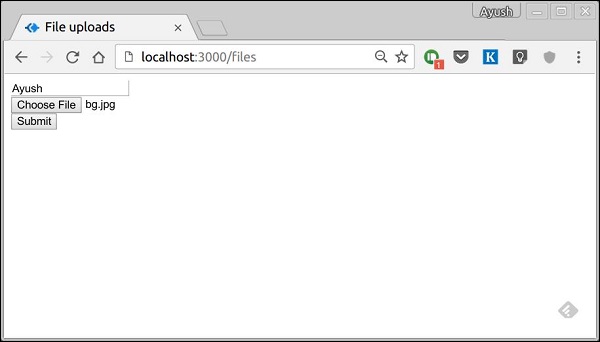
提交后,您的控制台将生成以下输出。
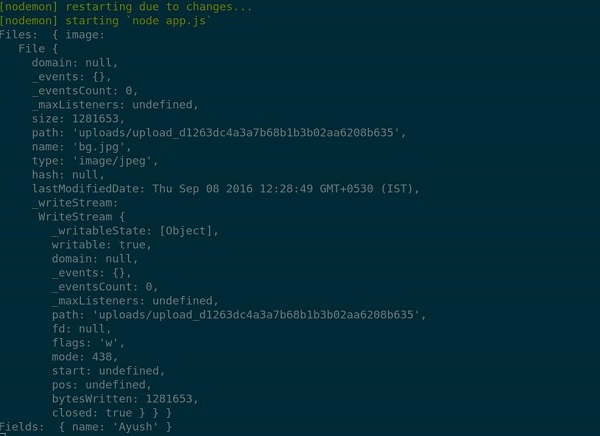
上传的文件存储在上述输出中的路径中。您可以使用 this.request.body.files 访问请求中的文件,并使用 this.request.body.fields 访问该请求中的字段。
广告