
- PyGTK 教程
- PyGTK - 首页
- PyGTK - 简介
- PyGTK - 环境搭建
- PyGTK - Hello World
- PyGTK - 重要类
- PyGTK - 窗口类
- PyGTK - 按钮类
- PyGTK - 标签类
- PyGTK - 输入框类
- PyGTK - 信号处理
- PyGTK - 事件处理
- PyGTK - 容器
- PyGTK - 箱式容器类
- PyGTK - 按钮盒类
- PyGTK - 对齐类
- PyGTK - 事件盒类
- PyGTK - 布局类
- PyGTK - 组合框类
- PyGTK - 切换按钮类
- PyGTK - 复选框类
- PyGTK - 单选按钮类
- PyGTK - 菜单栏、菜单和菜单项
- PyGTK - 工具栏类
- PyGTK - 调整类
- PyGTK - 范围类
- PyGTK - 刻度类
- PyGTK - 滚动条类
- PyGTK - 对话框类
- PyGTK - 消息对话框类
- PyGTK - 关于对话框类
- PyGTK - 字体选择对话框
- PyGTK - 颜色选择对话框
- PyGTK - 文件选择对话框
- PyGTK - 笔记本类
- PyGTK - 框架类
- PyGTK - 带边框的框架类
- PyGTK - 树形视图类
- PyGTK - 分割窗格类
- PyGTK - 状态栏类
- PyGTK - 进度条类
- PyGTK - 视口类
- PyGTK - 滚动窗口类
- PyGTK - 箭头类
- PyGTK - 图片类
- PyGTK - 绘图区域类
- PyGTK - 旋转按钮类
- PyGTK - 日历类
- PyGTK - 剪贴板类
- PyGTK - 标尺类
- PyGTK - 超时
- PyGTK - 拖放
- PyGTK 有用资源
- PyGTK - 快速指南
- PyGTK - 有用资源
- PyGTK - 讨论
PyGTK - Hello World
使用 PyGTK 创建窗口非常简单。首先,我们需要在代码中导入 gtk 模块。
import gtk
gtk 模块包含 gtk.Window 类。它的对象构建一个顶级窗口。我们从 gtk.Window 派生一个类。
class PyApp(gtk.Window):
定义构造函数并调用 gtk.window 类的 show_all() 方法。
def __init__(self):
   super(PyApp, self).__init__()
   self.show_all()
现在,我们必须声明此类的对象并通过调用其 main() 方法启动事件循环。
PyApp()
gtk.main()
建议我们在父窗口中添加一个标签 “Hello World”。
label = gtk.Label("Hello World")
self.add(label)
以下是显示 “Hello World” 的完整代码:
import gtk

class PyApp(gtk.Window):
   def __init__(self):
      super(PyApp, self).__init__()
      self.set_default_size(300,200)
      self.set_title("Hello World in PyGTK")
      label = gtk.Label("Hello World")
      self.add(label)
      self.show_all()
PyApp()
gtk.main()
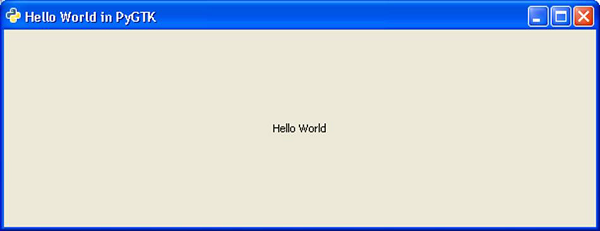
上述代码的实现将产生以下输出:
广告