
 数据结构
数据结构 网络
网络 RDBMS
RDBMS 操作系统
操作系统 Java
Java MS Excel
 iOS
iOS HTML
HTML CSS
CSS Android
 Python
 C 编程
C 编程 C++
C++ C#
C# MongoDB
 MySQL
MySQL Javascript
 PHP
PHP 物理
物理 化学
化学 生物
生物 数学
数学 英语
英语 经济学
经济学 心理学
心理学 社会学
社会学 服装设计
服装设计 法律研究
法律研究HTML DOM Input Month 对象
HTML DOM input month 对象表示 type=”month” 的 <input> 元素。
让我们创建一个 input month 对象 -
语法
以下是语法 -
var monthInput = document.createElement(“INPUT”);
monthInput.setAttribute(“type”,”month”);
属性
以下是 HTML DOM input month 对象的属性 -
| 属性 | 解释 |
|---|---|
| autocomplete | 它返回并更改月份输入字段的 autocomplete 属性值。 |
| autofocus | 它返回并修改页面加载时是否应使月份输入字段获得焦点。 |
| disabled | 它返回并修改月份输入字段是否被禁用。 |
| defaultValue | 它返回并更改月份输入字段的默认值。 |
| form | 它返回包含 HTML 文档中月份输入字段的表单的引用。 |
| list | 它返回包含月份输入字段的数据列表的引用。 |
| max | 它返回并修改月份输入字段的 max 属性值。 |
| min | 它返回并修改月份输入字段的 min 属性值。 |
| name | 它返回并更改月份输入字段的 name 属性值。 |
| readOnly | 它返回并修改月份输入字段是否为只读。 |
| required | 它返回并修改在提交表单之前是否必须填写月份字段。 |
| step | 它返回并更改月份输入字段的 step 属性值。 |
| type | 它返回月份输入字段的 type 属性值。 |
| value | 它返回并修改月份输入字段的 value 属性内容。 |
方法
以下是 HTML DOM input month 对象的方法
| 方法 | 解释 |
|---|---|
| stepUp() | 它根据其参数中指定的值递增月份输入字段的值。 |
| stepDown() | 它根据其参数中指定的值递减月份输入字段的值。 |
示例
让我们看看 HTML DOM input month 对象的示例 -
<!DOCTYPE html>
<html>
<head>
<style>
   body{
      text-align:center;
      background-color:#fff;
      color:#0197F6;
   }
   h1{
      color:#23CE6B;
   }
   .btn{
      background-color:#fff;
      border:1.5px dashed #0197F6;
      height:2rem;
      border-radius:2px;
      width:60%;
      margin:2rem auto;
      display:block;
      color:#0197F6;
      outline:none;
      cursor:pointer;
   }
</style>
</head>
<body>
<h1>DOM Input month Object Example</h1>
<button onclick="createMonthField()" class="btn">Create an input month field</button>
<script>
   function createMonthField() {
      var monthInput = document.createElement("INPUT");
      monthInput.setAttribute("type", "month");
      monthInput.setAttribute("value", "2019-07");
      document.body.appendChild(monthInput);
   }
</script>
</body>
</html>
输出
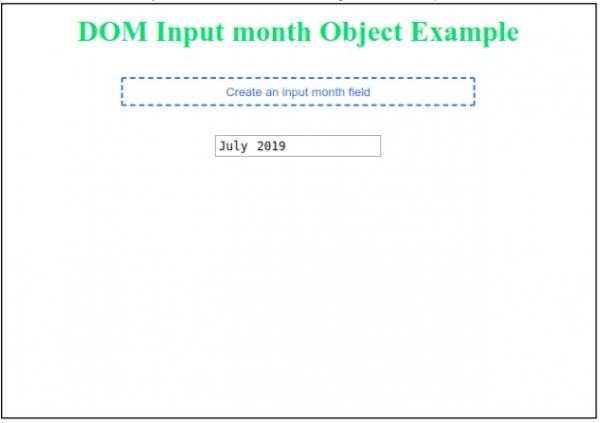
这将产生以下输出 -
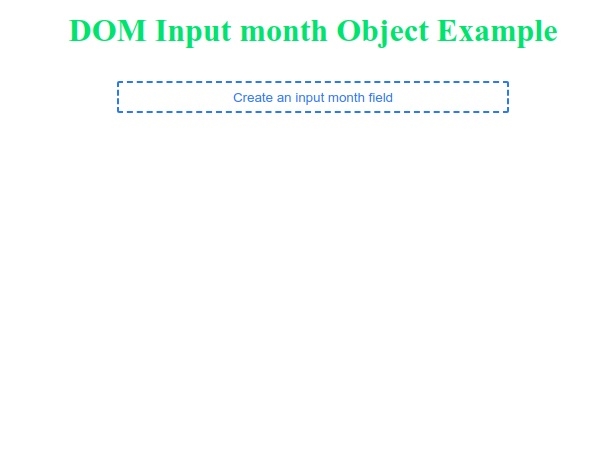
点击“创建月份输入字段”按钮以生成月份输入字段 -

更新于: 2019-07-30
105 次查看

广告