- ASP.NET MVC 教程
- ASP.NET MVC - 首页
- ASP.NET MVC - 概述
- ASP.NET MVC - 模式
- ASP.NET MVC - 环境设置
- ASP.NET MVC - 入门
- ASP.NET MVC - 生命周期
- ASP.NET MVC - 路由
- ASP.NET MVC - 控制器
- ASP.NET MVC - 操作
- ASP.NET MVC - 过滤器
- ASP.NET MVC - 选择器
- ASP.NET MVC - 视图
- ASP.NET MVC - 数据模型
- ASP.NET MVC - 辅助方法
- ASP.NET MVC - 模型绑定
- ASP.NET MVC - 数据库
- ASP.NET MVC - 验证
- ASP.NET MVC - 安全性
- ASP.NET MVC - 缓存
- ASP.NET MVC - Razor
- ASP.NET MVC - 数据注释
- Nuget 包管理
- ASP.NET MVC - Web API
- ASP.NET MVC - 脚手架
- ASP.NET MVC - Bootstrap
- ASP.NET MVC - 单元测试
- ASP.NET MVC - 部署
- ASP.NET MVC - 自托管
- ASP.NET MVC 有用资源
- ASP.NET MVC - 快速指南
- ASP.NET MVC - 有用资源
- ASP.NET MVC - 讨论
ASP.NET MVC - 数据库
在本教程中创建的所有 ASP.NET MVC 应用程序中,我们一直从控制器向视图模板传递硬编码数据。但是,为了构建一个真正的 Web 应用程序,您可能希望使用一个真正的数据库。在本章中,我们将了解如何使用数据库引擎来存储和检索应用程序所需的数据。
为了存储和检索数据,我们将使用一种称为 Entity Framework 的 .NET Framework 数据访问技术来定义和处理模型。
Entity Framework (EF) 支持 Code First 技术,该技术允许您通过编写简单的类来创建模型对象,然后数据库将根据您的类动态创建,从而实现非常简洁和快速的开发工作流程。
让我们来看一个简单的示例,在该示例中,我们将为我们的示例添加对 Entity Framework 的支持。
步骤 1 - 要安装 Entity Framework,请右键单击您的项目,然后选择 NuGet 包管理器 → 为解决方案管理 NuGet 包…
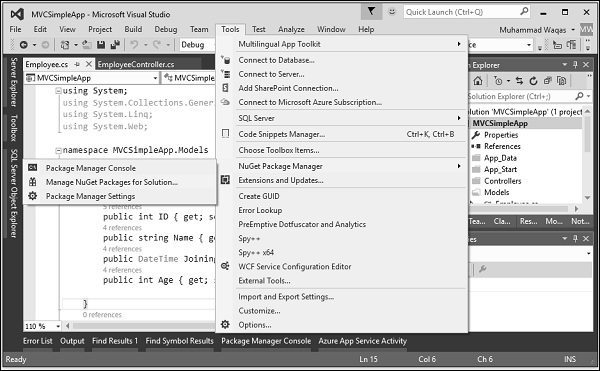
它将打开NuGet 包管理器。在搜索框中搜索 Entity framework。
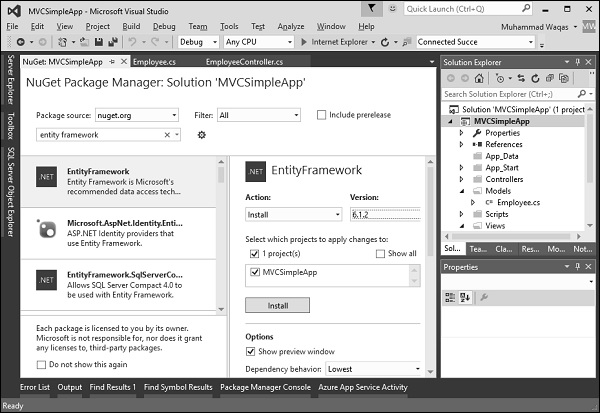
选择 Entity Framework 并单击“安装”按钮。它将打开“预览”对话框。
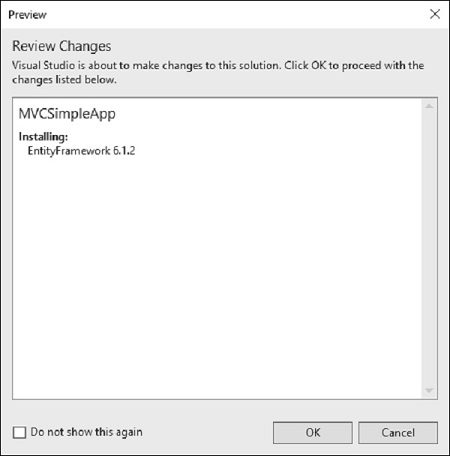
单击“确定”继续。
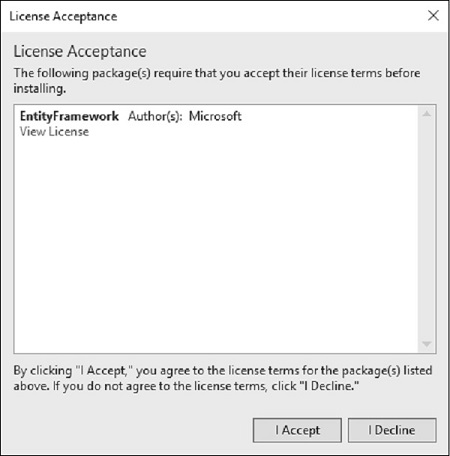
单击“我接受”按钮开始安装。
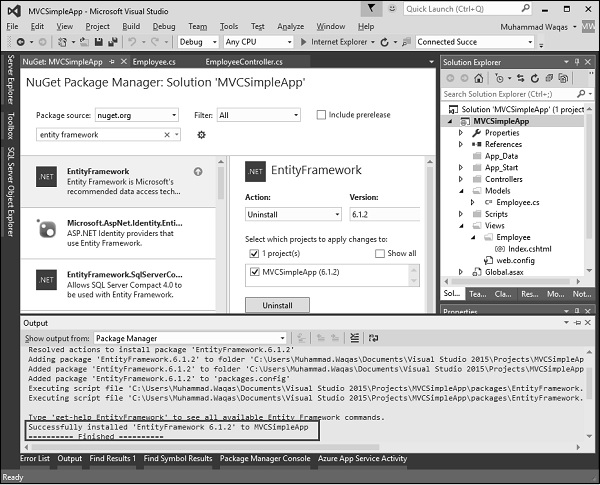
安装 Entity Framework 后,您将在输出窗口中看到消息,如上图所示。
添加 DBContext
我们需要向 Employee 模型添加另一个类,该类将与 Entity Framework 通信以使用以下代码检索和保存数据。
using System;
using System.Collections.Generic;
using System.Data.Entity;
using System.Linq;

using System.Web;

namespace MVCSimpleApp.Models{
   public class Employee{
      public int ID { get; set; }
      public string Name { get; set; }
      public DateTime JoiningDate { get; set; }
      public int Age { get; set; }
   }

   public class EmpDBContext : DbContext{
      public EmpDBContext()
      { }
      public DbSet<Employee> Employees { get; set; }
   }
}
如上所示,EmpDBContext 派生自一个称为DbContext的 EF 类。在此类中,我们有一个名为 DbSet 的属性,它基本上表示您要查询和保存的实体。
连接字符串
我们需要在 Web.config 文件中的 <configuration> 标签下为我们的数据库指定连接字符串。
<connectionStrings>
   <add name = "EmpDBContext" connectionString = "Data
   Source = (LocalDb)\v14.0;AttachDbFilename = |DataDirectory|\EmpDB.mdf;Initial
   Catalog = EmployeeDB;Integrated Security = SSPI;"
   providerName = "System.Data.SqlClient"/>
</connectionStrings>
您实际上不需要添加 EmpDBContext 连接字符串。如果您未指定连接字符串,则 Entity Framework 将在用户的目录中创建 localDB 数据库,其名称为 DbContext 类的完整限定名称。对于此演示,我们将不添加连接字符串以简化操作。
现在,我们需要更新 EmployeeController.cs 文件,以便我们实际上可以从数据库中保存和检索数据,而不是使用硬编码数据。
首先,我们添加创建一个私有的 EmpDBContext 类对象,然后更新 Index、Create 和 Edit 操作方法,如下面的代码所示。
using MVCSimpleApp.Models;
using System.Linq;
using System.Web.Mvc;

namespace MVCSimpleApp.Controllers {
   public class EmployeeController : Controller{
      private EmpDBContext db = new EmpDBContext();
      // GET: Employee

      public ActionResult Index(){
         var employees = from e in db.Employees
         orderby e.ID
         select e;
         return View(employees);
      }

      // GET: Employee/Create
      public ActionResult Create(){
         return View();
      }

      // POST: Employee/Create
      [HttpPost]
      public ActionResult Create(Employee emp){
         try{
            db.Employees.Add(emp);
            db.SaveChanges();
            return RedirectToAction("Index");
         }catch{
            return View();
         }
      }

      // GET: Employee/Edit/5
      public ActionResult Edit(int id){
         var employee = db.Employees.Single(m => m.ID == id);
         return View(employee);
      }

      // POST: Employee/Edit/5
      [HttpPost]
      public ActionResult Edit(int id, FormCollection collection){
         try{
            var employee = db.Employees.Single(m => m.ID == id);
            if (TryUpdateModel(employee)){
               //To Do:- database code
               db.SaveChanges();
               return RedirectToAction("Index");
            }
            return View(employee);
         }catch{
            return View();
         }
      }
   }
}
然后,我们使用以下 URL 运行此应用程序https://:63004/Employee。您将看到以下输出。
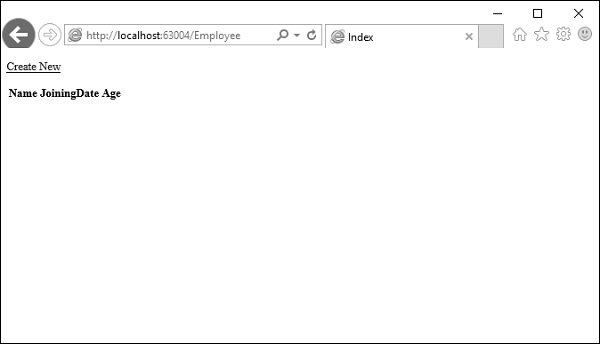
如您所见,视图上没有数据,这是因为我们尚未在 Visual Studio 创建的数据库中添加任何记录。
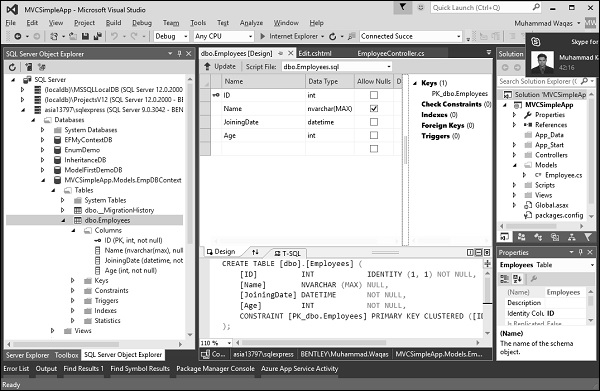
让我们转到 SQL Server 对象资源管理器,您将看到数据库已创建,名称与我们在 DBContext 类中使用的名称相同。
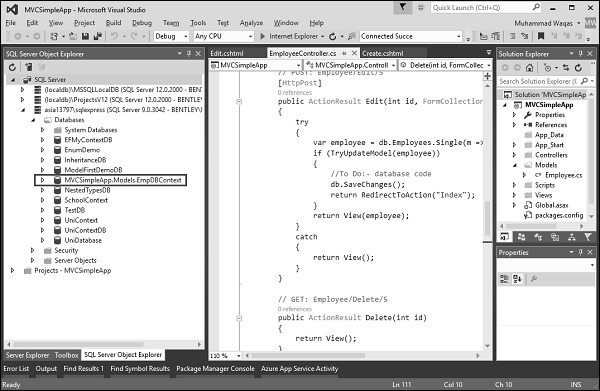
让我们展开此数据库,您将看到它有一个表,其中包含 Employee 模型类中的所有字段。
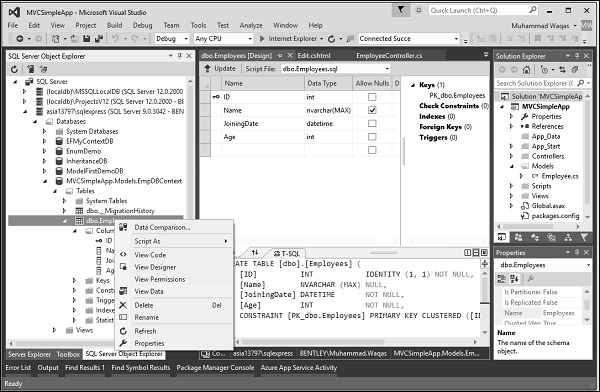
要查看此表中的数据,请右键单击 Employees 表,然后选择“查看数据”。
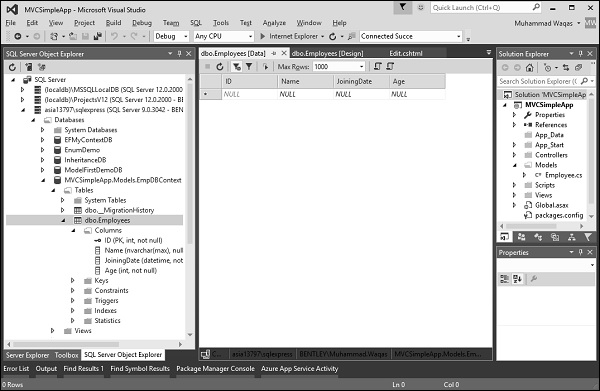
您将看到目前我们没有记录。
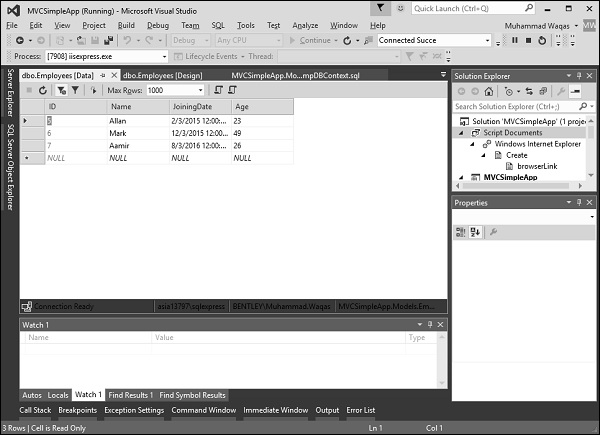
让我们直接在数据库中添加一些记录,如下面的屏幕截图所示。
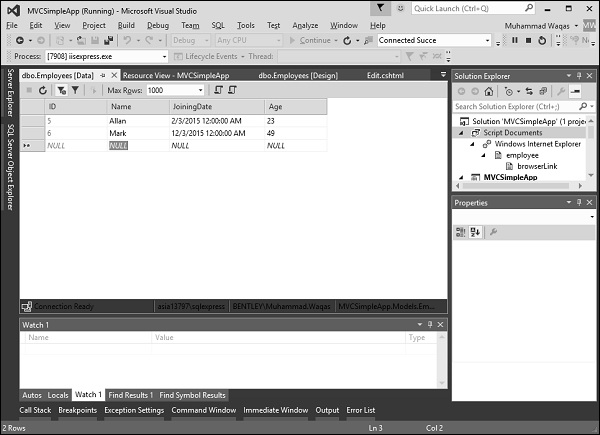
刷新浏览器,您将看到数据现在已从数据库更新到视图。
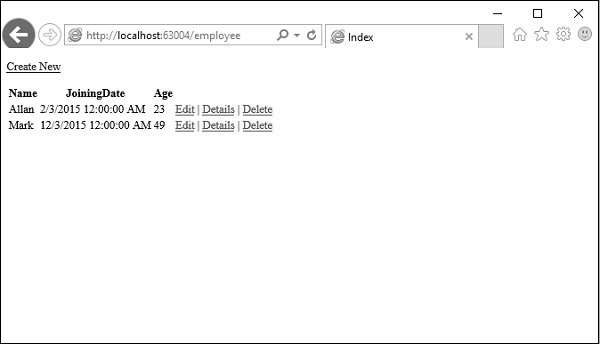
让我们通过单击“新建”链接从浏览器添加一条记录。它将显示 Create 视图。
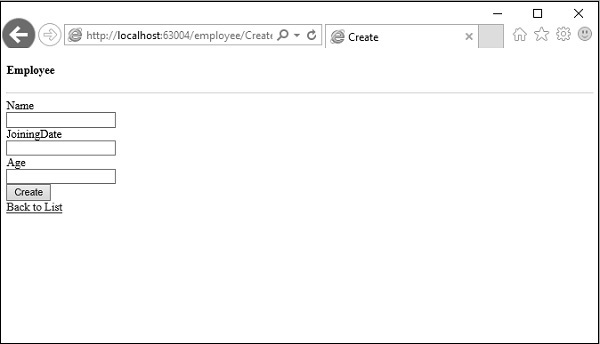
让我们在以下字段中添加一些数据。
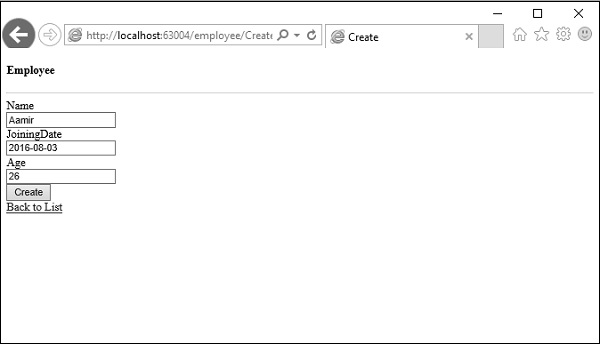
单击“创建”按钮,它将更新 Index 视图并将此新记录添加到数据库。
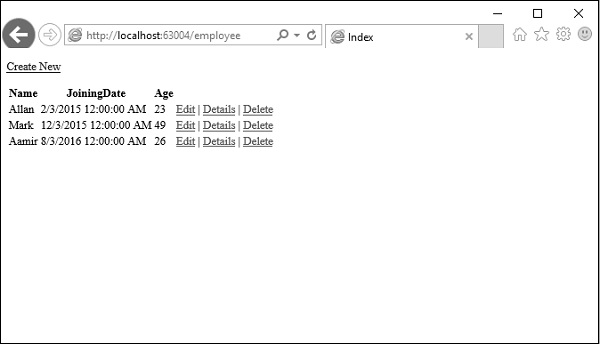
现在让我们转到 SQL Server 对象资源管理器并刷新数据库。右键单击 Employees 表,然后选择“查看数据”菜单选项。您将看到该记录已添加到数据库中。