
- Aurelia 教程
- Aurelia - 主页
- Aurelia - 概述
- Aurelia - 环境设置
- Aurelia - 第一个应用程序
- Aurelia - 组件
- Aurelia - 组件生命周期
- Aurelia - 自定义元素
- Aurelia - 依赖项注入
- Aurelia - 配置
- Aurelia - 插件
- Aurelia - 数据绑定
- Aurelia - 绑定行为
- Aurelia - 转换器
- Aurelia - 事件
- Aurelia - 事件聚合器
- Aurelia - 窗体
- Aurelia - HTTP
- Aurelia - 引用
- Aurelia - 路由
- Aurelia - 历史
- Aurelia - 动画
- Aurelia - 对话框
- Aurelia - 本地化
- Aurelia - 工具
- Aurelia - 捆绑
- Aurelia - 调试
- Aurelia - 社区
- Aurelia - 最佳实践
- Aurelia 有用资源
- Aurelia - 快速指南
- Aurelia - 有用资源
- Aurelia - 讨论
Aurelia - 动画
在本章节中,你将学习如何使用 Aurelia 框架中的 CSS 动画。
步骤 1 - 视图
我们的视图将有一个将要执行动画的元素和一个触发 **animateElement()** 函数的按钮。
app.html
<template>
   <div class = "myElement"></div>
   <button click.delegate = "animateElement()">ANIMATE</button>
</template>
步骤 2 - 视图模型
在我们的 JavaScript 文件中,我们将导入 **CssAnimator** 插件并将其作为依赖项注入。**animateElement** 函数将调用动画器开始动画。动画将在下一步中创建。
import {CssAnimator} from 'aurelia-animator-css';
import {inject} from 'aurelia-framework';

@inject(CssAnimator, Element)
export class App {
   constructor(animator, element) {
      this.animator = animator;
      this.element = element;
   }

   animateElement() {
      var myElement = this.element.querySelector('.myElement');
      this.animator.animate(myElement, 'myAnimation');
   }
}
步骤 3 − 样式
我们将在 **styles/styles.css** 文件中编写 CSS。**myAnimation-add** 是一个动画的开始点,而 **myAnimation-remove** 在动画完成后调用。
styles.css
.myElement {
   width:100px;
   height: 100px;
   border:1px solid blue;
}

.myAnimation-add {
   -webkit-animation: changeBack 3s;
   animation: changeBack 3s;
}

.myAnimation-remove {
   -webkit-animation: fadeIn 3s;
   animation: fadeIn 3s;
}

@-webkit-keyframes changeBack {
   0% { background-color: #e6efff; }
   25% { background-color: #4d91ff; }
   50% { background-color: #0058e6; }
   75% { background-color: #003180; }
   100% { background-color: #000a1a; }
}

@keyframes changeBack {
   0% { background-color: #000a1a; }
   25% { background-color: #003180; }
   50% { background-color: #0058e6; }
   75% { background-color: #4d91ff; }
   100% { background-color: #e6efff; }
}
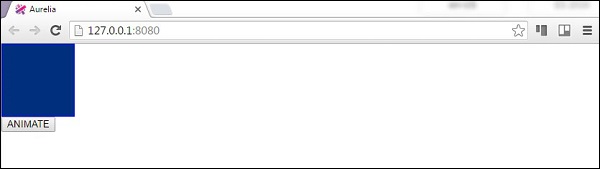
一旦单击 **ANIMATE** 按钮,背景颜色将从浅蓝色变为深色。当这个动画在三秒后完成后,该元素将淡化为其开始状态。
广告