
- Aurelia 教程
- Aurelia - 首页
- Aurelia - 概述
- Aurelia - 环境搭建
- Aurelia - 第一个应用
- Aurelia - 组件
- Aurelia - 组件生命周期
- Aurelia - 自定义元素
- Aurelia - 依赖注入
- Aurelia - 配置
- Aurelia - 插件
- Aurelia - 数据绑定
- Aurelia - 绑定行为
- Aurelia - 转换器
- Aurelia - 事件
- Aurelia - 事件聚合器
- Aurelia - 表单
- Aurelia - HTTP
- Aurelia - Refs
- Aurelia - 路由
- Aurelia - 历史记录
- Aurelia - 动画
- Aurelia - 对话框
- Aurelia - 国际化
- Aurelia - 工具
- Aurelia - 打包
- Aurelia - 调试
- Aurelia - 社区
- Aurelia - 最佳实践
- Aurelia 有用资源
- Aurelia - 快速指南
- Aurelia - 有用资源
- Aurelia - 讨论
Aurelia - 路由
路由是每个应用程序的重要组成部分。在本章中,您将学习如何在 Aurelia 框架中使用路由器。
步骤 1 - 创建页面
我们已在前几章中创建了一个 components 文件夹。如果您还没有创建它,则应将其放在 src 文件夹内。
C:\Users\username\Desktop\aureliaApp\src>mkdir components
在这个文件夹中,我们将创建 home 和 about 目录。
C:\Users\username\Desktop\aureliaApp\src\components>mkdir home
C:\Users\username\Desktop\aureliaApp\src\components>mkdir about
在 home 文件夹中,我们需要创建 view 和 view-model 文件。
C:\Users\username\Desktop\aureliaApp\src\components\home>touch home.js
C:\Users\username\Desktop\aureliaApp\src\components\home>touch home.html
我们还需要 about 页面的 view 和 view-model。
C:\Users\username\Desktop\aureliaApp\src\components\about>touch about.js
C:\Users\username\Desktop\aureliaApp\src\components\about>touch about.html
注意 - 您也可以手动创建以上所有文件夹。
步骤 2 - 页面
接下来,我们需要在创建的文件中添加一些默认代码。
home.html
<template>
   <h1>HOME</h1>
</template>
home.js
export class Home {}
about.html
<template>
   <h1>ABOUT</h1>
</template>
about.js
export class About {}
步骤 3 - 路由器
我们将在 app.js 文件中为 路由器 创建 view-model。
app.js
export class App {
   configureRouter(config, router) {
      config.title = 'Aurelia';

      config.map([
         { route: ['','home'],  name: 'home',
            moduleId: './components/home/home',  nav: true, title:'Home' },
         { route: 'about',  name: 'about',
            moduleId: './components/about/about',    nav: true, title:'About' }
      ]);

      this.router = router;
   }
}
我们的路由器 view 将放置在 app.html 中。
app.html
<template>
   <nav>
      <ul>
         <li repeat.for = "row of router.navigation">
            <a href.bind = "row.href">${row.title}</a>
         </li>
      </ul>
   </nav>
   <router-view></router-view>
</template>
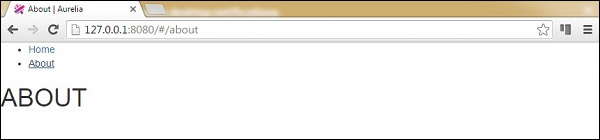
当我们运行应用程序时,可以通过点击 home 或 about 链接来更改路由。
广告