
- Aurelia 教程
- Aurelia - 首页
- Aurelia - 概述
- Aurelia - 环境设置
- Aurelia - 第一个应用程序
- Aurelia - 组件
- Aurelia - 组件生命周期
- Aurelia - 自定义元素
- Aurelia - 依赖注入
- Aurelia - 配置
- Aurelia - 插件
- Aurelia - 数据绑定
- Aurelia - 绑定行为
- Aurelia - 转换器
- Aurelia - 事件
- Aurelia - 事件聚合器
- Aurelia - 表单
- Aurelia - HTTP
- Aurelia - Refs
- Aurelia - 路由
- Aurelia - 历史记录
- Aurelia - 动画
- Aurelia - 对话框
- Aurelia - 本地化
- Aurelia - 工具
- Aurelia - 打包
- Aurelia - 调试
- Aurelia - 社区
- Aurelia - 最佳实践
- Aurelia 有用资源
- Aurelia - 快速指南
- Aurelia - 有用资源
- Aurelia - 讨论
Aurelia - 转换器
如果您需要在 Aurelia 应用程序中转换一些值,可以使用转换器,而不是手动将值转换为所需的格式。
转换日期
当我们想要将默认日期值转换为某个特定格式时,可以使用momentJS库。这是一个用于操作日期的小型库。
C:\Users\username\Desktop\aureliaApp>jspm install moment
让我们创建一个新的文件converters.js。我们将使用此文件添加转换器特定的代码。使用以下命令或手动创建文件。
C:\Users\username\Desktop\aureliaApp>touch converters.js
converter.js
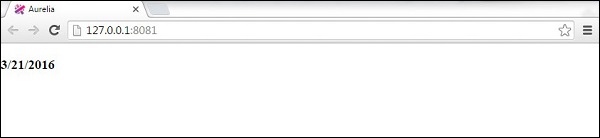
在此文件中,我们将导入moment库并将DateFormatValueConverter设置为仅返回月份、日期和年份值,而无需其他数据。需要注意的重要一点是,Aurelia 可以识别任何以ValueConverter结尾的类。这就是我们的类名为什么是DateFormatValueConverter。此类将注册为dateFormat,我们以后可以在视图中使用它。
converters.js
import moment from 'moment';

export class DateFormatValueConverter {
   toView(value) {
      return moment(value).format('M/D/YYYY');
   }
}
在app.js中,我们将只使用当前日期。这将是我们的视图模型。
app.js
export class App {
   constructor() {
      this.currentDate = new Date();
   }
}
我们已经在自定义元素章节中讨论了require。管道符号 | 用于应用转换器。我们只使用dateFormat,因为这是 Aurelia 注册DateFormatValueConverter的方式。
app.html
<template>
   <require from = "./converters"></require>

   <h3>${currentDate | dateFormat}</h3>
</template>
转换货币
这是一个货币格式化的示例。您会注意到,这个概念与上面的示例相同。首先,我们需要从命令提示符安装numeral库。
C:\Users\username\Desktop\aureliaApp>jspm install numeral
转换器将设置货币格式。
converters.js
import numeral from 'numeral';

export class CurrencyFormatValueConverter {
   toView(value) {
      return numeral(value).format('($0,0.00)');
   }
}
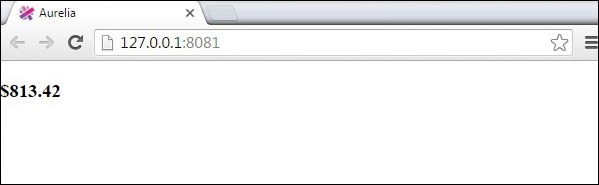
视图模型将只生成一个随机数。我们将使用它作为货币值,并每秒更新一次。
app.js
export class App {
   constructor() {
      this.update();
      setInterval(() => this.update(), 1000);
   }
   update() {
      this.myCurrency = Math.random() * 1000;
   }
}
我们的视图将显示随机生成的数字,并将其转换为货币。
app.html
<template>
   <require from = "./converters"></require>

   <h3>${myCurrency | currencyFormat}</h3>
</template>
广告